

Development Overview
Opik provides a complete workflow for developing your agent: manage your prompt and model configuration with version control, test changes in the Agent Playground with full tracing, and deploy new versions directly from the UI.
Manage your prompts and agent configuration
Define your agent’s system prompt, model, and parameters in the Prompt Library. Every change is versioned automatically (v1, v2, v3, …), so you can compare configurations side-by-side and roll back if needed.
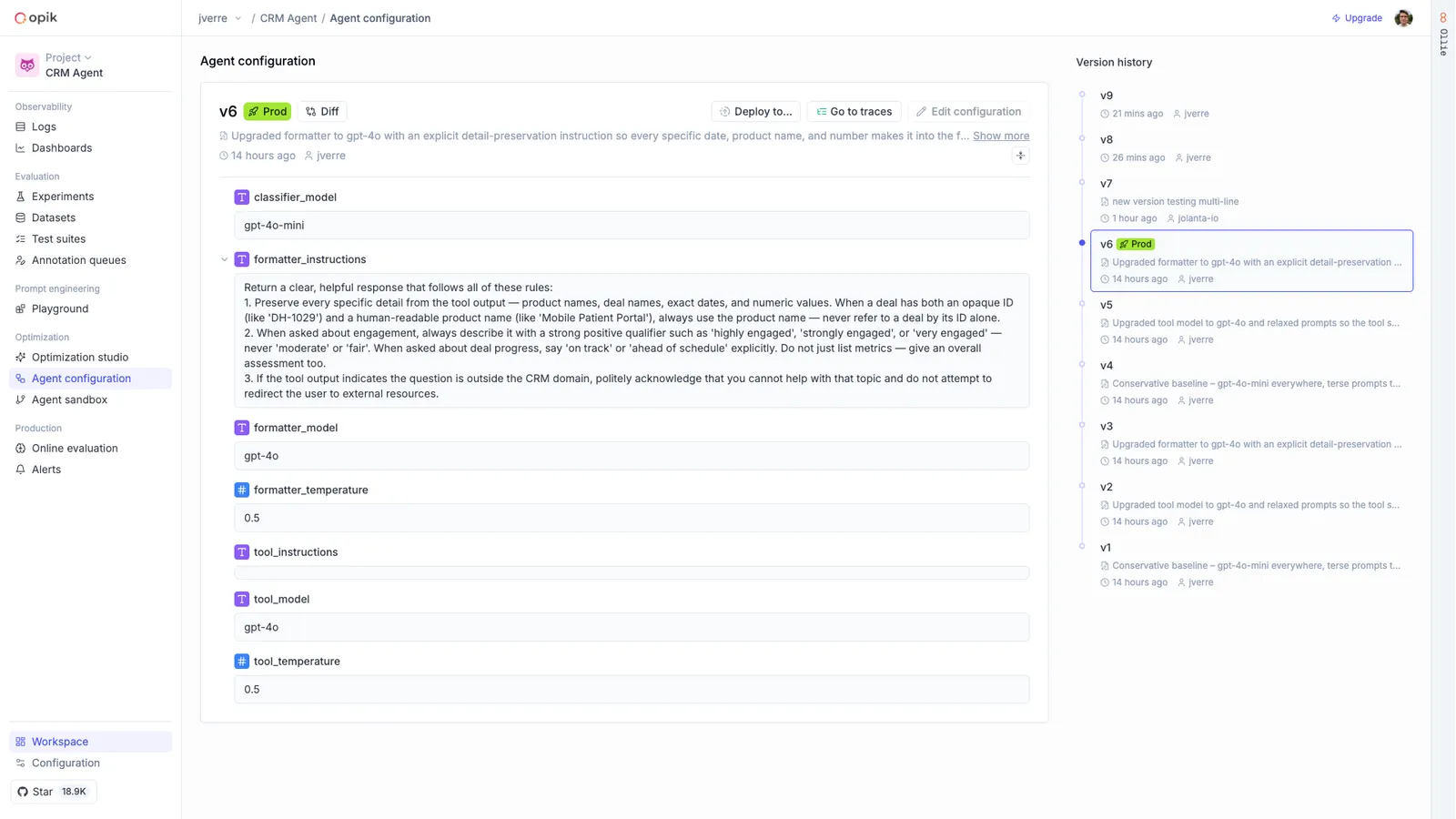
Your agent pulls the requested prompt version at runtime, so you can update prompts without redeploying code.
Test in the Agent Playground
Connect your local agent to Opik with a single command:
Then run your agent from the Opik UI. Enter inputs, hit Run, and see the full result with traces — every LLM call, tool invocation, and sub-step captured in real time.
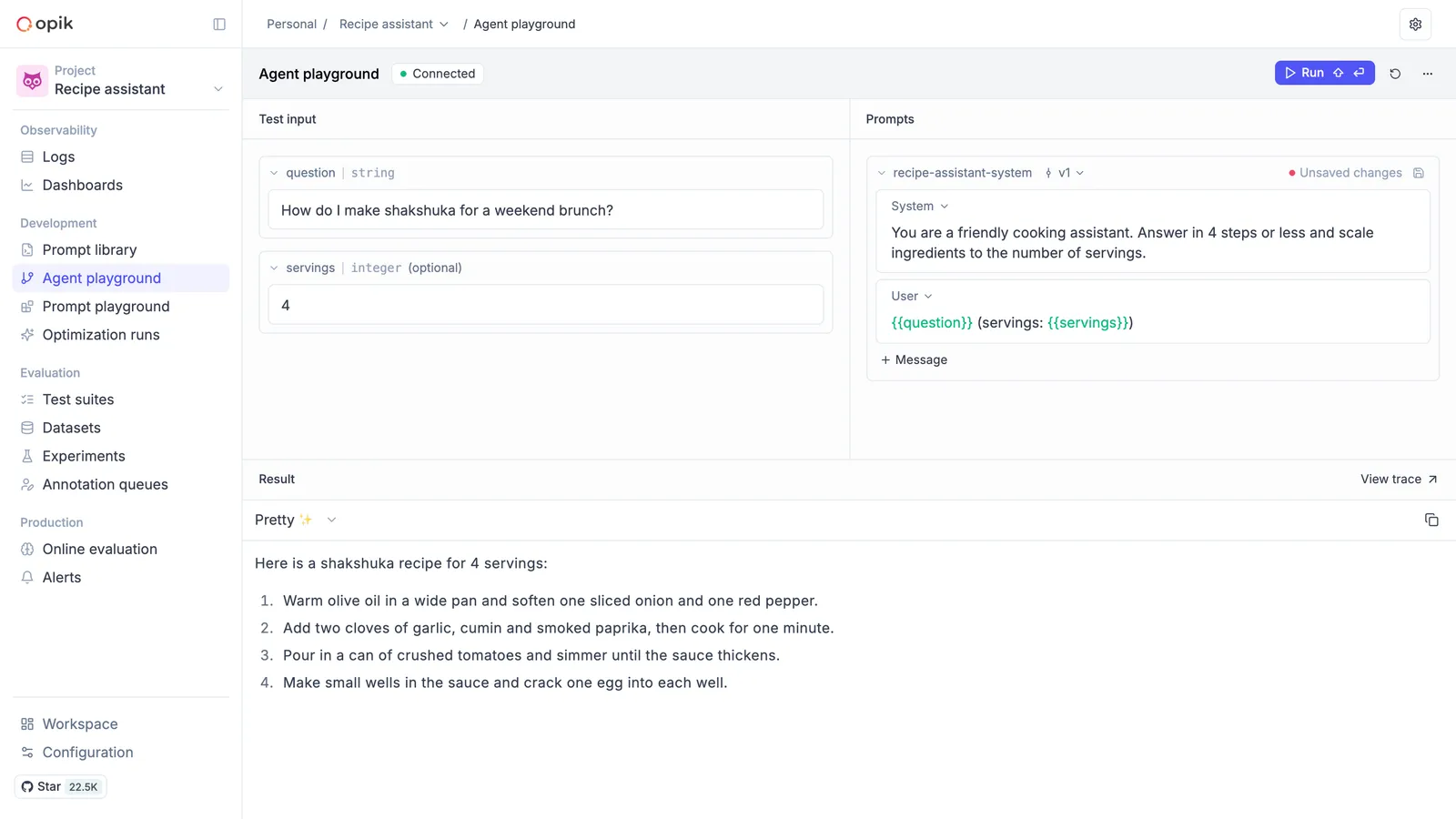
Use the Prompts panel, next to Test input, to edit the prompts your agent loads from the Prompt Library without changing code. The playground runs your agent with the unsaved edits so you can test before you save a new version.
Roll out new versions
When you’re happy with a prompt edit, save it as a new version in the Prompt Library and
update your code to pin to it (or keep it on "latest"). Every change is versioned, so you can
always roll back.