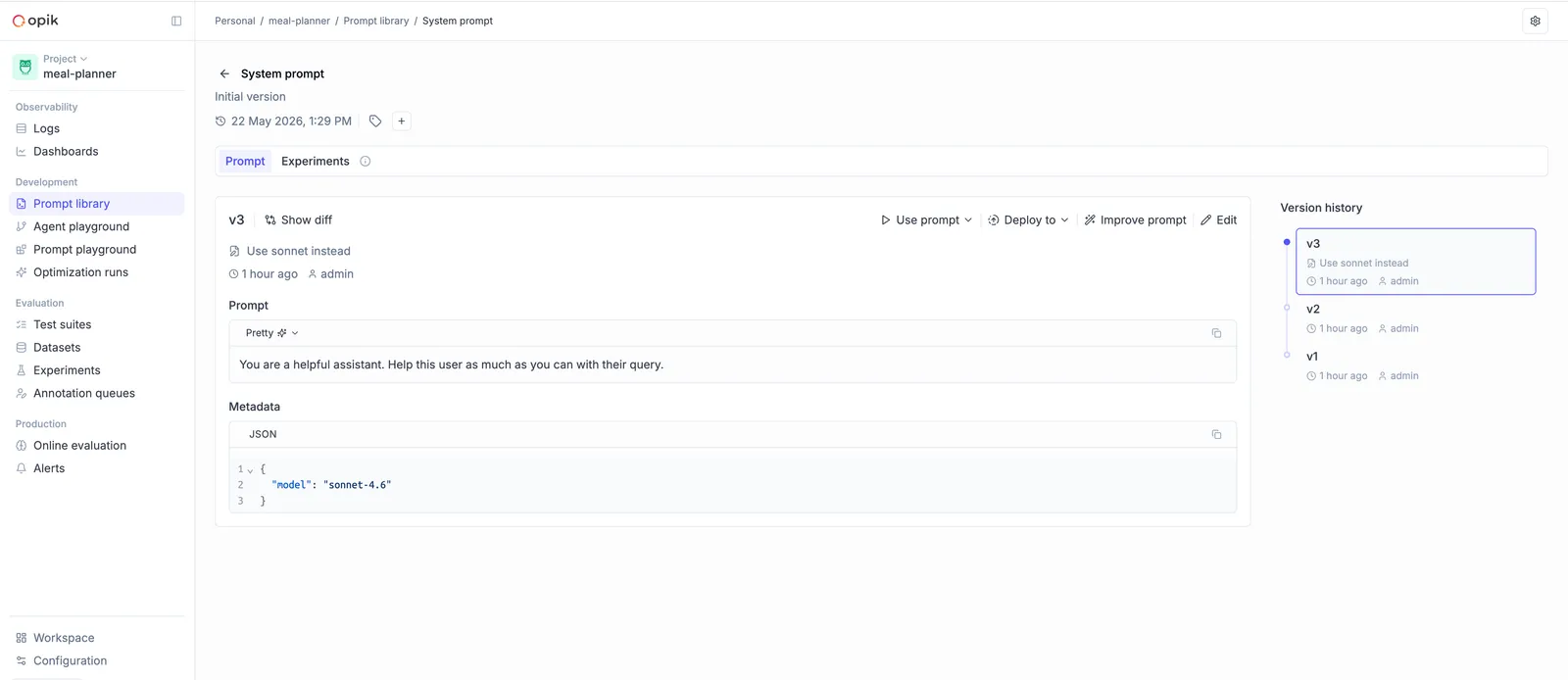
Version control
Every change to a prompt in the Prompt Library creates a new immutable version, numbered
sequentially as v1, v2, v3, … Once created, a version can’t be modified — you always have
a full audit trail.
You can create new versions from the Opik UI or from code using the SDK.
Creating a new version
Opik UI
Python SDK
TypeScript SDK
To create a new version from the Opik platform:
- Navigate to the Prompt Library for your project
- Open the prompt you want to edit
- Click Edit and update the template
- Click Create new version
The new version is available immediately.
Fetching a specific version
Pass the version parameter to fetch a specific version, or omit it to fetch the most recent:
Comparing versions
You can compare any two versions side-by-side in the Opik UI to see exactly what changed. This is useful for reviewing changes before pointing your agent at a new version.