

Evaluate multi-turn agents
Evaluate multi-turn agents
Step-by-step guide to evaluate multi-turn agents
In Opik 2.0, datasets and experiments are project-scoped. Make sure to specify a project_name when creating datasets and running experiments so they are associated with the correct project.
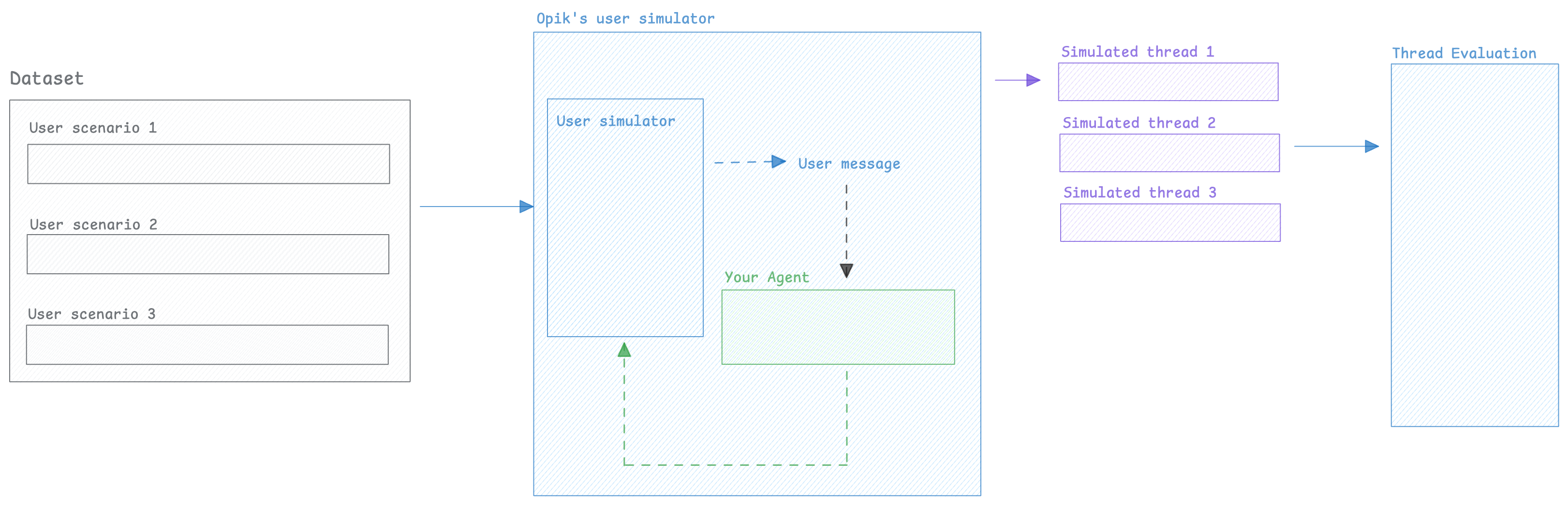
When working on chatbots or multi-turn agents, it can be challenging to evaluate the agent’s behavior over multiple turns because you don’t know what the user would ask as a follow-up question.
To solve this, we can use an LLM to simulate the user — generating realistic follow-up messages based on the conversation so far and running this for a configurable number of turns.
Once we have this conversation, we can use Opik evaluation features to score the agent’s behavior.
Creating the user simulator
In order to perform multi-turn evaluation, we need to create a user simulator that will generate the user’s response based on previous turns
Now that we have a way to simulate the user, we can create multiple simulations that we will in turn evaluate.
Running simulations
1. Create a list of scenarios
In order to more easily keep track of the scenarios we will be running, let’s create a dataset with the user personas we will be using:
2. Create our agent app
The run_simulation function expects an app callable with the following contract: it
receives a user_message string and a thread_id keyword argument, and returns a message
dict {"role": "assistant", "content": "..."}. The app is responsible for managing its own
conversation history using the thread_id.
Here is an example using LangChain:
3. Run the simulations
Now that we have a dataset with the user personas, we can run the simulations:
Each simulation result is a dictionary with:
thread_id: Unique identifier for the conversation threadconversation_history: List of message dicts ({"role": "user"|"assistant", "content": "..."})
The run_simulation function keeps track of the internal conversation state by constructing
a list of messages with the result of the run_agent function as an assistant message and
the SimulatedUser’s response as a user message.
If you need more complex conversation state, you can create threads using the SimulatedUser’s
generate_response method directly.
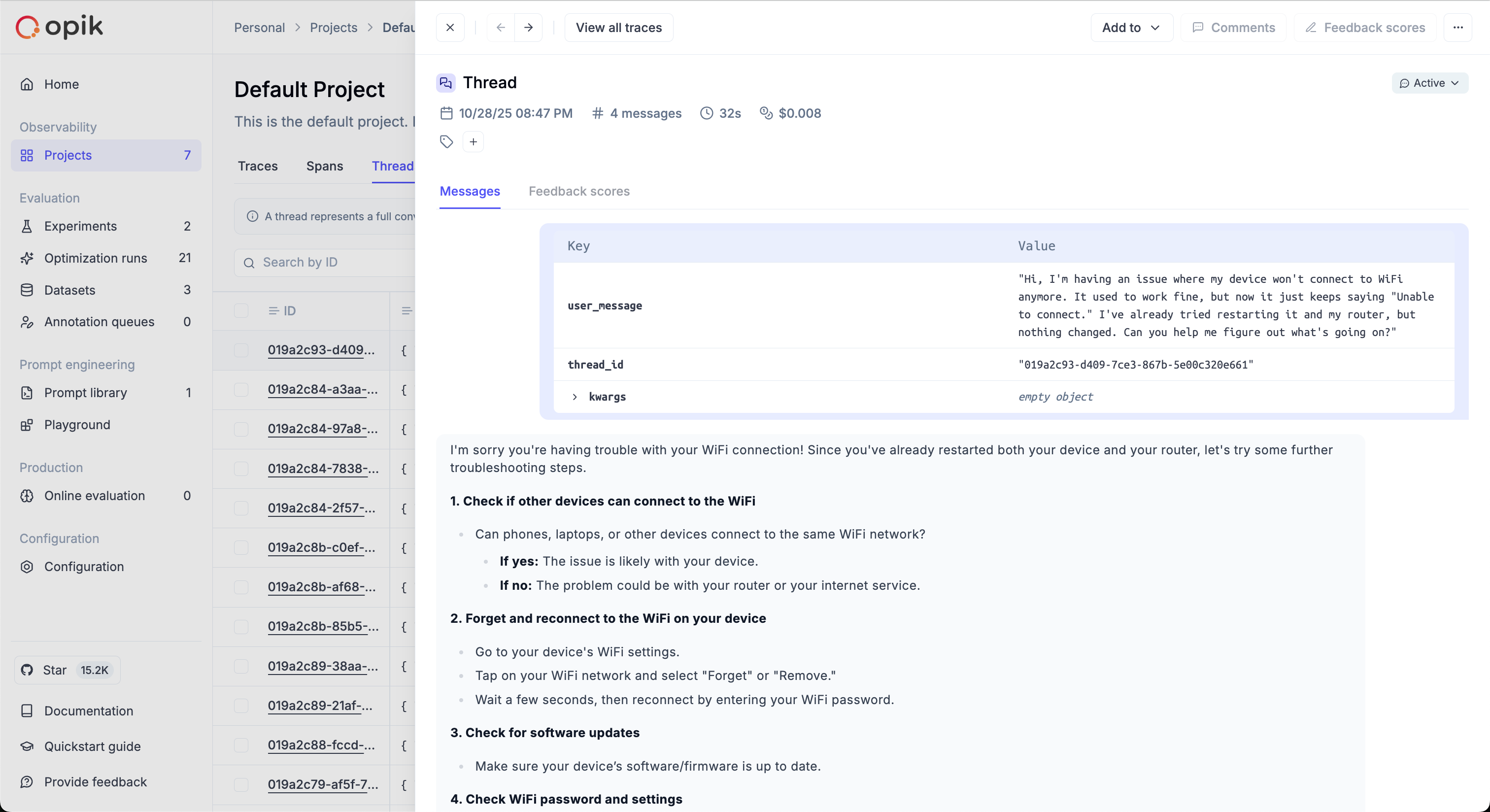
The simulated threads will be available in the Opik thread UI:
Scoring threads
When working on evaluating multi-turn conversations, you can use one of Opik’s built-in conversation metrics or create your own.
If you’ve used the run_simulation function, you will already have a list of conversation messages
that you can pass directly to the metrics, otherwise you can use the evaluate_threads function:
You can learn more about the evaluate_threads function in the evaluate_threads guide.
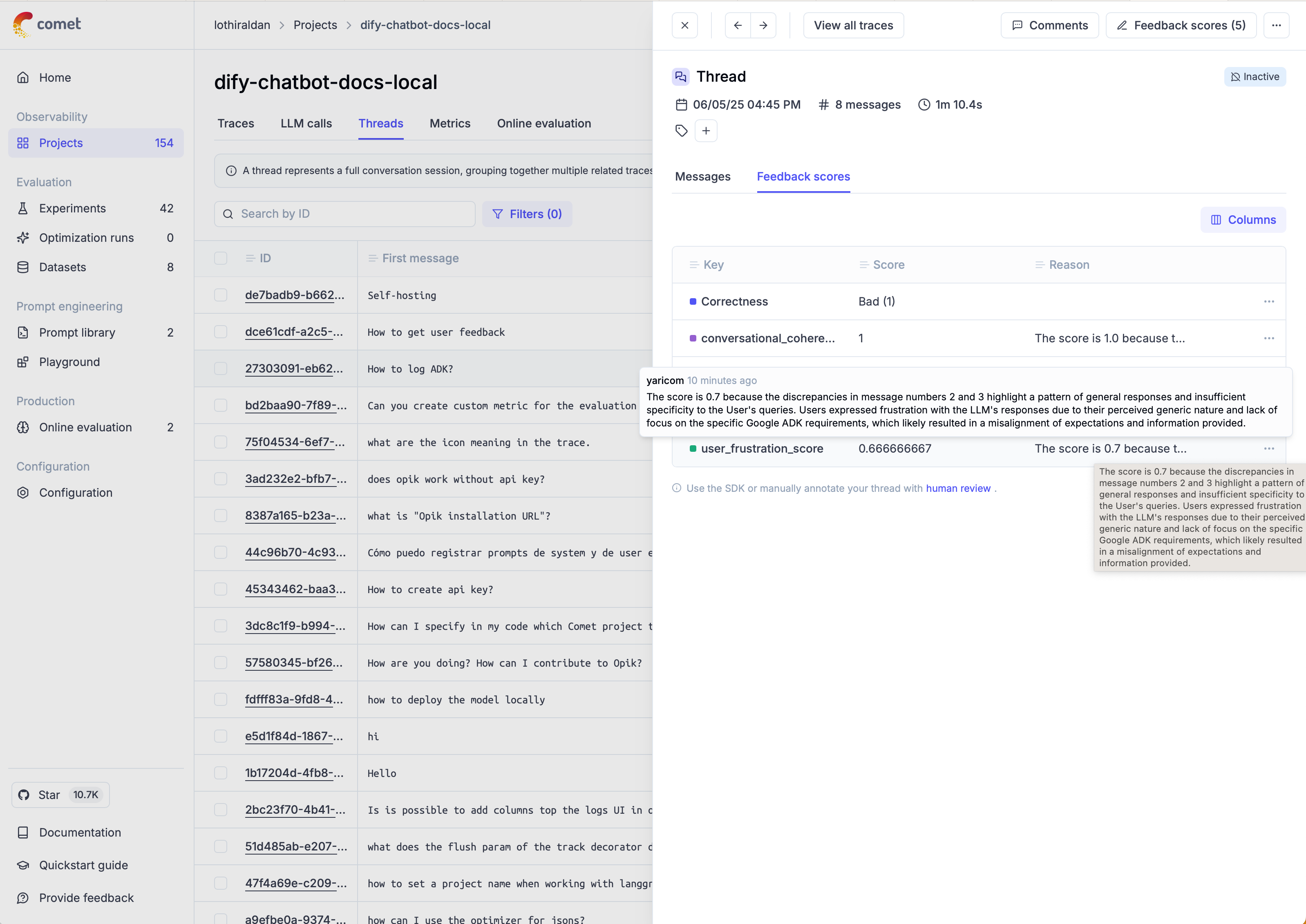
Once the threads have been scored, you can view the results in the Opik thread UI:
Next steps
- Learn more about conversation metrics
- Learn more about custom conversation metrics
- Learn more about evaluate_threads
- Learn more about agent trajectory evaluation