

Here are the most relevant improvements we’ve made since the last release:
📝 Multi-Value Feedback Scores & Annotation Queues
We’re excited to announce major improvements to our evaluation and annotation capabilities!
What’s new?
1. Multi-Value Feedback Scores Multiple users can now independently score the same trace or thread. No more overwriting each other’s input—every reviewer’s perspective is preserved and is visible in the product. This enables richer, more reliable consensus-building during evaluation.
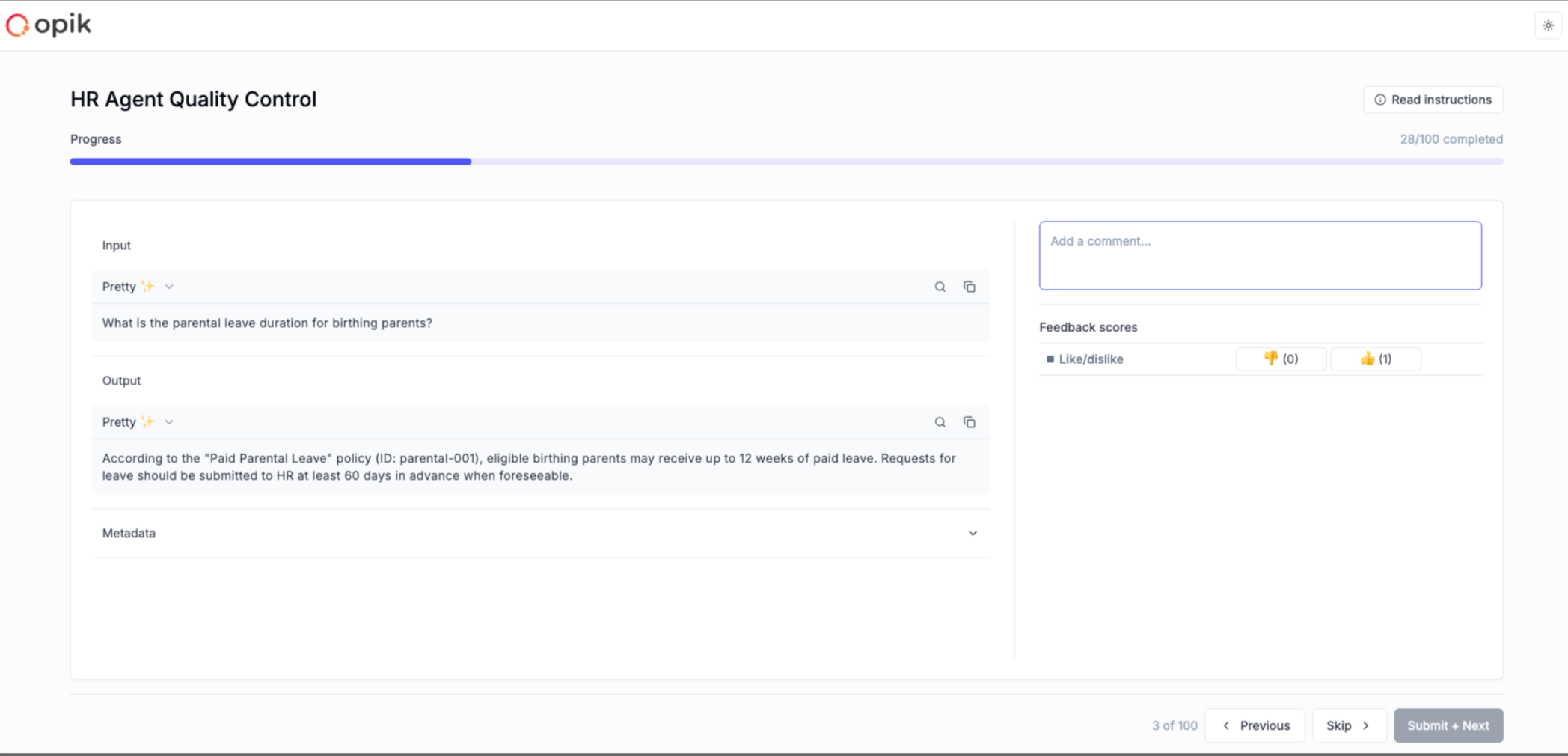
2. Annotation Queues Create queues of traces or threads that need expert review. Share them with SMEs through simple links. Organize work systematically, track progress, and collect both structured and unstructured feedback at scale.
3. Simplified Annotation Experience A clean, focused UI designed for non-technical reviewers. Support for clear instructions, predefined feedback metrics, and progress indicators. Lightweight and distraction-free, so SMEs can concentrate on providing high-quality feedback.
Full Documentation: Annotation Queues
🚀 Opik Optimizer - GEPA Algorithm & MCP Tool Optimization
What’s new?
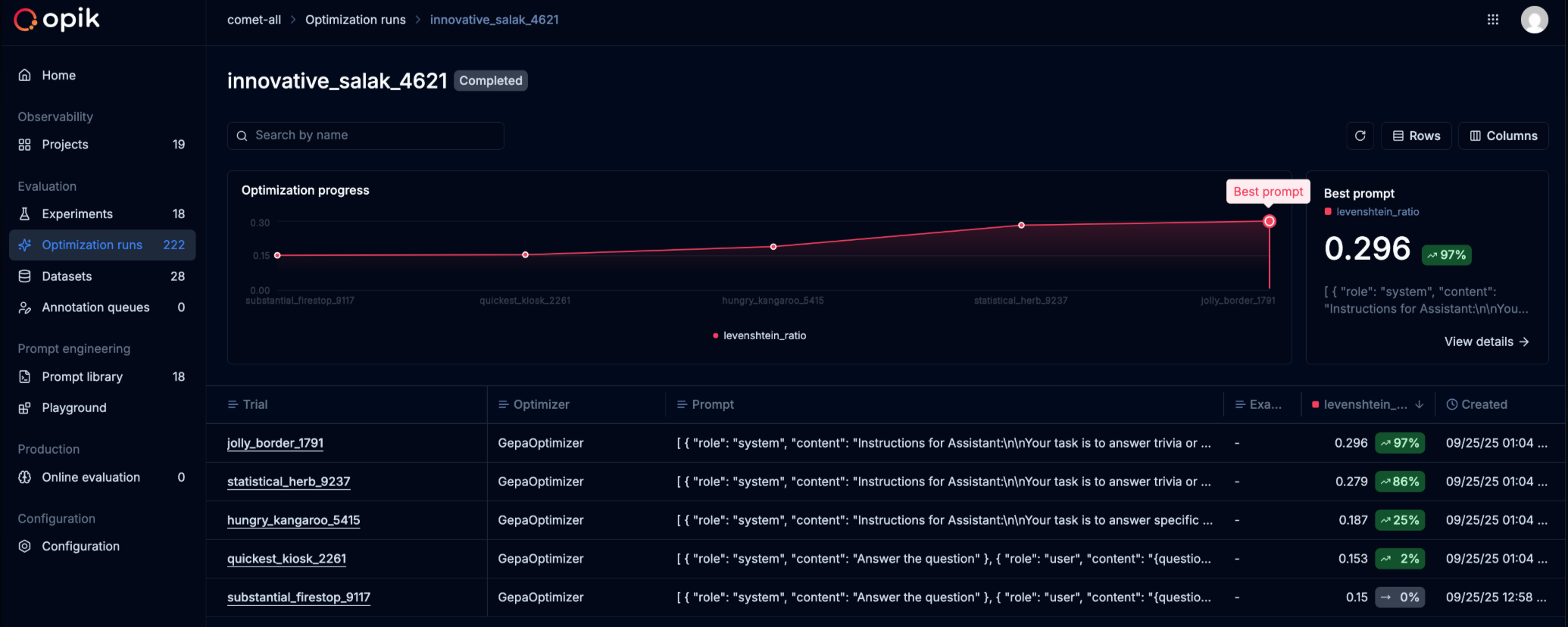
1. GEPA (Genetic-Pareto) Support GEPA is the new algorithm for optimizing prompts from Stanford. This bolsters our existing optimizers with the latest algorithm to give users more options.
2. MCP Tool Calling Optimization The ability to tune MCP servers (external tools used by LLMs). Our solution uses our existing algorithm (MetaPrompter) to use LLMs to tune how LLMs interact with an MCP tool. The final output is a new tool signature which you can commit back to your code.
Full Documentation: Tool Optimization | GEPA Optimizer
🔍 Dataset & Search Enhancements
- Added dataset search and dataset items download functionality
🐍 Python SDK Improvements
- Implement granular support for choosing dataset items in experiments
- Better project name setting and onboarding
- Implement calculation of mean/min/max/std for each metric in experiments
- Update CrewAI to support CrewAI flows
🎨 UX Enhancements
- Add clickable links in trace metadata
- Add description field to feedback definitions
And much more! 👉 See full commit log on GitHub
Releases: 1.8.43, 1.8.44, 1.8.45, 1.8.46, 1.8.47, 1.8.48, 1.8.49, 1.8.50, 1.8.51, 1.8.52, 1.8.53, 1.8.54, 1.8.55, 1.8.56, 1.8.57, 1.8.58, 1.8.59, 1.8.60, 1.8.61, 1.8.62