

Ollie
With Ollie and opik connect, Opik becomes the place you actually fix it. Opik is no longer just a place to watch what your agent did. Ask a question about any trace, let Ollie read your code, have it edit the file, rerun your agent, and verify the fix with a test suite — all without leaving the browser.
Meet Ollie
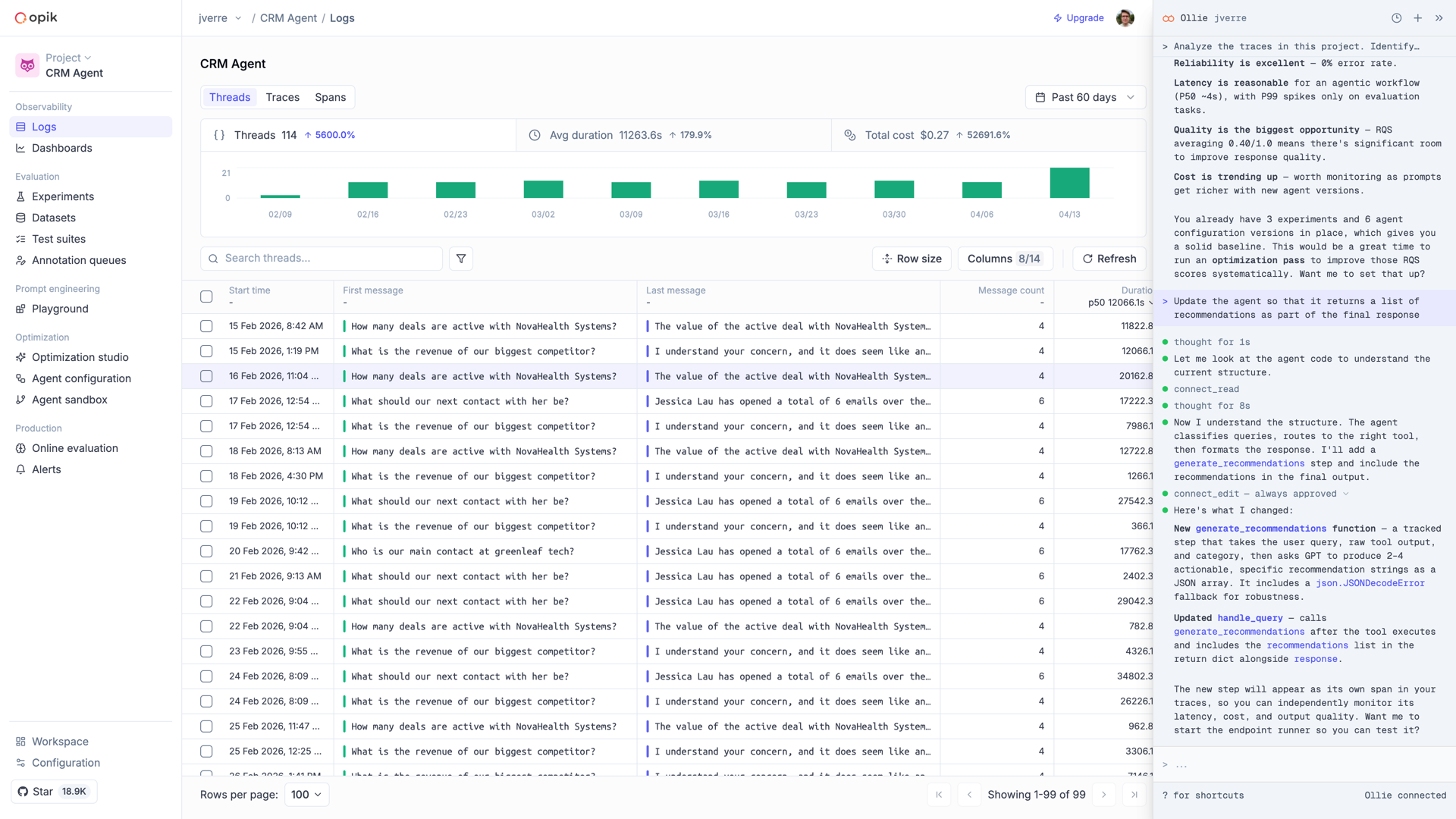
Ollie is a conversational AI assistant built into Opik. It lives next to every trace, dataset, experiment, and prompt you’ve logged — and when you pair your local project with opik connect, Ollie can also read your source files, run your agent, and propose code changes. One assistant, full context: your data on one side, your code on the other.
What Ollie can do
Ollie reads full span trees, identifies root causes, and compares failing runs to successful ones. Ask “why did the final answer ignore the context?” and get a grounded answer, not a guess.
Pair your local project with opik connect and Ollie gains the ability to
read your source files, propose edits (with your approval), and rerun your
agent with the changes in place.
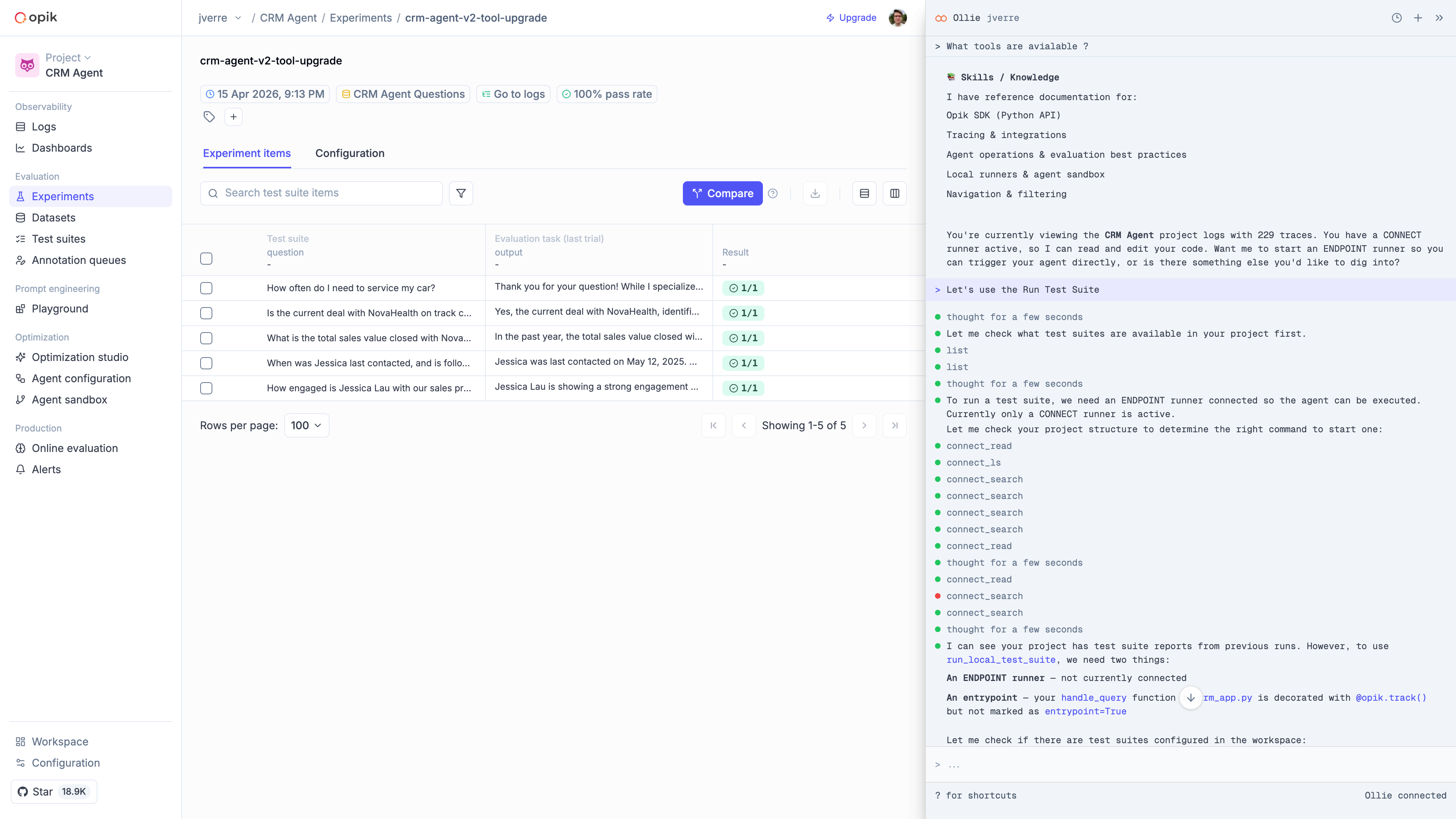
Every fix becomes a test. Ollie can add a failing trace to a test suite, then trigger the suite against your updated agent to confirm the regression is gone.
Traces, threads, datasets, experiments, prompts — Ollie queries across all of them in a single conversation. No tab-switching, no manual stitching.
From debugging to improvement
The real workflow — and the reason Ollie exists — is the full loop from “something looks wrong” to “it’s fixed and it won’t regress.” Here’s what that looks like in Opik:
Spot a failing trace
Start where every debugging session starts: a trace that looks wrong. Filter by error status, low feedback score, or latency spike.
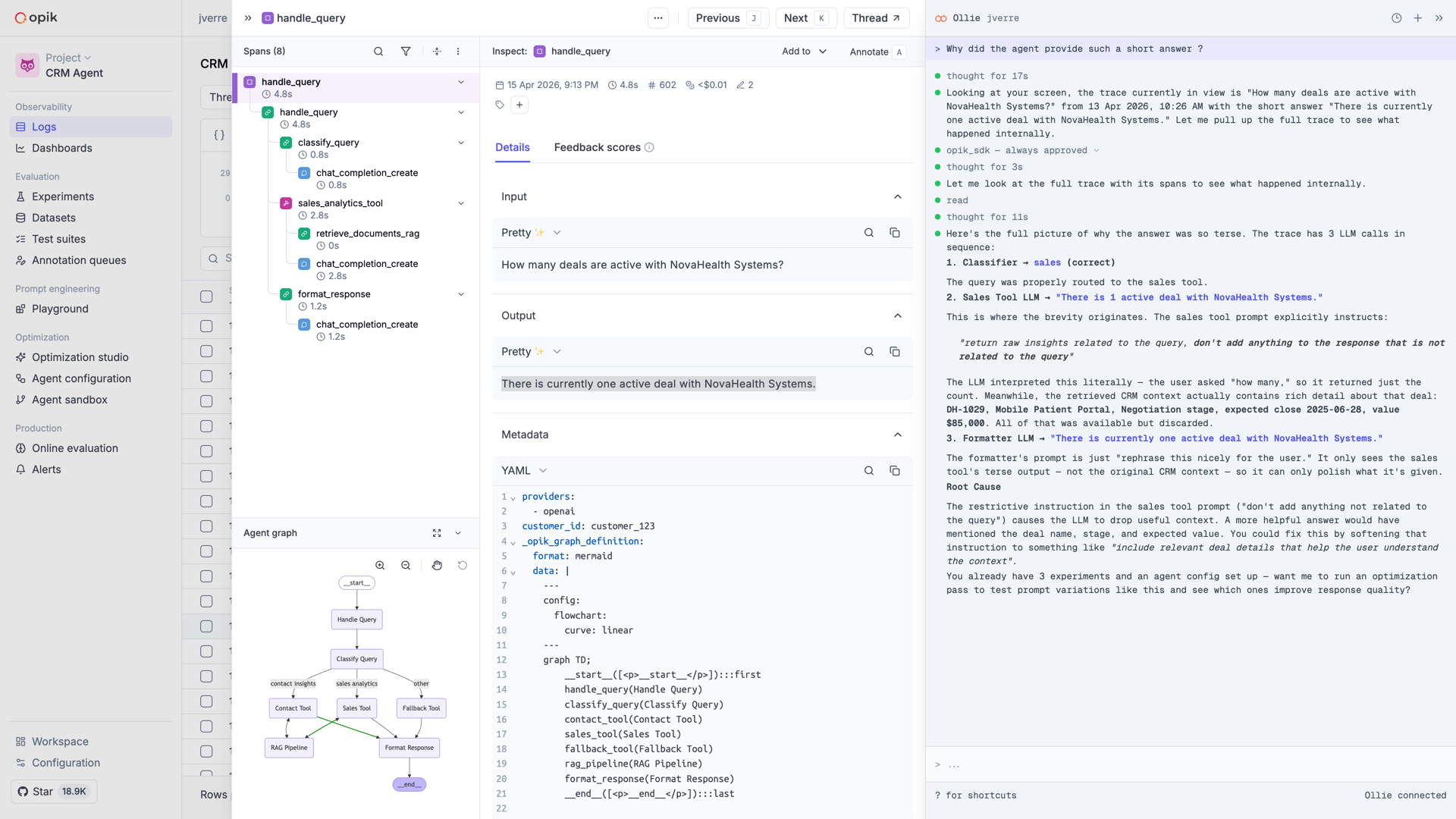
Ask Ollie what went wrong
Open Ollie from the trace view. Describe what looks off — “the model ignored the retrieved context”, “the tool call returned empty” — and Ollie walks the span tree to find the cause.
Let Ollie read your code
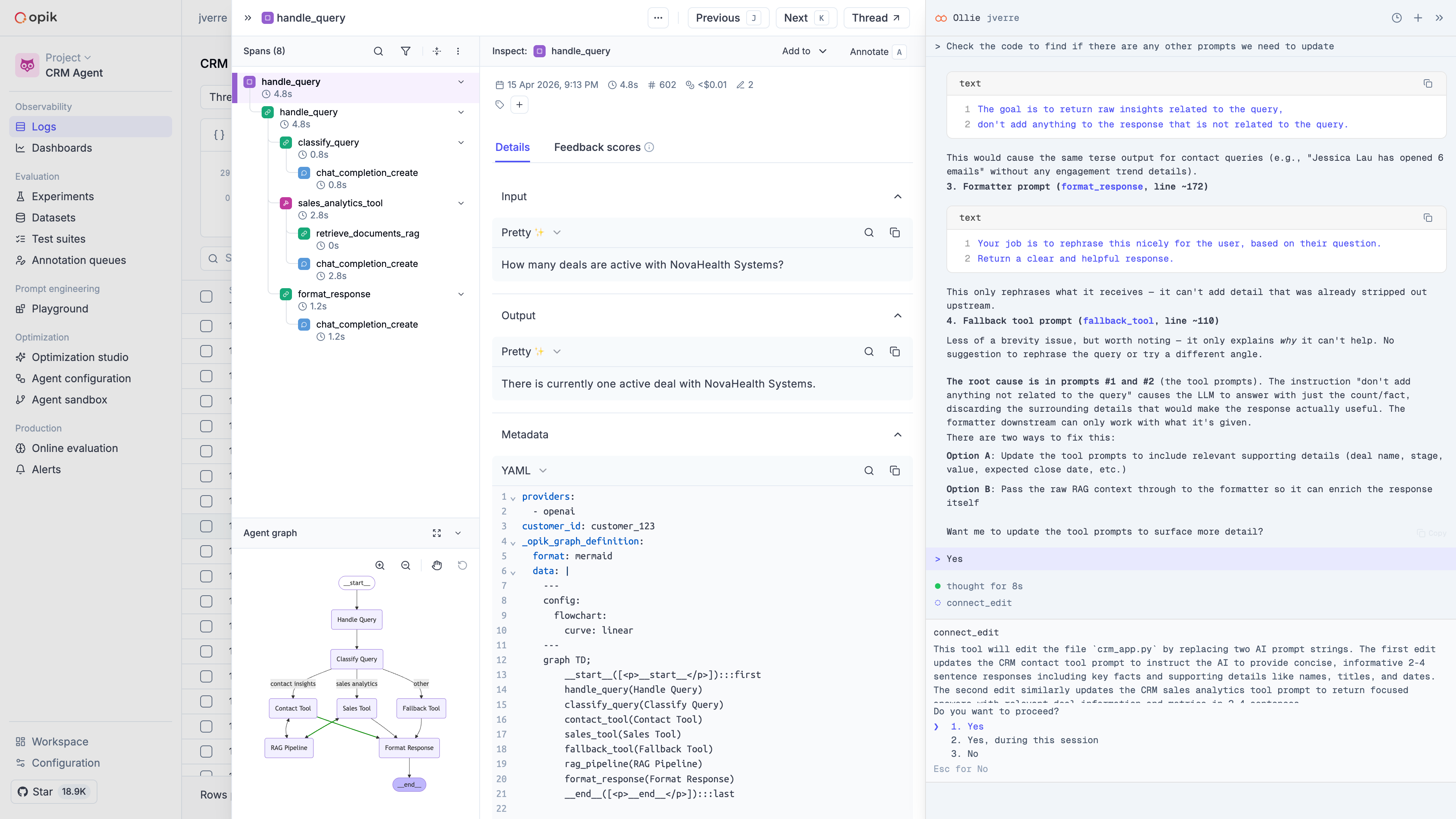
Once Ollie identifies where the bug lives, it asks to read the relevant source file. With opik connect running on your machine, it has secure access to the files in your project — and shows you exactly what it’s looking at.
Approve the fix
Ollie proposes a change. You see the diff, approve it, and the file is updated on your machine. Nothing happens without your click.
Get started with Ollie
opik connect is opt-in and scoped to the session it’s launched in. Ollie
can only read and edit files in the project you connect, and every write
operation requires your explicit approval.