

Evaluation Overview
Why evaluate your agent
LLM agents fail in production in ways you can’t predict upfront. A prompt that works for 90% of queries might hallucinate on edge cases, ignore context, or produce verbose responses when users expect concise answers. Manual review doesn’t scale, and you can’t anticipate every failure mode before shipping.
You need automated regression testing — but not the kind where you sit down and write a test suite from scratch. The most effective test suites are built incrementally, from real production failures. Every time you find a bad response, you turn it into a test case. Over time, your suite becomes a comprehensive guard against the specific failure modes your agent actually encounters.
Test suites are created as you debug and improve your agent — they grow organically from real failures, not from a separate test-writing phase.
The evaluation loop
Find an issue in production
Start in the Opik dashboard. Browse traces, filter by error status or low feedback scores, and click into a trace to see the full span tree — every LLM call, tool invocation, and retrieval step with its inputs, outputs, and latencies.
Add it to a test suite
Turn the failure into a test case. Add the trace to a test suite with a natural-language assertion that captures the expected behavior — for example, “The response must not hallucinate facts not present in the context”. You can do this through Ollie (Opik’s AI assistant), the UI, or the SDK.
Update your agent
Fix the root cause. Update a prompt via the Prompt Library, adjust tool definitions, or change retrieval parameters. Use Ollie to help diagnose the issue and suggest fixes.
Each cycle adds a new test case. Over time, your test suite becomes a comprehensive regression guard tailored to the real failure modes of your agent.
Two approaches to evaluation
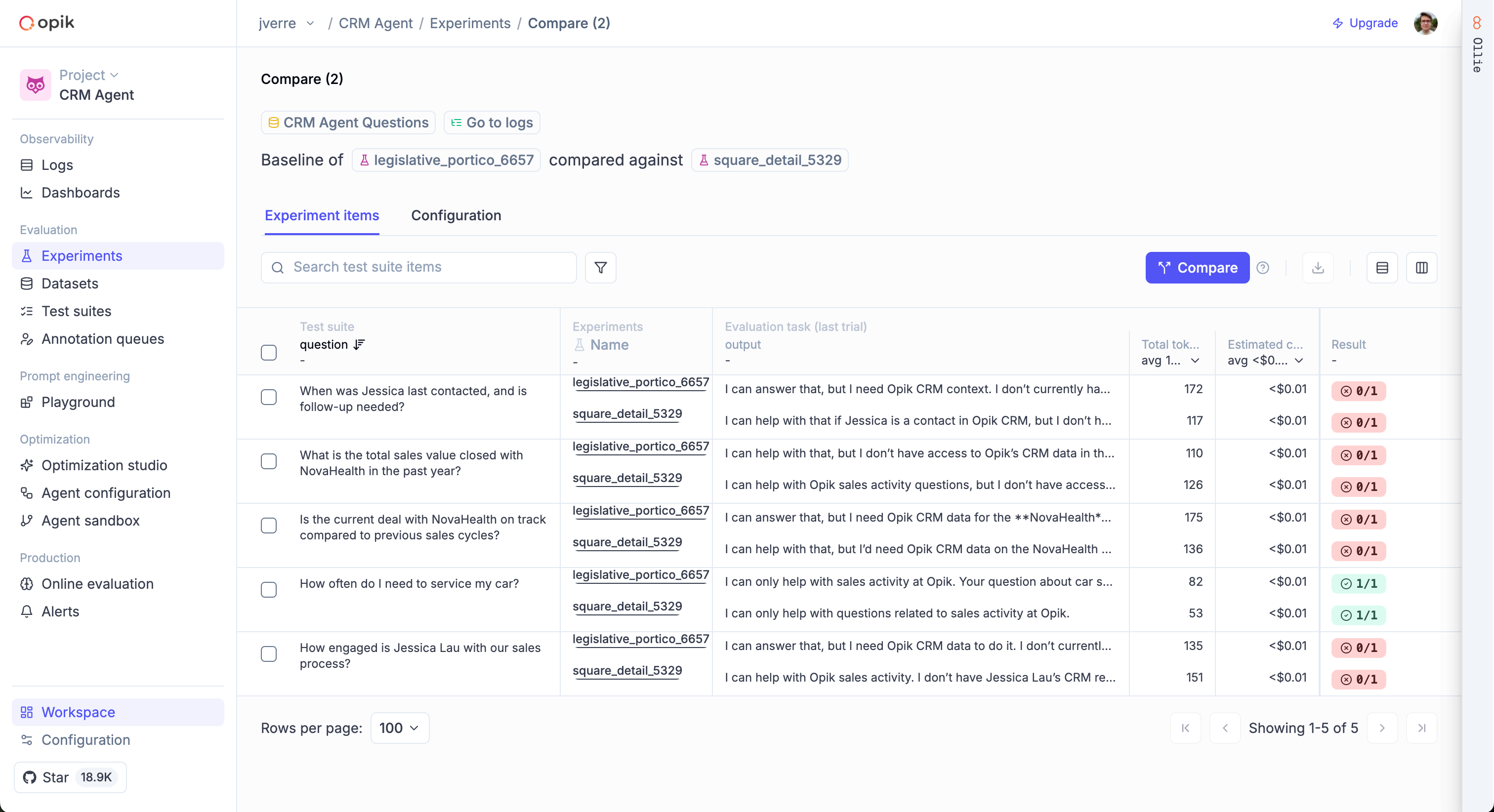
Opik provides two complementary approaches to evaluation:
- Test Suites: Define natural-language assertions and let an LLM judge check them automatically. Best for pass/fail testing of specific behaviors.
- Datasets & Metrics: Score your agent’s outputs against a dataset using pre-built or custom metrics. Best for measuring quality across many traces with quantitative scores.
Key features
- Test Suites with natural-language assertions and execution policies
- 30+ pre-built metrics for hallucination, relevance, coherence, and more
- Custom metrics for domain-specific evaluation
- Experiment tracking to compare versions side-by-side
- Annotation Queues for human-in-the-loop review
Next steps
- Getting started — Run your first evaluation in minutes
- Concepts — Understand Test Suites vs Datasets & Metrics
- Building Test Suites — Create and manage suites via the SDK, UI, or Ollie
- Debugging agents with Ollie — The full workflow for turning production failures into test cases