

Prompt Playground
The Playground lets you test prompt changes and compare models without writing code. Create multiple prompt variants, run them side by side, and validate the results against a test suite — all from the Opik UI.
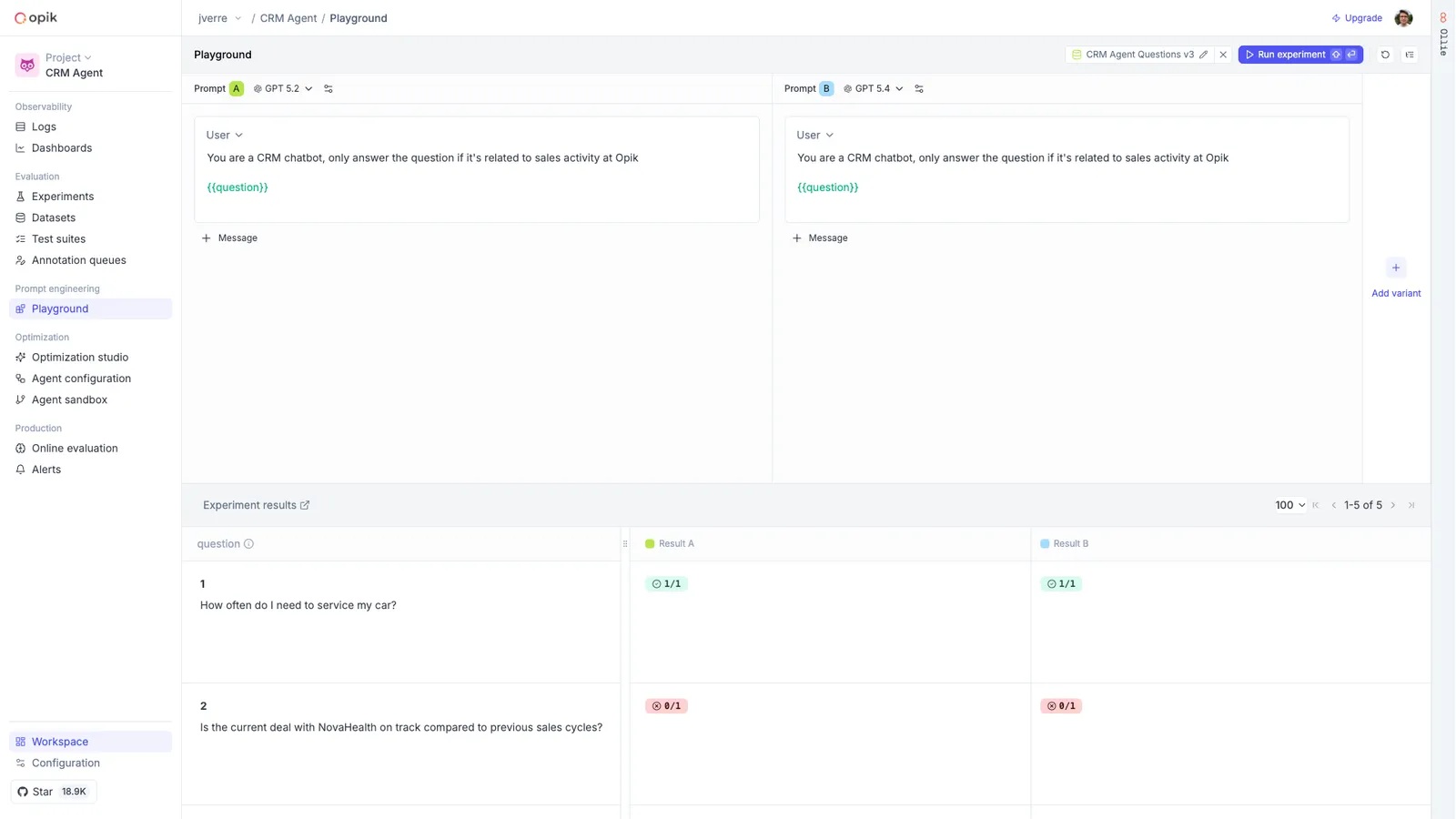
Compare prompt variants side by side
Each variant in the Playground is independent — it has its own model, messages, and configuration. This means you can test a prompt change against the current version, try different models on the same prompt, or experiment with temperature and sampling parameters, all in a single view.
Supported providers include OpenAI, Anthropic, Gemini, OpenRouter, Vertex AI, and custom endpoints. Reasoning models like Claude and o1/o3 expose additional controls such as thinking effort.
Click Run (or press Shift+Enter) to execute all variants at once. Results stream in real time with the model’s response, token usage, latency, and a link to the full trace.
Validate against test suites
The real power of the Playground is running your prompt variants against a dataset or test suite. Instead of manually checking a handful of inputs, you can validate across your full set of test cases and see which variant performs better.
Bind a dataset or test suite
Click Test on Dataset in the header and select a dataset or test suite. If you’re using
template variables ({{variable_name}}), they are automatically mapped to dataset columns.
Template variables
Use {{variable_name}} syntax in your prompt messages to create dynamic templates. When running
in standard mode, the Playground asks you to fill in the values. In dataset mode, variables are
mapped to dataset columns automatically.
Next steps
- Prompt Library — Manage prompts and the rest of your agent configuration in one place
- Test suites — Build the test cases your playground experiments run against
- Experiments — Review and compare experiment results over time