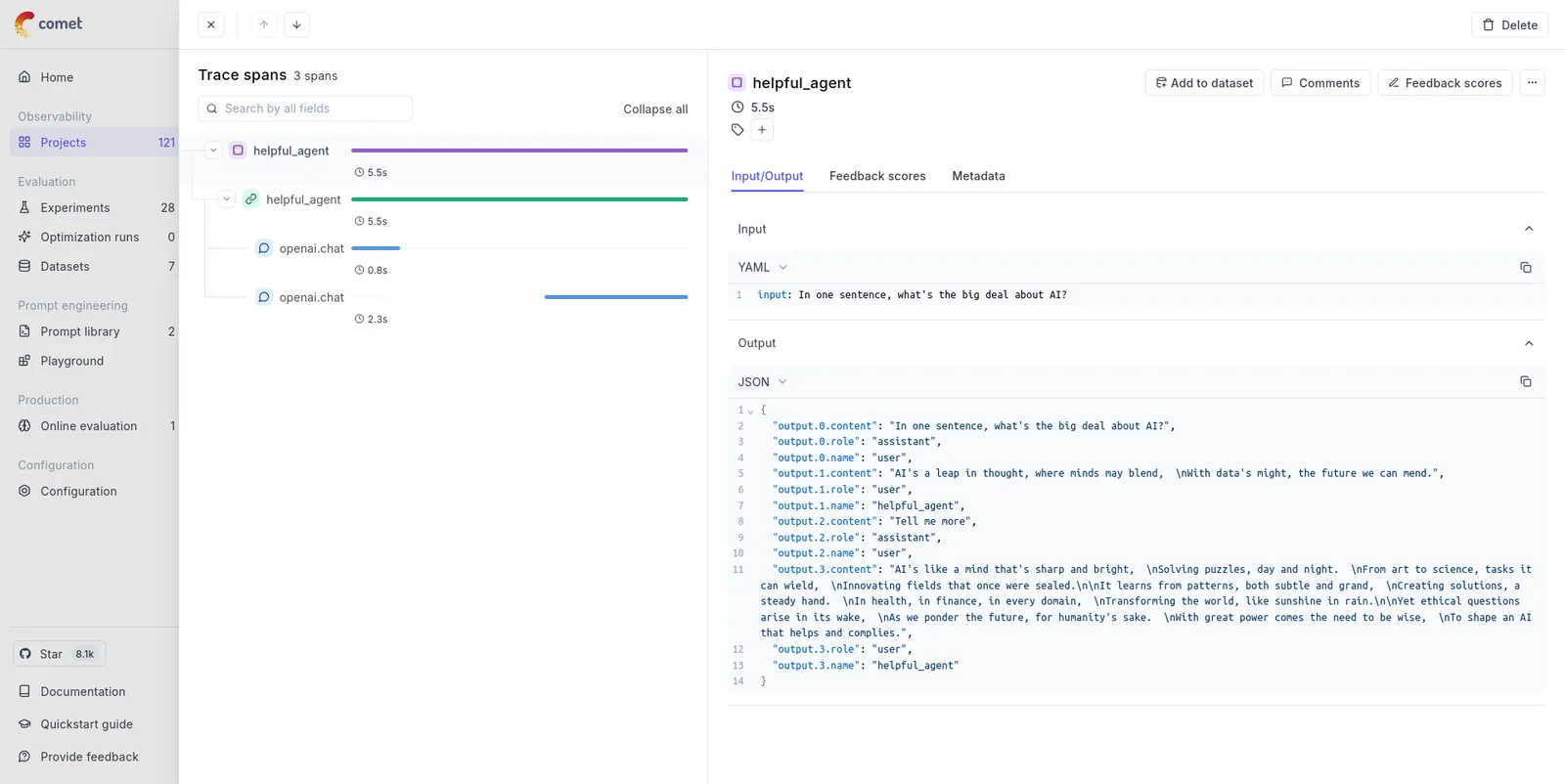
## First we will configure the OpenTelemetry
from opentelemetry import trace
from opentelemetry.exporter.otlp.proto.http.trace_exporter import OTLPSpanExporter
from opentelemetry.sdk.resources import Resource
from opentelemetry.sdk.trace import TracerProvider
from opentelemetry.sdk.trace.export import BatchSpanProcessor
from opentelemetry.instrumentation.openai import OpenAIInstrumentor
from opentelemetry.instrumentation.threading import ThreadingInstrumentor
def setup_telemetry():
"""Configure OpenTelemetry with HTTP exporter"""
# Create a resource with service name and other metadata
resource = Resource.create(
{
"service.name": "ag2-demo",
"service.version": "1.0.0",
"deployment.environment": "development",
}
)
# Create TracerProvider with the resource
provider = TracerProvider(resource=resource)
# Create BatchSpanProcessor with OTLPSpanExporter
processor = BatchSpanProcessor(OTLPSpanExporter())
provider.add_span_processor(processor)
# Set the TracerProvider
trace.set_tracer_provider(provider)
tracer = trace.get_tracer(__name__)
# Instrument OpenAI calls
OpenAIInstrumentor().instrument(tracer_provider=provider)
# AG2 calls OpenAI in background threads, propagate the context so all spans ends up in the same trace
ThreadingInstrumentor().instrument()
return tracer, provider
# 1. Import our agent class
from autogen import ConversableAgent, LLMConfig
# 2. Define our LLM configuration for OpenAI's GPT-4o mini
# uses the OPENAI_API_KEY environment variable
llm_config = LLMConfig(api_type="openai", model="gpt-4o-mini")
# 3. Create our LLM agent within the parent span context
with llm_config:
my_agent = ConversableAgent(
name="helpful_agent",
system_message="You are a poetic AI assistant, respond in rhyme.",
)
def main(message):
response = my_agent.run(message=message, max_turns=2, user_input=True)
# 5. Iterate through the chat automatically with console output
response.process()
# 6. Print the chat
print(response.messages)
return response.messages
if __name__ == "__main__":
tracer, provider = setup_telemetry()
# 4. Run the agent with a prompt
with tracer.start_as_current_span(my_agent.name) as agent_span:
message = "In one sentence, what's the big deal about AI?"
agent_span.set_attribute("input", message) # Manually log the question
response = main(message)
# Manually log the response
agent_span.set_attribute("output", response)
# Force flush all spans to ensure they are exported
provider = trace.get_tracer_provider()
provider.force_flush()