Observability for Mastra with Opik

Mastra is the TypeScript agent framework designed to provide the essential primitives for building AI applications. It enables developers to create AI agents with memory and tool-calling capabilities, implement deterministic LLM workflows, and leverage RAG for knowledge integration.

Mastra’s primary advantage is its built-in telemetry support that automatically captures agent interactions, LLM calls, and workflow executions, making it easy to monitor and debug AI applications.
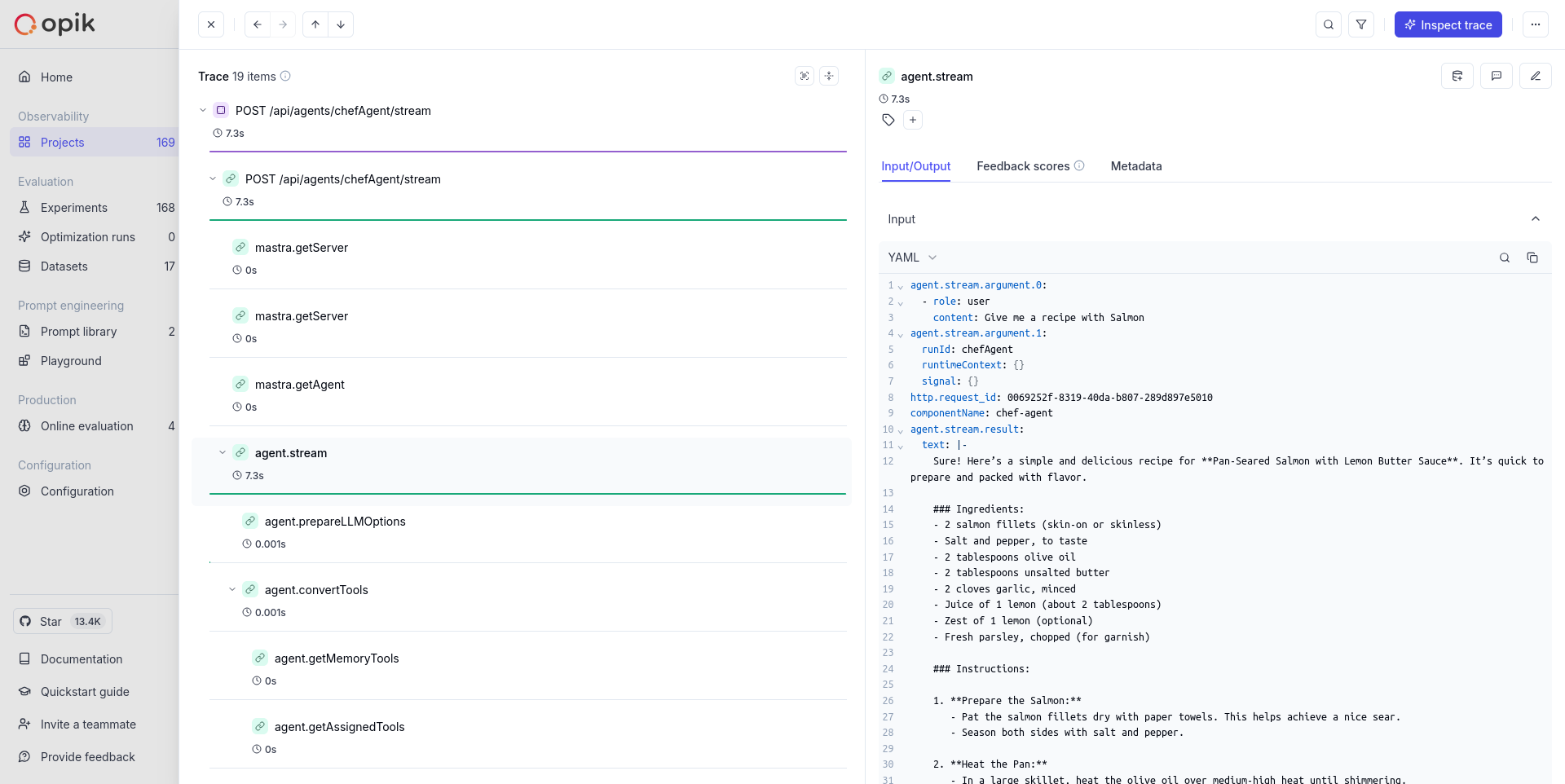
Mastra tracing

Getting started

Create a Mastra project

If you don’t have a Mastra project yet, you can create one using the Mastra CLI:

$npx create-mastra
$cd your-mastra-project

Install required packages

Install the necessary dependencies for Mastra and AI SDK:

$npm install langfuse-vercel

Add environment variables

Create or update your .env file with the following variables:

Intent: Configure Mastra OTLP export so agent/workflow spans are routed to Opik. These settings are additive and do not introduce breaking changes to existing OTEL configuration.

Applies when: Mastra telemetry is enabled with export.type = "otlp".

Required fields:

  • OTEL_EXPORTER_OTLP_ENDPOINT
  • OTEL_EXPORTER_OTLP_HEADERS (auth/routing for your deployment mode)

Optional fields:

  • projectName in OTLP headers (recommended)
  • additional OTEL resource/sampling env vars

Minimal valid input:

  • endpoint + headers for your Opik mode
  • telemetry enabled in Mastra config
$# Your LLM API key
$OPENAI_API_KEY=your-openai-api-key
$
$# Opik configuration
$OTEL_EXPORTER_OTLP_ENDPOINT=https://www.comet.com/opik/api/v1/private/otel
$OTEL_EXPORTER_OTLP_HEADERS='Authorization=<your-api-key>,Comet-Workspace=default'

To log the traces to a specific project, you can add the projectName parameter to the OTEL_EXPORTER_OTLP_HEADERS environment variable:

$OTEL_EXPORTER_OTLP_HEADERS='Authorization=<your-api-key>,Comet-Workspace=default,projectName=<your-project-name>'

You can also update the Comet-Workspace parameter to a different value if you would like to log the data to a different workspace.

Set up an agent

Create an agent in your project. For example, create a file src/mastra/index.ts:

1import { Mastra } from "@mastra/core/mastra";
2import { PinoLogger } from "@mastra/loggers";
3import { LibSQLStore } from "@mastra/libsql";
4import { Agent } from "@mastra/core/agent";
5import { openai } from "@ai-sdk/openai";
6
7export const chefAgent = new Agent({
8 name: "chef-agent",
9 instructions:
10 "You are Michel, a practical and experienced home chef " +
11 "You help people cook with whatever ingredients they have available.",
12 model: openai("gpt-4o-mini"),
13});
14
15export const mastra = new Mastra({
16 agents: { chefAgent },
17 storage: new LibSQLStore({
18 url: ":memory:",
19 }),
20 logger: new PinoLogger({
21 name: "Mastra",
22 level: "info",
23 }),
24 telemetry: {
25 serviceName: "ai",
26 enabled: true,
27 sampling: {
28 type: "always_on",
29 },
30 export: {
31 type: "otlp",
32 },
33 },
34});

Run Mastra development server

Start the Mastra development server:

$npm run dev

Head over to the developer playground with the provided URL and start chatting with your agent.

What gets traced

With this setup, your Mastra application will automatically trace:

  • Agent interactions: Complete conversation flows with agents
  • LLM calls: Model requests, responses, and token usage
  • Tool executions: Function calls and their results
  • Workflow steps: Individual steps in complex workflows
  • Memory operations: Context and memory updates

Validation

  1. Run the Mastra dev server and execute one agent chat.
  2. Confirm OTLP export requests are sent to your configured endpoint.
  3. Verify the trace in Opik under the expected workspace/project.

Source references

Further improvements

If you have any questions or suggestions for improving the Mastra integration, please open an issue on our GitHub repository.