

Observability for n8n with Opik
n8n is a powerful workflow automation platform that allows you to connect various services and automate tasks through a visual interface. With the n8n-observability package, you can automatically trace workflow executions and node operations using OpenTelemetry.
This integration only works with self-hosted n8n installations. It is not compatible with n8n Cloud.
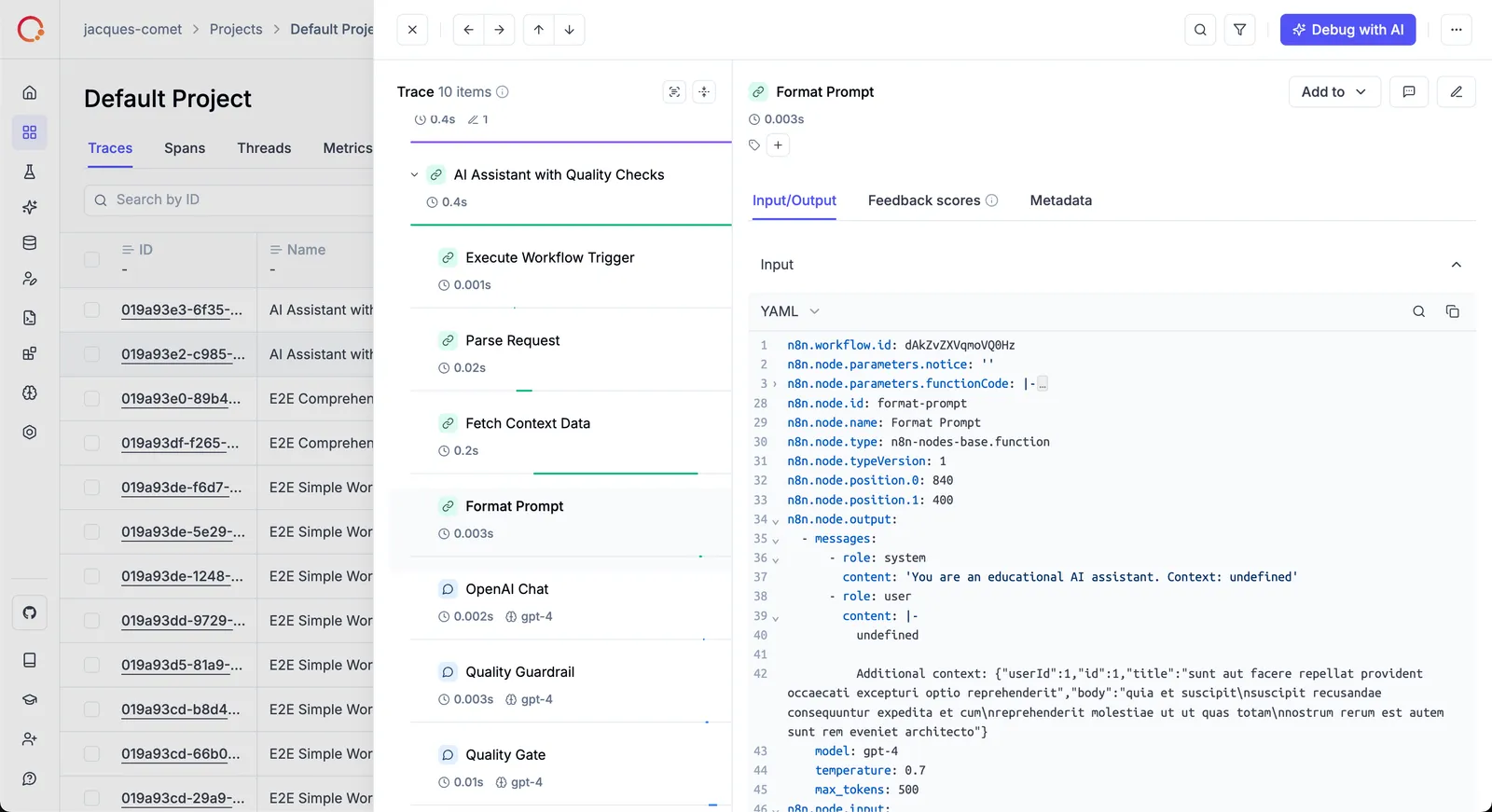
Features
- 🔍 Automatic tracing of workflow executions and individual node operations
- 📊 Standard OpenTelemetry instrumentation using the official Node.js SDK
- 🎯 Zero-code setup via n8n’s hook system
- 🔌 OTLP compatible - works with Opik’s OpenTelemetry endpoint
- ⚙️ Configurable I/O capture, node filtering, and more
Account Setup
Comet provides a hosted version of the Opik platform. Simply create an account and grab your API Key.
You can also run the Opik platform locally, see the installation guide for more information.
Quick Start with Docker
The fastest way to get started is with Docker Compose:
Open http://localhost:5678, create a workflow, and see traces in your Opik dashboard!
Setup Options
Docker (Recommended)
Create a custom Dockerfile that installs the n8n-observability package globally:
Then configure your docker-compose.yml with OTLP settings:
Opik Cloud
Enterprise deployment
Self-hosted instance
To log the traces to a specific project, you can add the
projectName parameter to the OTEL_EXPORTER_OTLP_HEADERS
environment variable:
Bare Metal / npm
If you’re running n8n directly on your machine:
Then set the required environment variables:
Opik Cloud
Enterprise deployment
Self-hosted instance
Configuration
The following environment variables can be used to configure the integration:
Node Filtering
You can filter which nodes are traced using environment variables:
What Gets Tracked
Workflow Spans
Each workflow execution creates a span with the following attributes:
n8n.workflow.id- Workflow IDn8n.workflow.name- Workflow namen8n.span.type-"workflow"
Node Spans
Each node operation creates a span with:
n8n.node.type- Node type (e.g.,n8n-nodes-base.httpRequest)n8n.node.name- Node namen8n.span.type-"llm","prompt","evaluation", or undefinedn8n.node.input- JSON input (if capture enabled)n8n.node.output- JSON output (if capture enabled)gen_ai.system- AI provider (e.g.,openai,anthropic)gen_ai.request.model- Model name (e.g.,gpt-4)
Verify Installation
Check that the package is installed correctly:
On startup, you should see logs similar to:
Further Improvements
If you would like to see us improve this integration, please open a new feature request on GitHub.
For issues specific to the n8n-observability package, visit the n8n-observability repository.