

Overview
A high-level overview on how to use Opik’s evaluation features including some code snippets
In Opik 2.0, Experiments and Evaluation Suites are project-scoped. Make sure to specify a project_name when creating datasets and running experiments.
Evaluation in Opik helps you assess and measure the quality of your LLM outputs across different dimensions. It provides a framework to systematically test your prompts and models against datasets, using various metrics to measure performance.
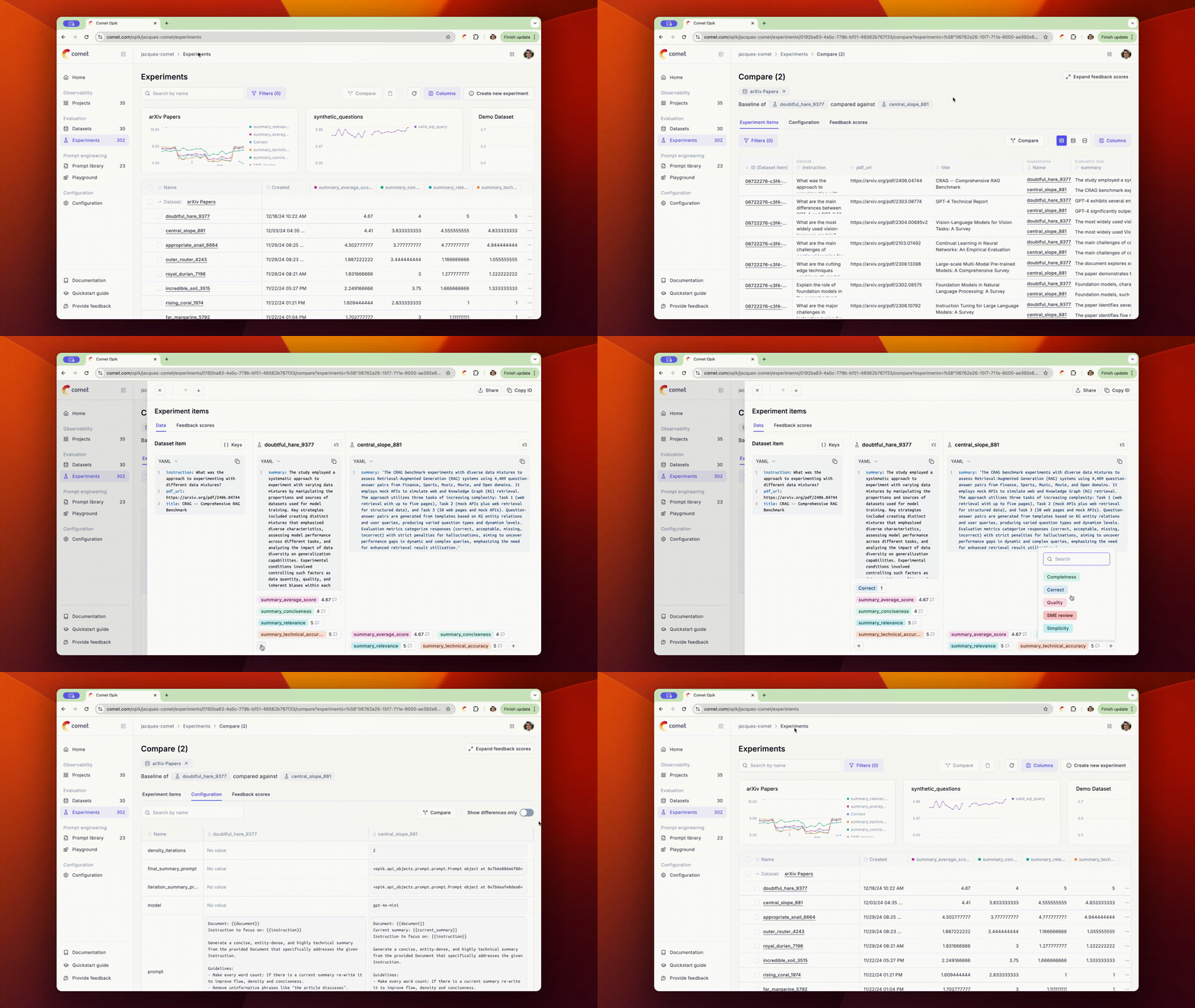
Opik also provides a set of pre-built metrics for common evaluation tasks. These metrics are designed to help you quickly and effectively gauge the performance of your LLM outputs and include metrics such as Hallucination, Answer Relevance, Context Precision/Recall and more. You can learn more about the available metrics in the Metrics Overview section.
If you are interested in evaluating your LLM application in production, please refer to the Online evaluation guide. Online evaluation rules allow you to define LLM as a Judge metrics that will automatically score all, or a subset, of your production traces.
New: Multi-Value Feedback Scores - Opik now supports collaborative evaluation where multiple team members can score the same traces and spans. This reduces bias and provides more reliable evaluation results through automatic score aggregation. Learn more →
Running an Evaluation
Each evaluation is defined by a dataset, an evaluation task and a set of evaluation metrics:
- Dataset: A dataset is a collection of samples that represent the inputs and, optionally, expected outputs for your LLM application.
- Evaluation task: This maps the inputs stored in the dataset to the output you would like to score. The evaluation task is typically a prompt template or the LLM application you are building.
- Metrics: The metrics you would like to use when scoring the outputs of your LLM
To simplify the evaluation process, Opik provides two main evaluation methods: evaluate_prompt for evaluation prompt
templates and a more general evaluate method for more complex evaluation scenarios.
TypeScript SDK Support This document covers evaluation using Python, but we also offer full support for TypeScript via our dedicated TypeScript SDK. See the TypeScript SDK Evaluation documentation for implementation details and examples.
Evaluating Prompts
Evaluating RAG applications and Agents
Using the Playground
To evaluate a specific prompt against a dataset:
Analyzing Evaluation Results
Once the evaluation is complete, Opik allows you to manually review the results and compare them with previous iterations.
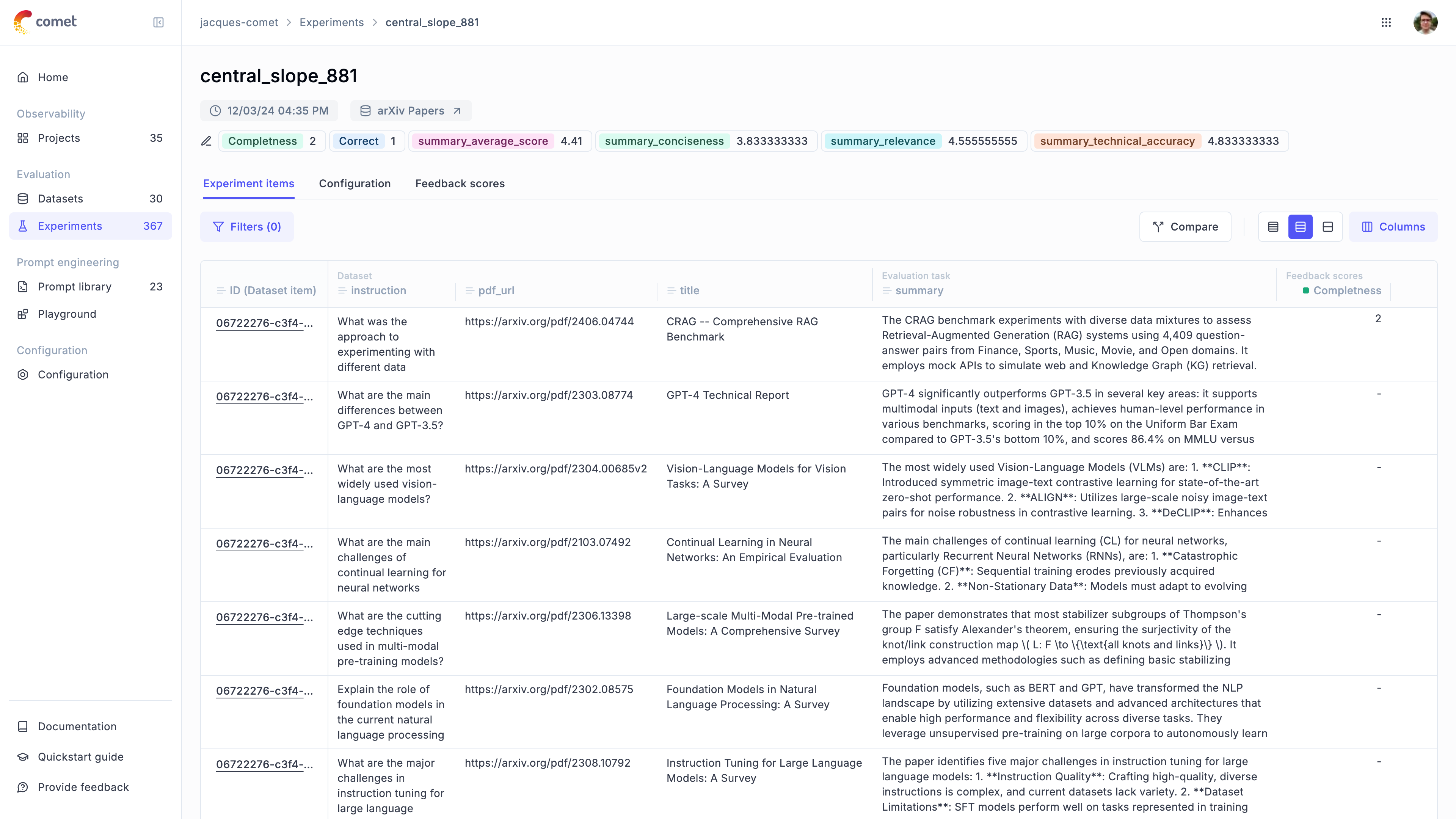
In the experiment pages, you will be able to:
- Review the output provided by the LLM for each sample in the dataset
- Deep dive into each sample by clicking on the
item ID - Review the experiment configuration to know how the experiment was Run
- Compare multiple experiments side by side
Analyzing Evaluation Results in Python
To analyze the evaluation results in Python, you can use the EvaluationResult.aggregate_evaluation_scores() method
to retrieve the aggregated score statistics:
You can use aggregated scores to compare the performance of different models or different versions of the same model.
Experiment-Level Metrics
In addition to per-item metrics, you can compute experiment-level aggregate metrics that are calculated across all test results. These experiment scores are displayed in the Opik UI alongside feedback scores and can be used for sorting and filtering experiments.
Learn more about computing experiment-level metrics in the Evaluate your LLM application guide.
Learn more
You can learn more about Opik’s evaluation features in: