
For AI agents: a documentation index is available at the root level at /llms.txt and /llms-full.txt. Append /llms.txt to any URL for a page-level index, or .md for the markdown version of any page.
Copy to LLMGithubGo to App
DocumentationIntegrationsAgent OptimizationSelf-hosting OpikSDK & API referenceOpik University
  • Getting Started
    • Home
    • Quickstart
    • Quickstart notebook
    • Roadmap
    • FAQ
    • Changelog
  • Observability
    • Concepts
    • Log traces
    • Log conversations
    • Log user feedback
    • Log media & attachments
    • Cost tracking
    • Opik Assist
  • Evaluation
    • Overview
    • Concepts
    • Manage datasets
    • Evaluate single prompts
    • Evaluate your agent
    • Evaluate agent trajectories
    • Evaluate multimodal traces
    • Evaluate multi-turn agents
    • Manually logging experiments
    • Re-running an existing experiment
    • Annotation Queues
  • Prompt engineering
    • Prompt management
    • Prompt Playground
    • Prompt Generator and Improver
    • Opik's MCP server
  • Testing
    • Pytest integration
  • Production
    • Production monitoring
    • Online Evaluation rules
    • Gateway
    • Guardrails
    • Anonymizers
    • Alerts
    • Dashboards
  • Administration
    • Overview
    • Roles and Permissions
      • Overview
      • Feedback Definitions
      • AI Providers
      • Workspace Preferences
      • Workspace Members
  • Contributing
    • Contribution Overview
LogoLogo
Copy to LLMGithubGo to App
On this page
  • Using Feedback Definitions
  • Creating a Feedback Definition
  • Common Feedback Types
AdministrationWorkspace Settings

Feedback Definitions

Was this page helpful?
Previous

AI Providers

Next
Built with

Feedback definitions allow you to create custom labels to systematically collect and analyze structured feedback on your LLM outputs.

Using Feedback Definitions

Once created, feedback definitions appear in two places:

  1. Trace and thread sidebars — Add scores when reviewing individual items.
  2. Annotation queues — Pick which definitions annotators see when you create a queue.
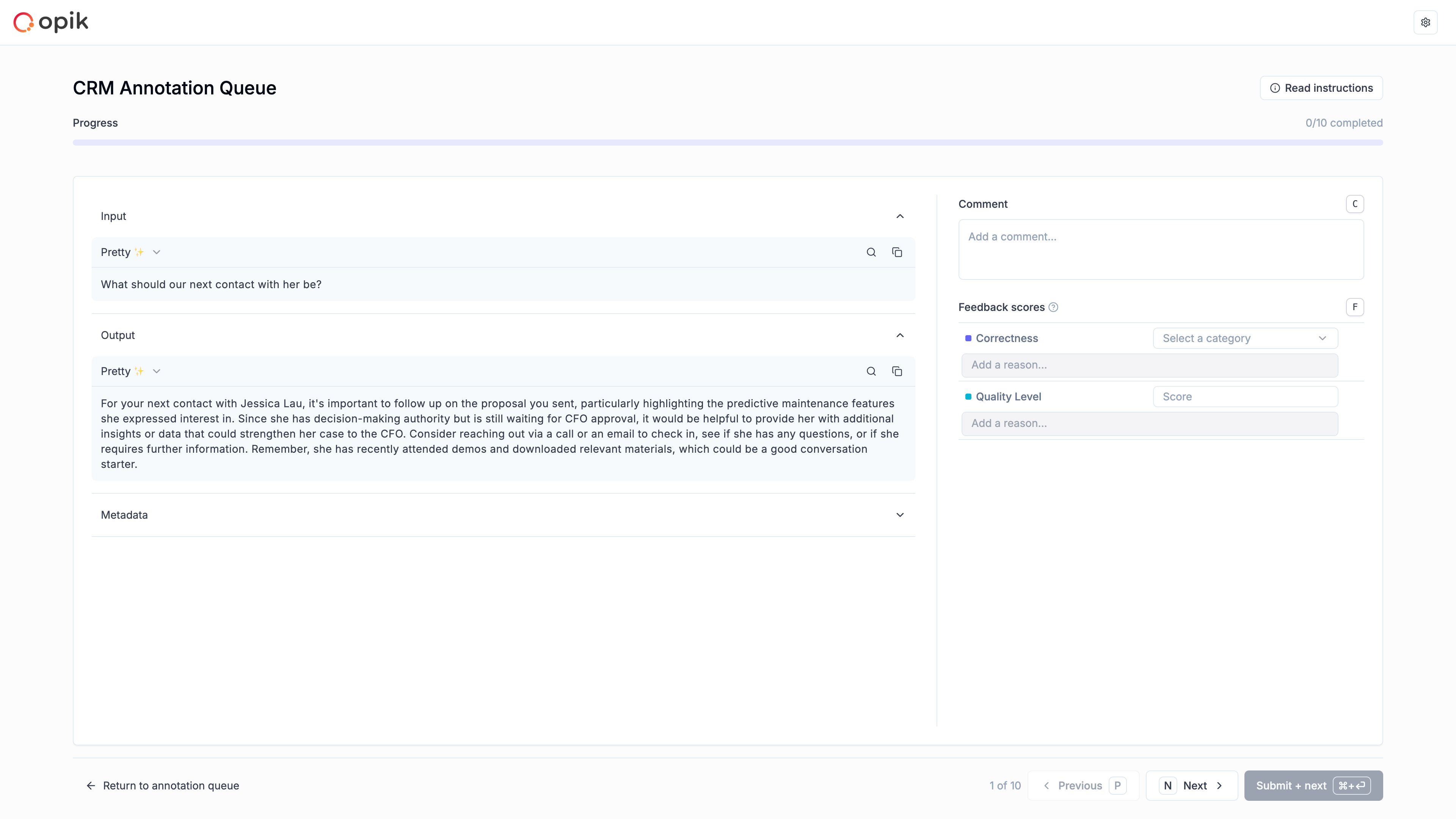
Annotation Queue Feedback Selection

You can also log feedback scores programmatically using the SDK. See the SDK documentation for details.

Creating a Feedback Definition
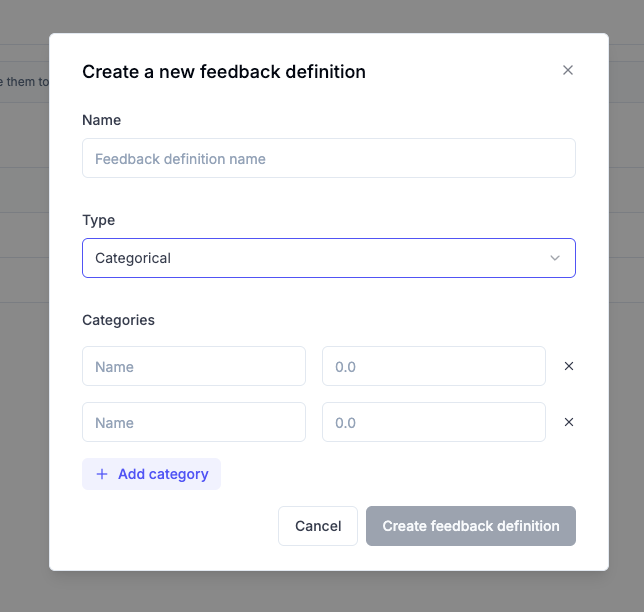
New Feedback Definition Modal
  1. Click Create new feedback definition
  2. Enter a Name for your feedback definition
  3. Select the Type: Categorical or Numerical
  4. Define the Values (for Categorical) or Range (for Numerical)

Common Feedback Types

Feedback TypeTypeValues
Thumbs Up / DownCategoricalthumbs up, thumbs down
UsefulnessCategoricalUseful, Neutral, Not useful
HallucinationCategoricalYes, No
CorrectCategoricalGood, Bad