

Here are the most relevant improvements we’ve made since the last release:
📊 Custom Dashboards (Beta)
Custom Dashboards are now live! 🎉
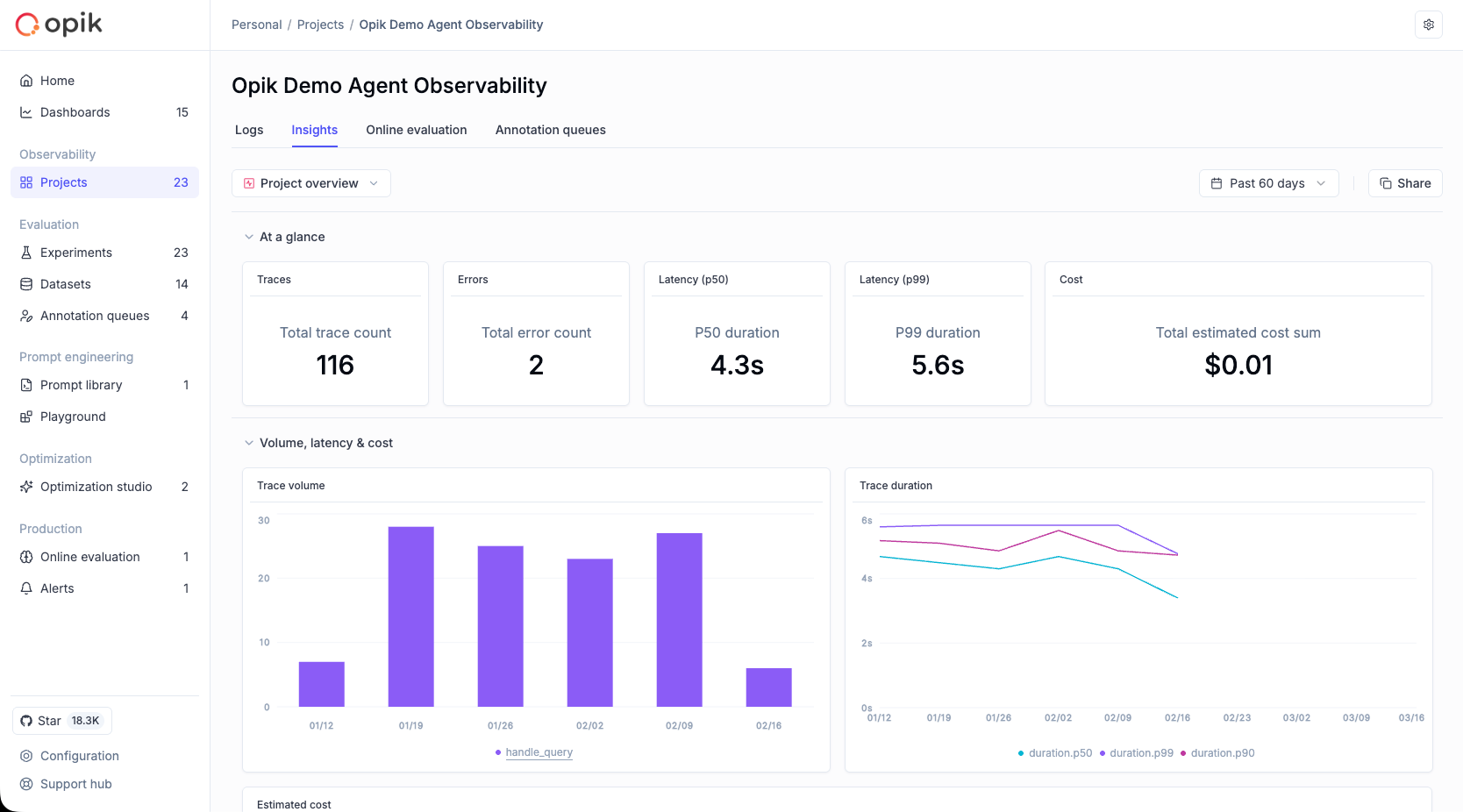
Our new dashboards engine lets you build fully customizable views to track everything from token usage and cost to latency, quality across projects and experiments.
📍 Where to find them?
Dashboards are available in three places inside Opik:
- Dashboards page – create and manage all dashboards from the sidebar
- Project page – view project-specific metrics under the Dashboards tab
- Experiment comparison page – visualize and compare experiment results
🧩 Built-in templates to get started fast
We ship dashboards with zero-setup pre-built templates, including Performance Overview, Experiment Insights and Project Operational Metrics.
Templates are fully editable and can be saved as new dashboards once customized.
🧱 Flexible widgets
Dashboards support multiple widget types:
- Project Metrics (time-series and bar charts for project data)
- Project Statistics (KPI number cards)
- Experiment Metrics (line, bar, radar charts for experiment data)
- Markdown (notes, documentation, context)
Widgets support filtering, grouping, resizing, drag-and-drop layouts, and global date range controls.
🧪 Improved Evaluation Capabilities
Span-Level Metrics
Span-level metrics are officially live in Opik supporting both LLMaaJ and code-based metrics!
Teams can now EASILY evaluate the quality of specific steps inside their agent flows with full precision. Instead of assessing only the final output or top-level trace, you can attach metrics directly to individual call spans or segments of an agent’s trajectory.
This unlocks dramatically finer-grained visibility and control. For example:
- Score critical decision points inside task-oriented or tool-using agents
- Measure the performance of sub-tasks independently to pinpoint bottlenecks or regressions
- Compare step-by-step agent behavior across runs, experiments, or versions
New Support accessing full tree, subtree, or leaf nodes in Online Scores
This update enhances the online scoring engine to support referencing entire root objects (input, output, metadata) in LLM-as-Judge and code-based evaluators, not just nested fields within them.
Online Scoring previously only exposed leaf-level values from an LLM’s structured output. With this update, Opik now supports rendering any subtree: from individual nodes to entire nested structures.
📝 Tags Support & Metadata Filtering for Prompt Version Management
You can now tag individual prompt versions (not just the prompt!).
This provides a clean, intuitive way to mark best-performing versions, manage lifecycles, and integrate version selection into agent deployments.
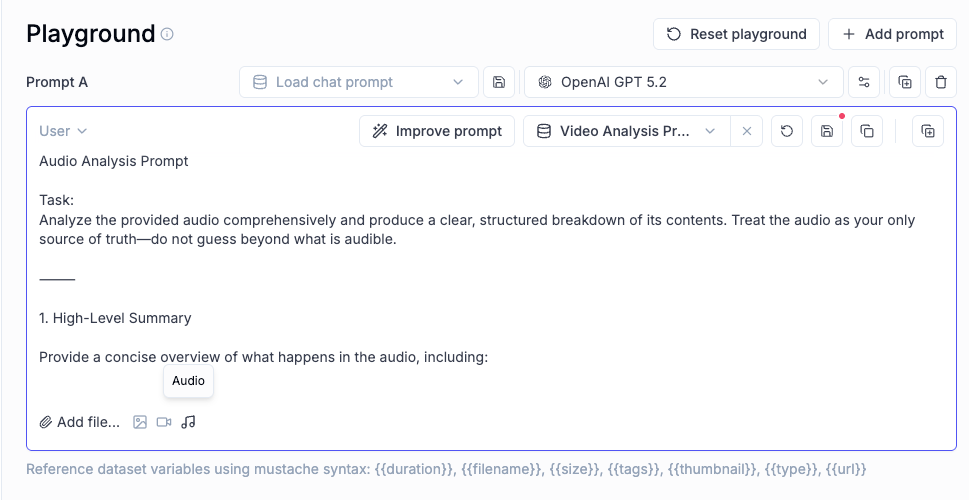
🎥 More Multimodal Support: now Audio!
Now you can pass audio as part of your prompts, in the playground and on online evals for advanced multimodal scenarios.
📈 More Insights!
Thread-level insights
Added new metrics to the threads table with thread-level metrics and statistics, providing users with aggregated insights about their full multi-turn agentic interactions:
- Duration percentiles (p50, p90, p99) and averages
- Token usage statistics (total, prompt, completion tokens)
- Cost metrics and aggregations
- Also added filtering support by project, time range, and custom filters
Experiment insights
Added additional aggregation methods in headers for experiment items.
This new release adds percentile aggregation methods (p50, p90, p99) for all numerical metrics in experiment items table headers, extending the existing pattern used for duration to cost, feedback scores, and total tokens.
🔌 Integrations
Support for GPT-5.2 in Playground and Online Scoring
Added full support for GPT 5.2 models in both the playground and online scoring features for OpenAI and OpenRouter providers.
Harbor Integration
Added a comprehensive Opik integration for Harbor, a benchmark evaluation framework for autonomous LLM agents. The integration enables observability for agent benchmark evaluations (SWE-bench, LiveCodeBench, Terminal-Bench, etc.).
👉 Harbor Integration Documentation
And much more! 👉 See full commit log on GitHub
Releases: 1.9.41, 1.9.42, 1.9.43, 1.9.44, 1.9.45, 1.9.46, 1.9.47, 1.9.48, 1.9.49, 1.9.50, 1.9.51, 1.9.52, 1.9.53, 1.9.54, 1.9.55, 1.9.56