

Here are the most relevant improvements we’ve made since the last release:
📊 Dataset Improvements
We’ve enhanced dataset functionality with several key improvements:
-
Edit Dataset Items - You can now edit dataset items directly from the UI, making it easier to update and refine your evaluation data.
-
Remove Dataset Upload Limit for Self-Hosted - Self-hosted deployments no longer have dataset upload limits, giving you more flexibility for large-scale evaluations.
-
Dataset Item Tagging Support - Added comprehensive tagging support for dataset items, enabling better organization and filtering of your evaluation data.
-
Dataset Filtering Capabilities by Any Column - Filter datasets by any column in both the playground and dataset view, giving you flexible ways to find and work with specific data subsets.
-
Ability to Rename Datasets - Rename datasets directly from the UI, making it easier to organize and manage your evaluation datasets.
📈 Experiment Updates
We’ve made significant improvements to experiment management and analysis:
-
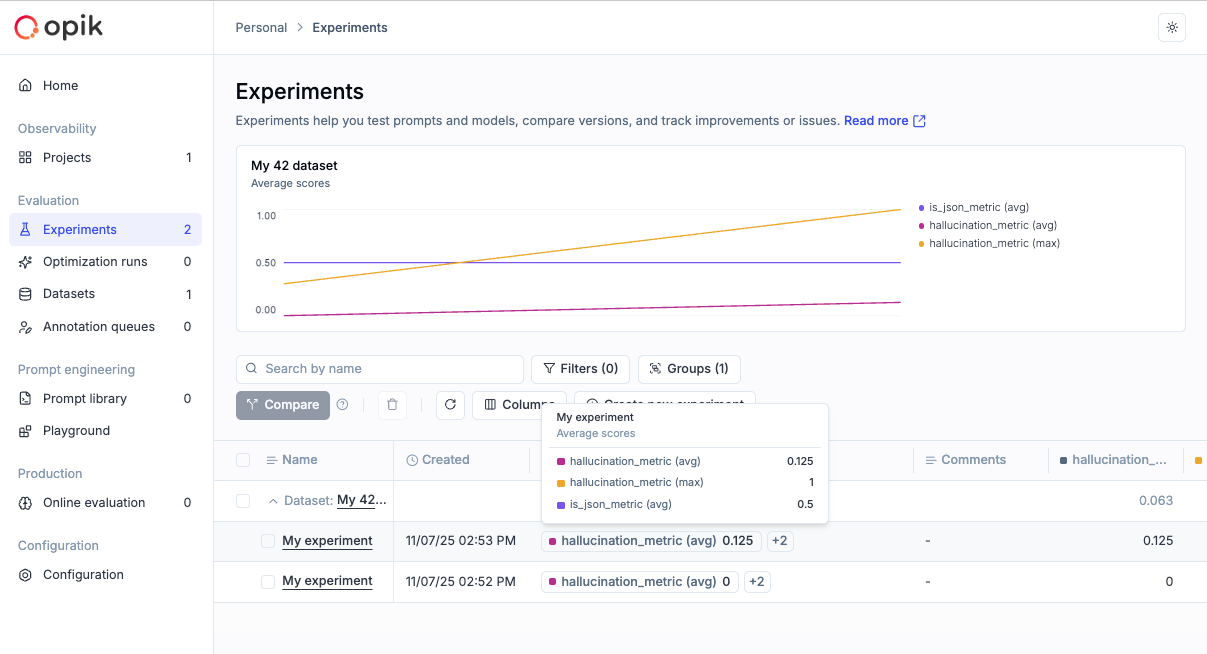
Experiment-Level Metrics - Compute experiment-level metrics (as opposed to experiment-item-level metrics) for better insights into your evaluation results. Read more in the experiment-level metrics documentation.
-
Rename Experiments & Metadata - Update experiment names and metadata config directly from the dashboard, giving you more control over experiment organization.
-
Token & Cost Columns - Token usage and cost are now surfaced in the experiment items table for easy scanning and cost visibility.
🎮 Playground Improvements
We’ve made the Playground more powerful and easier to use for non-technical users:
-
Easy Navigation from Playground to Dataset and Metrics - Quick navigation links from the playground to related datasets and metrics, streamlining your workflow.
-
Advanced filtering for Playground Datasets - Filter playground datasets by tags and any other columns, making it easier to find and work with specific dataset items.
-
Pagination for the Playground - Added pagination support to handle large datasets more efficiently in the playground.
-
Added Experiment Progress Bar in the Playground - Visual progress indicators for running experiments, giving you real-time feedback on experiment status.
-
Added Model-Specific Throttling and Concurrency Configs in the Playground - Configure throttling and concurrency settings per model in the playground, giving you fine-grained control over resource usage.
🚨 Enhanced Alerts
We’ve expanded alert capabilities with threshold support:
-
Added Threshold Support for Trace and Thread Feedback Scores - Configure thresholds for feedback scores on traces and threads, enabling more precise alerting based on quality metrics.
-
Added Threshold to Trace Error Alerts - Set thresholds for trace error alerts to get notified only when error rates exceed your configured limits.
-
Trigger Experiment Created Alert from the Playground - Receive alerts when experiments are created directly from the playground.
🤖 Opik Optimizer Updates
Significant enhancements to the Opik Optimizer:
-
Cost and Latency Optimization Support - Added support for optimizing both cost and latency metrics simultaneously. Read more in the optimization metrics documentation.
-
Training and Validation Dataset Support - Introduced support for training and validation dataset splits, enabling better optimization workflows. Learn more in the dataset documentation.
-
Example Scripts for Microsoft Agents and CrewAI - New example scripts demonstrating how to use Opik Optimizer with popular LLM frameworks. Check out the example scripts.
-
UI Enhancements and Optimizer Improvements - Several UI enhancements and various improvements to Few Shot, MetaPrompt, and GEPA optimizers for better usability and performance.
🎨 User Experience Enhancements
Improved usability across the platform:
-
Added
has_tool_spansField to Show Tool Calls in Thread View - Tool calls are now visible in thread views, providing better visibility into agent tool usage. -
Added Export Capability (JSON/CSV) Directly from Trace, Thread, and Span Detail Views - Export data directly from detail views in JSON or CSV format, making it easier to analyze and share your observability data.
🤖 New Models!
Expanded model support:
- Added Support for Gemini 3 Pro, GPT 5.1, OpenRouter Models - Added support for the latest model versions including Gemini 3 Pro, GPT 5.1, and OpenRouter models, giving you access to the newest AI capabilities.
And much more! 👉 See full commit log on GitHub
Releases: 1.9.18, 1.9.19, 1.9.20, 1.9.21, 1.9.22, 1.9.23, 1.9.25, 1.9.26, 1.9.27, 1.9.28, 1.9.29, 1.9.31, 1.9.32, 1.9.33, 1.9.34, 1.9.35, 1.9.36, 1.9.37, 1.9.38, 1.9.39, 1.9.40