Log distributed traces
When working with complex LLM applications, it is common to need to track a traces across multiple services. Opik supports distributed tracing out of the box when integrating using function decorators using a mechanism that is similar to how OpenTelemetry implements distributed tracing.
For the purposes of this guide, we will assume that you have a simple LLM application that is made up of two services: a client and a server. We will assume that the client will create the trace and span, while the server will add a nested span. In order to do this, the trace_id and span_id will be passed in the headers of the request from the client to the server.
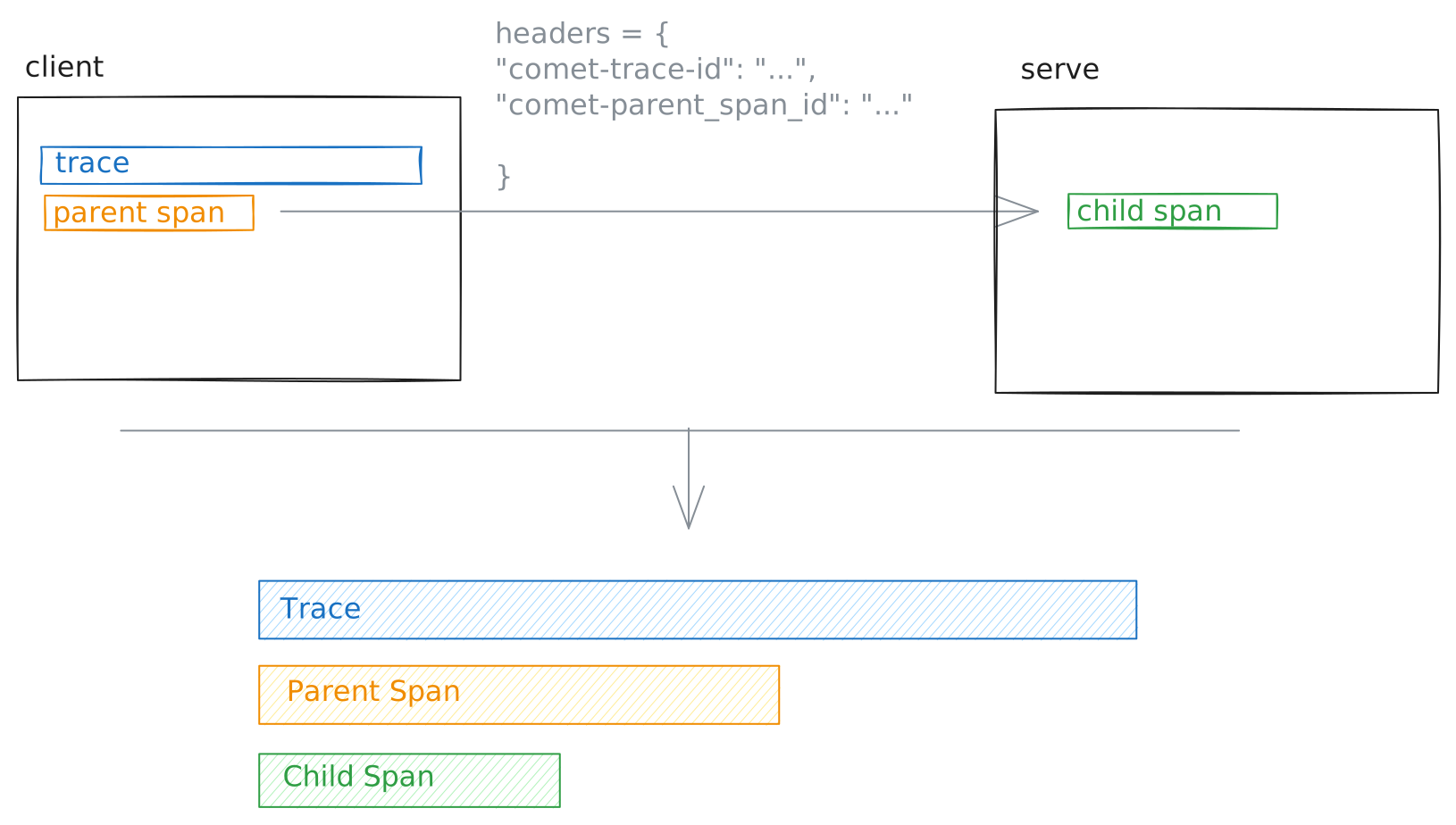
The Python SDK includes some helper functions to make it easier to fetch headers in the client and ingest them in the server:
On the server side, you can pass the headers to your decorated function:
The opik_distributed_trace_headers parameter is added by the track decorator to each function that is decorated
and is a dictionary with the keys opik_trace_id and opik_parent_span_id.
Using the distributed_headers Context Manager
As an alternative to passing opik_distributed_trace_headers as a parameter, you can use the distributed_headers() context manager for more explicit control over distributed header handling. This approach provides automatic cleanup, error handling, and optional data flushing.
The distributed_headers() context manager accepts two parameters:
headers: A dictionary containing the distributed trace headers (opik_trace_idandopik_parent_span_id)flush(optional): Whether to flush the Opik client data after the root span is processed. Defaults toFalse. Set toTrueif you want to ensure immediate data transmission.
The context manager automatically creates a root span with the provided headers, handles any errors that occur during execution, and cleans up the context when complete.
For more details and additional examples, see the distributed_headers context manager API reference.