

Observability for CrewAI with Opik
CrewAI is a cutting-edge framework for orchestrating autonomous AI agents.
CrewAI enables you to create AI teams where each agent has specific roles, tools, and goals, working together to accomplish complex tasks.
Think of it as assembling your dream team - each member (agent) brings unique skills and expertise, collaborating seamlessly to achieve your objectives.
Opik integrates with CrewAI to log traces for all CrewAI activity, including both classic Crew/Agent/Task pipelines and the new CrewAI Flows API.
Account Setup
Comet provides a hosted version of the Opik platform, simply create an account and grab your API Key.
You can also run the Opik platform locally, see the installation guide for more information.
Getting Started
Installation
First, ensure you have both opik and crewai installed:
Configuring Opik
Configure the Opik Python SDK for your deployment type. See the Python SDK Configuration guide for detailed instructions on:
- CLI configuration:
opik configure - Code configuration:
opik.configure() - Self-hosted vs Cloud vs Enterprise setup
- Configuration files and environment variables
Configuring CrewAI
In order to configure CrewAI, you will need to have your LLM provider API key. For this example, we’ll use OpenAI. You can find or create your OpenAI API Key in this page.
You can set it as an environment variable:
Or set it programmatically:
Logging CrewAI calls
To log a CrewAI pipeline run, you can use the track_crewai function. This will log each CrewAI call to Opik, including LLM calls made by your agents.
CrewAI v1.0.0+ requires the crew parameter: To ensure LLM calls are properly logged in CrewAI v1.0.0 and later, you must pass your Crew instance to track_crewai(crew=your_crew). This is required because CrewAI v1.0.0+ changed how LLM providers are handled internally.
For CrewAI v0.x, the crew parameter is optional as LLM tracking works through LiteLLM delegation.
Creating a CrewAI Project
The first step is to create our project. We will use an example from CrewAI’s documentation:
Running with Opik Tracking
Now we can import Opik’s tracker and run our crew. For CrewAI v1.0.0+, pass the crew instance to track_crewai to ensure LLM calls are logged:
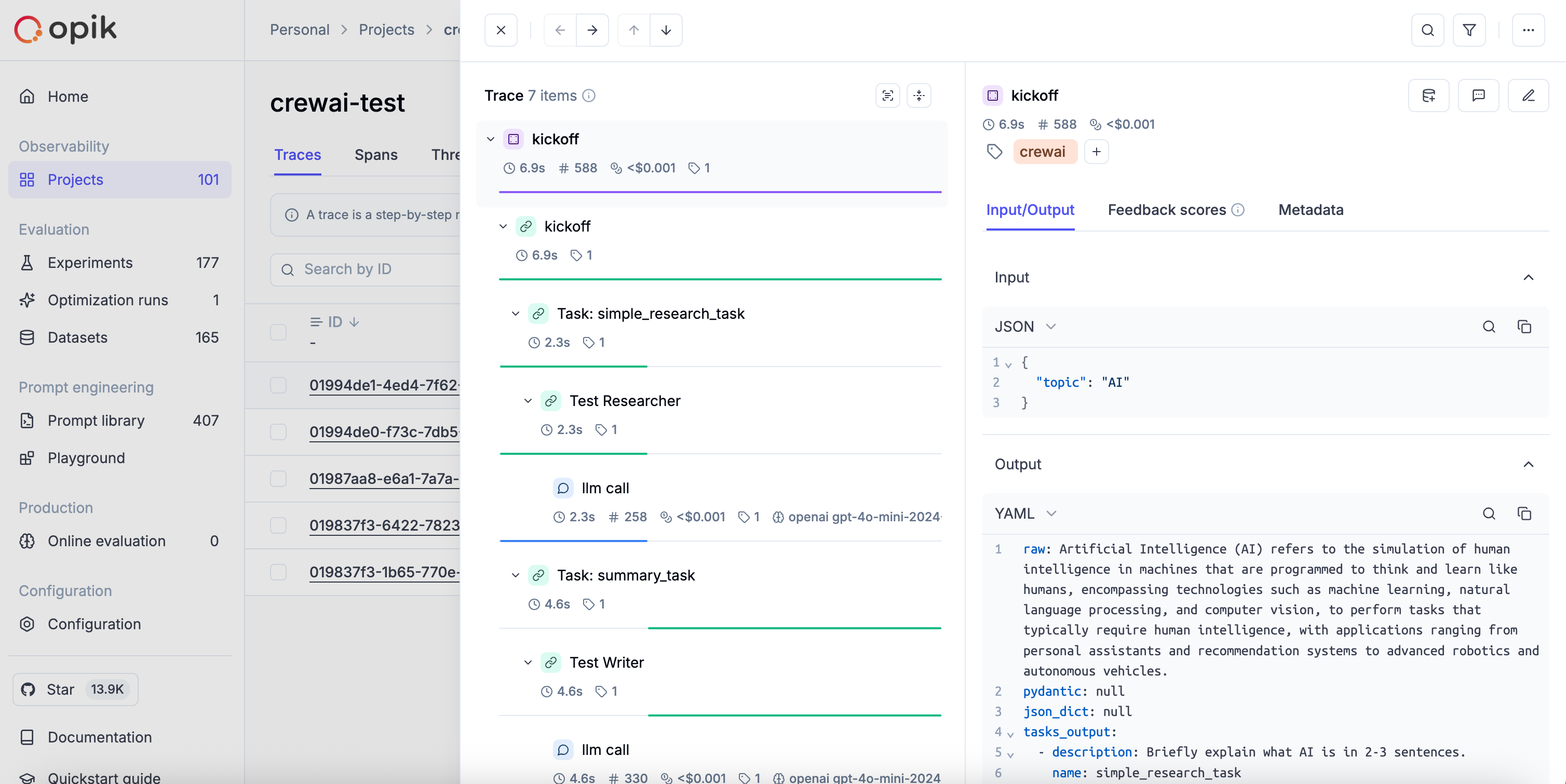
Each run will now be logged to the Opik platform, including all agent activities and LLM calls.
Logging CrewAI Flows
Opik also supports the CrewAI Flows API. When you enable tracking with track_crewai, Opik automatically:
- Tracks
Flow.kickoff()andFlow.kickoff_async()as the root span/trace with inputs and outputs - Tracks flow step methods decorated with
@startand@listenas nested spans - Captures any LLM calls (via LiteLLM) within those steps with token usage
- Flow methods are compatible with other Opik integrations (e.g., OpenAI, Anthropic, LangChain) and the
@opik.trackdecorator. Any spans created inside flow steps are correctly attached to the flow’s span tree.
Example:
Cost Tracking
The track_crewai integration automatically tracks token usage and cost for all supported LLM models used during CrewAI agent execution.
Cost information is automatically captured and displayed in the Opik UI, including:
- Token usage details
- Cost per request based on model pricing
- Total trace cost
View the complete list of supported models and providers on the Supported Models page.
Grouping traces into conversational threads using thread_id
Threads in Opik are collections of traces that are grouped together using a unique thread_id.
The thread_id can be passed to the CrewAI crew as a parameter, which will be used to group all traces into a single thread.
More information on logging chat conversations can be found in the Log conversations section.