

Observability for Spring AI (Java) with Opik
Observability for Spring AI (Java) with Opik
Spring AI is a framework designed to simplify the integration of AI and machine learning capabilities into Spring applications. It provides a familiar Spring-based programming model for working with AI models, vector stores, and AI-powered features, making it easier to build intelligent applications within the Spring ecosystem.
Spring AI’s primary advantage is its seamless integration with the Spring framework, allowing developers to leverage Spring’s dependency injection, configuration management, and testing capabilities while building AI-powered applications.
Getting started
To use the Spring AI integration with Opik, you will need to have Spring AI and the required OpenTelemetry packages installed. The easiest way to start is to use the OPIK SpringAI starter project.
Prerequisites
Before running the demo application, ensure you have the following installed:
- Java 21 or higher
- Maven 3.6+ for dependency management and building
- OpenAI API Key (only for Opik Cloud) - Sign up at OpenAI Platform
- OPIK API Key - Sign up at Comet OPIK
Installation
1. Clone the Repository
2. Verify Java Installation
Ensure you have Java 21 or higher installed.
3. Verify Maven Installation
4. Install Dependencies
Environment configuration
The application requires the following environment variables to be set:
Required Variables
- OPENAI_API_KEY: Your OpenAI API key
- OTEL_EXPORTER_OTLP_ENDPOINT: OPIK OpenTelemetry endpoint
- OTEL_EXPORTER_OTLP_HEADERS: Authorization headers for OPIK
Configure your environment variables based on your Opik deployment:
Opik Cloud
Enterprise deployment
Self-hosted instance
If you are using Opik Cloud, you will need to set the following environment variables:
To log the traces to a specific project, you can add the
projectName parameter to the OTEL_EXPORTER_OTLP_HEADERS
environment variable:
You can also update the Comet-Workspace parameter to a different
value if you would like to log the data to a different workspace.
Using Opik with Spring AI
Set up OpenTelemetry instrumentation for Spring AI in your application.yaml:
Your Spring AI code will now automatically send traces to Opik:
Running the Demo Application
After cloning the OPIK SpringAI starter repository, you can run the demo application using one of the following methods:
Method 1: Using Maven Spring Boot Plugin
Method 2: Using JAR File
Method 3: Development Mode with Auto-reload
The application will start on http://localhost:8085
Testing the Demo Application using REST API
After that you can send a request to the application endpoints to interact with the chatbot:
Or POST request to the /api/chat/ask-enhanced endpoint with TAGS and METADATA in the body:
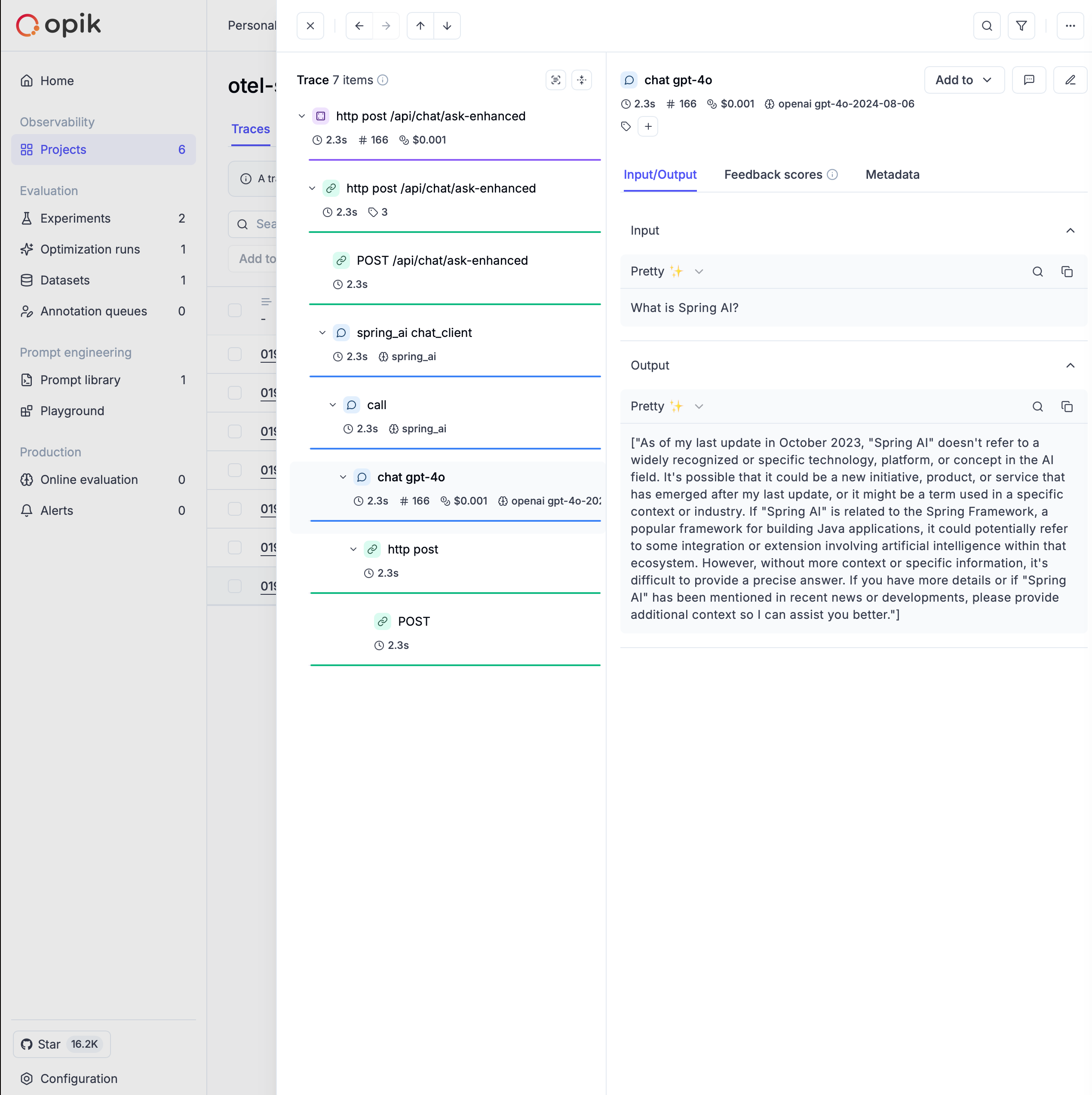
After running the demo application, you can view the traces in Opik by navigating to the Traces tab in the Projects page.
Further improvements
If you have any questions or suggestions for improving the Spring AI integration, please open an issue on our GitHub repository.