

Observability for Semantic Kernel (Python) with Opik
Observability for Semantic Kernel (Python) with Opik
Semantic Kernel is a powerful open-source SDK from Microsoft. It facilitates the combination of LLMs with popular programming languages like C#, Python, and Java. Semantic Kernel empowers developers to build sophisticated AI applications by seamlessly integrating AI services, data sources, and custom logic, accelerating the delivery of enterprise-grade AI solutions.
Learn more about Semantic Kernel in the official documentation.
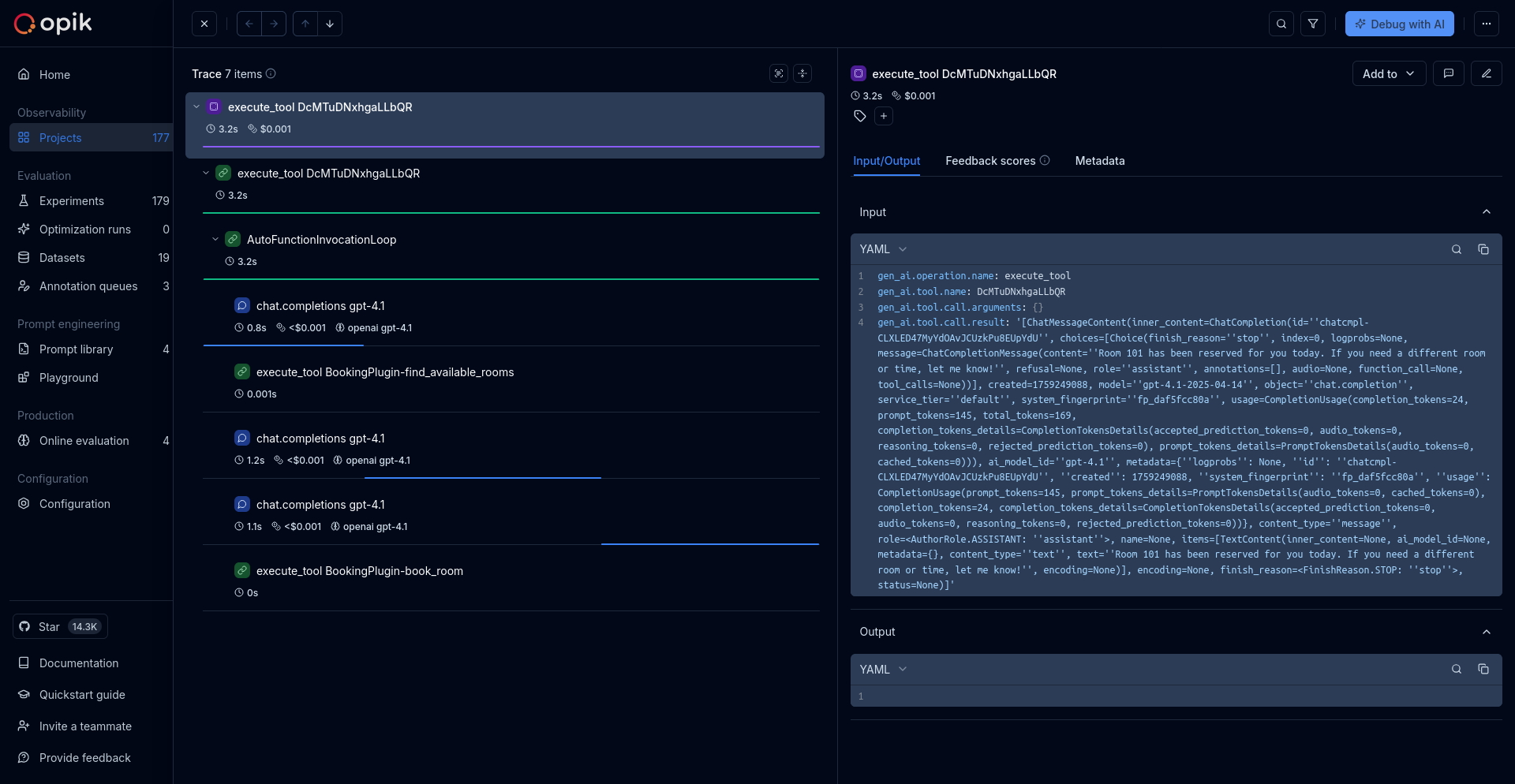
Getting started
To use the Semantic Kernel integration with Opik, you will need to have Semantic Kernel and the required OpenTelemetry packages installed:
Environment configuration
Configure your environment variables based on your Opik deployment:
Opik Cloud
Enterprise deployment
Self-hosted instance
If you are using Opik Cloud, you will need to set the following environment variables:
To log the traces to a specific project, you can add the
projectName parameter to the OTEL_EXPORTER_OTLP_HEADERS
environment variable:
You can also update the Comet-Workspace parameter to a different
value if you would like to log the data to a different workspace.
Using Opik with Semantic Kernel
Important: By default, Semantic Kernel does not emit spans for AI connectors because they contain experimental gen_ai attributes. You must set one of these environment variables to enable telemetry:
SEMANTICKERNEL_EXPERIMENTAL_GENAI_ENABLE_OTEL_DIAGNOSTICS_SENSITIVE=true- Includes sensitive data (prompts and completions)SEMANTICKERNEL_EXPERIMENTAL_GENAI_ENABLE_OTEL_DIAGNOSTICS=true- Non-sensitive data only (model names, operation names, token usage)
Without one of these variables set, no AI connector spans will be emitted.
For more details, see Microsoft’s Semantic Kernel Environment Variables documentation.
Semantic Kernel has built-in OpenTelemetry support. Enable telemetry and configure the OTLP exporter:
Choosing between the environment variables:
-
Use
SEMANTICKERNEL_EXPERIMENTAL_GENAI_ENABLE_OTEL_DIAGNOSTICS_SENSITIVE=trueif you want complete visibility into your LLM interactions, including the actual prompts and responses. This is useful for debugging and development. -
Use
SEMANTICKERNEL_EXPERIMENTAL_GENAI_ENABLE_OTEL_DIAGNOSTICS=truefor production environments where you want to avoid logging sensitive data while still capturing important metrics like token usage, model names, and operation performance.
Further improvements
If you have any questions or suggestions for improving the Semantic Kernel integration, please open an issue on our GitHub repository.