

Observability for Microsoft Agent Framework (.NET) with Opik
Observability for Microsoft Agent Framework (.NET) with Opik
Microsoft Agent Framework is a comprehensive multi-language framework for building, orchestrating, and deploying AI agents and multi-agent workflows with support for both Python and .NET implementations.
The framework provides everything from simple chat agents to complex multi-agent workflows with graph-based orchestration, built-in OpenTelemetry integration for distributed tracing and monitoring, and a flexible middleware system for request/response processing.
Account Setup
Comet provides a hosted version of the Opik platform, simply create an account and grab your API Key.
You can also run the Opik platform locally, see the installation guide for more information.
Getting started
To use the Microsoft Agent Framework .NET integration with Opik, you will need to have the Agent Framework and the required OpenTelemetry packages installed:
You will also need to configure your OpenAI API key:
In addition, you will need to set the following environment variables to configure OpenTelemetry to send data to Opik:
Opik Cloud
Enterprise deployment
Self-hosted instance
If you are using Opik Cloud, you will need to set the following environment variables:
To log the traces to a specific project, you can add the
projectName parameter to the OTEL_EXPORTER_OTLP_HEADERS
environment variable:
You can also update the Comet-Workspace parameter to a different
value if you would like to log the data to a different workspace.
Using Opik with Microsoft Agent Framework (.NET)
The Microsoft Agent Framework has built-in OpenTelemetry instrumentation. You need to configure the OpenTelemetry SDK to use HTTP/Protobuf protocol and export to Opik. Here’s a complete example:
Important: The .NET OpenTelemetry SDK requires explicitly setting OTEL_EXPORTER_OTLP_PROTOCOL=http/protobuf to use HTTP with Protocol Buffers. If not set, it defaults to gRPC which is not supported by Opik’s endpoint.
You can also configure this programmatically:
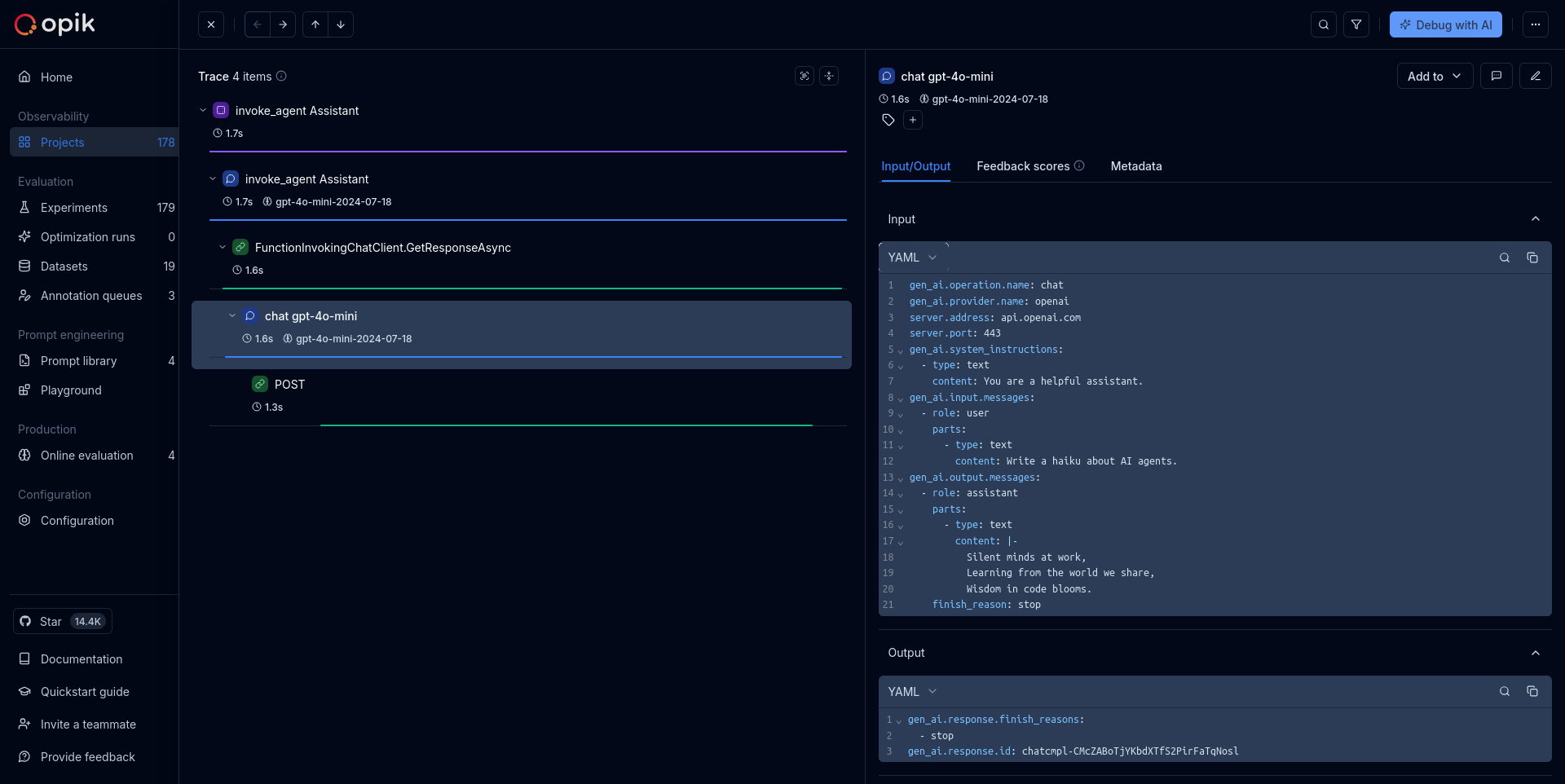
The framework will automatically:
- Create traces for agent executions
- Log input prompts and outputs
- Track token usage and performance metrics
- Capture any errors or exceptions
Further improvements
If you would like to see us improve this integration, simply open a new feature request on Github.
Reference
For more information about the Microsoft Agent Framework OpenTelemetry integration, see: