
With tools like Claude Code and Codex now standard in engineering workflows, developers are shipping new products, features, and bug fixes at mind-blowing speed. But as coding agent usage grows and API billing plans mature, another mind-blowing factor is coming into focus: the cost. Almost every day, our team talks to an engineer, team lead, or CTO who’s running up against daily or weekly spending caps, poring over billing dashboards and invoices, and trying to understand where all the tokens are going and what to do about it.
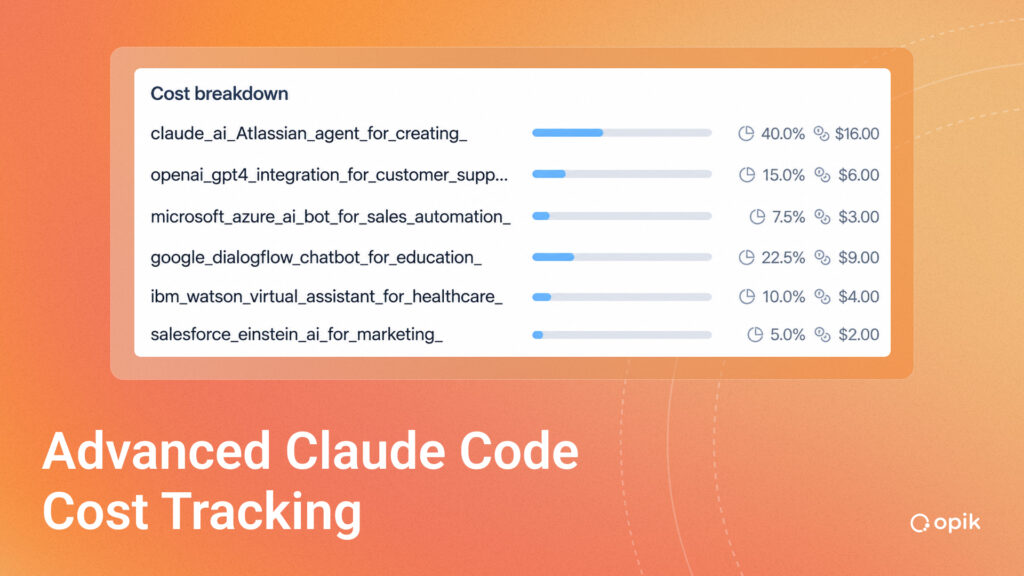
The goal isn’t to throttle velocity in a market where speed and innovation are critical — it’s to find and eliminate waste, attribute spend to outcomes and make informed budget decisions, empower engineers to get more work done with the same number of tokens, and keep up with changing code environments without accumulating tech debt or bloated configurations. This sounds like common sense, but it’s hard to pull off in practice, and only gets harder the larger your team.
To achieve these goals, you need something architected more thoughtfully than most Claude Code cost trackers out there, and a way to turn that visibility into action. That’s why we built Cost Intelligence, using deep integrations with Claude Code and Codex to go beyond spend tracking, identify cost optimizations within configuration settings across your team, and implement those fixes immediately.
Teams using Cost Intelligence are saving an average of 30% on their Anthropic bills from day one, without disrupting engineering work. Learn more about Cost Intelligence here and read on for background on the complexity of the Claude Code cost tracking problem and how we’re working to solve it.
Questions Your Claude Code Cost Tracker Should Answer
The cost tracking features you get out of the box from Anthropic and OpenAI show the tip of the iceberg, but they don’t log and analyze the details you need at the user and team level to make real, lasting progress on cost optimization. An advanced cost tracking solution should answer questions like:
- Which developers, projects, tools, MCP servers, skills, prompts, and model choices are driving the spend?
- Which costs are justified by valuable work?
- Which costs are wasteful, and what configuration changes would reduce spend without slowing down engineers?
Individual, Team, and Org-Level Cost Tracking
Your Claude Code cost tracker should help developers, engineering managers, and executives answer these practical questions at multiple levels.
Developer-Level Cost Tracking
At the developer level, it should make it easier to understand which sessions, tools, models, and context patterns are expensive. Developers should be able to make informed decisions without becoming finance analysts.
Team-Level Insights
At the team level, it should show spend across users, projects, task types, and workflows. Managers should be able to identify outliers, spot inefficient defaults, and understand whether AI usage is supporting meaningful engineering work.
Cost cutting is only half the story. For engineering leaders, the bigger opportunity is to connect AI spend to business and engineering outcomes. If Claude Code helps a team resolve production bugs faster, ship features sooner, reduce repetitive work, or onboard engineers into a complex codebase, that spend may be worth defending. But leaders need evidence.
Organization-Level AI Spend Management
At the organization level, cost tracking should support reporting and policy. Leaders should be able to justify spend where AI is creating value, reduce waste where configurations are bloated, and set team-level standards without creating unnecessary friction. This level of visibility allows for predictable weekly, monthly, and quarterly budgeting, and creates informed criteria for finance teams to evaluate and approve proposals.
Go From Spend Tracking to Optimization with Cost Intelligence
In early 2026, our engineering team at Comet needed answers to many of the above questions to support our own work. We found ourselves in a unique position to build something given our background creating AI observability tools within our flagship product, Opik. Where Opik tracks and evaluates the performance of an agent you are building as your product, Cost Intelligence tracks and evaluates the performance of an agent you use, namely Claude Code or Codex. Its deep integrations with these tools give you visibility and usable fixes to provide the key pillars of effective cost tracking.
Tool-Level Cost Visibility
The Cost Intelligence integration actually maps which inputs, outputs, and tool calls cost the most, in dollars and as a percentage of each developer’s spend and each team’s spend. Right in the UI, you get cost breakouts for details including:
Inputs
- Prior assistant context
- Tool results
- User prompts
- Skills loaded
- MCP servers loaded
- File attachments
- Static overhead
Outputs
- Thinking modes
- Built-in tool calls
- Assistant text
- MCP tool calls
- Skill invocations
One-Click Fixes
Dashboards alone won’t save wasted tokens. If a tool shows that one team is spending too much, the next question is obvious: what should they change? This is where Cost Intelligence goes beyond passive reporting to surface configuration-level recommendations. Teams can see which MCPs, skills, model choices, and context patterns are driving cost, then choose fixes for Cost Intelligence to implement directly via the integration, without forcing developers to change the way they work.
With Cost Intelligence, you can set user- and team-level configuration policies, default model settings, manage context, thinking modes, and set standards for which tools, models, or MCPs should load by default.
Reached Your Claude Code Spending Cap? Try This.
When a team reaches its Claude Code spending cap, the first instinct is often to reduce usage. Leaders may consider stricter limits. Developers may be asked to be more careful. Finance may push for caps that protect the budget but frustrate engineering. But the better first step is to look at configurations and what’s loading in as context, to find waste. Check out 5 practical steps in this blog post on reducing Claude Code context bloat.
See How Much Your Team Could Save on Claude Code
Every engineering team’s AI stack is unique, and different cost centers arise based on projects, team structure, and the tools your engineers use. Cost Intelligence is built to integrate across any stack, and our team is here to help you customize visibility and recommendations to realize and maintain the highest possible savings without slowing down development. Contact us for a custom demo showing how much Cost Intelligence could save your organization.
