

Observability for Google Gemini (Python) with Opik
Observability for Google Gemini (Python) with Opik
Gemini is a family of multimodal large language models developed by Google DeepMind.
VertexAI Support
Opik also supports Google VertexAI, Google’s fully-managed AI development platform that provides access to Gemini models through the google-genai package. When using VertexAI, you can leverage the same track_genai wrapper with the google-genai client configured for VertexAI, allowing you to trace and monitor your Gemini model calls whether you’re using the direct Google AI API or through VertexAI’s enterprise platform.
Account Setup
Comet provides a hosted version of the Opik platform, simply create an account and grab your API Key.
You can also run the Opik platform locally, see the installation guide for more information.
Getting Started
Installation
First, ensure you have both opik and google-genai packages installed:
Configuring Opik
Configure the Opik Python SDK for your deployment type. See the Python SDK Configuration guide for detailed instructions on:
- CLI configuration:
opik configure - Code configuration:
opik.configure() - Self-hosted vs Cloud vs Enterprise setup
- Configuration files and environment variables
Configuring Gemini
In order to configure Gemini, you will need to have your Gemini API Key. See the following documentation page how to retrieve it.
You can set it as an environment variable:
Or set it programmatically:
Logging LLM calls
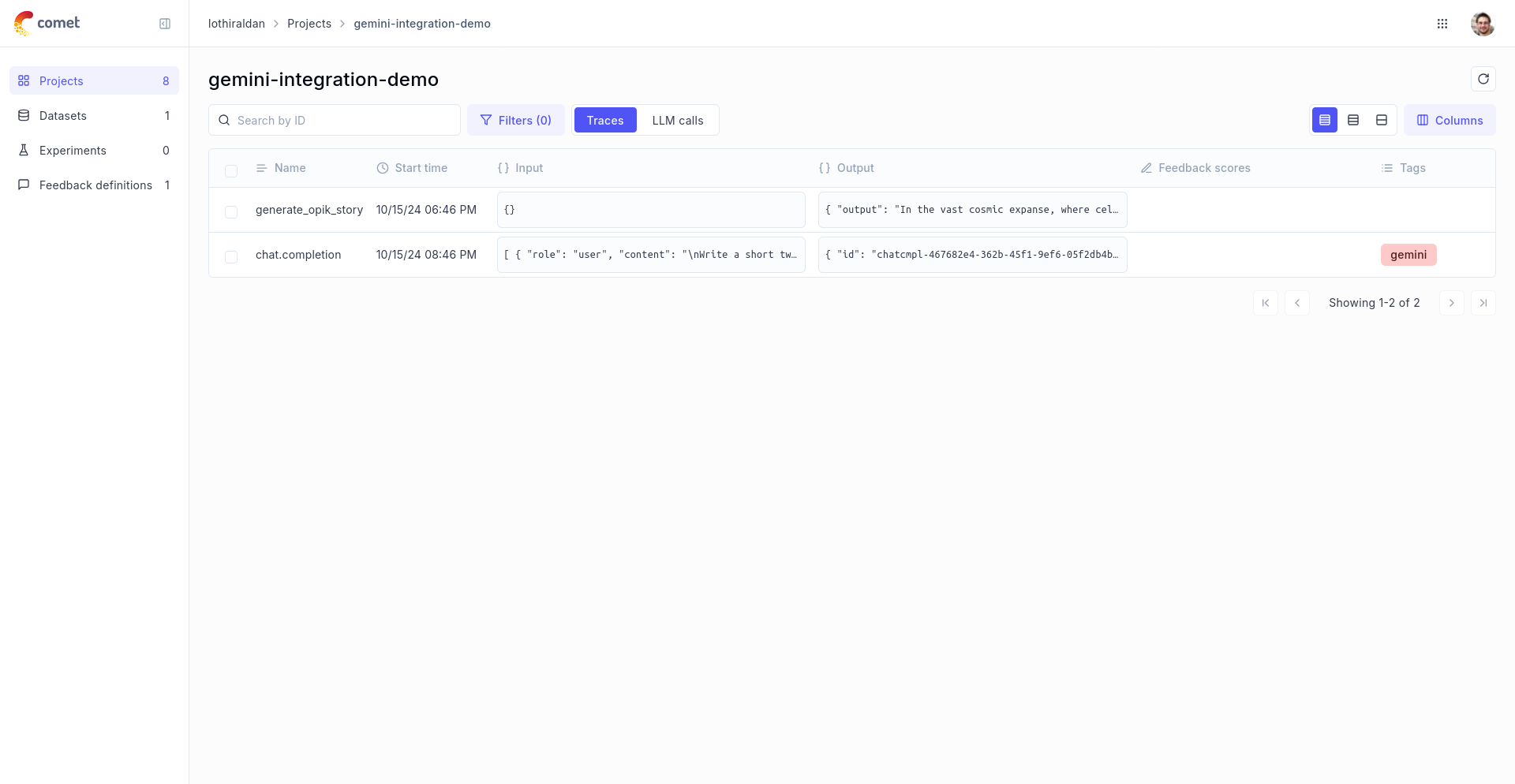
In order to log the LLM calls to Opik, you will need to wrap the Gemini client with track_genai. When making calls with that wrapped client, all calls will be logged to Opik:
Using with VertexAI
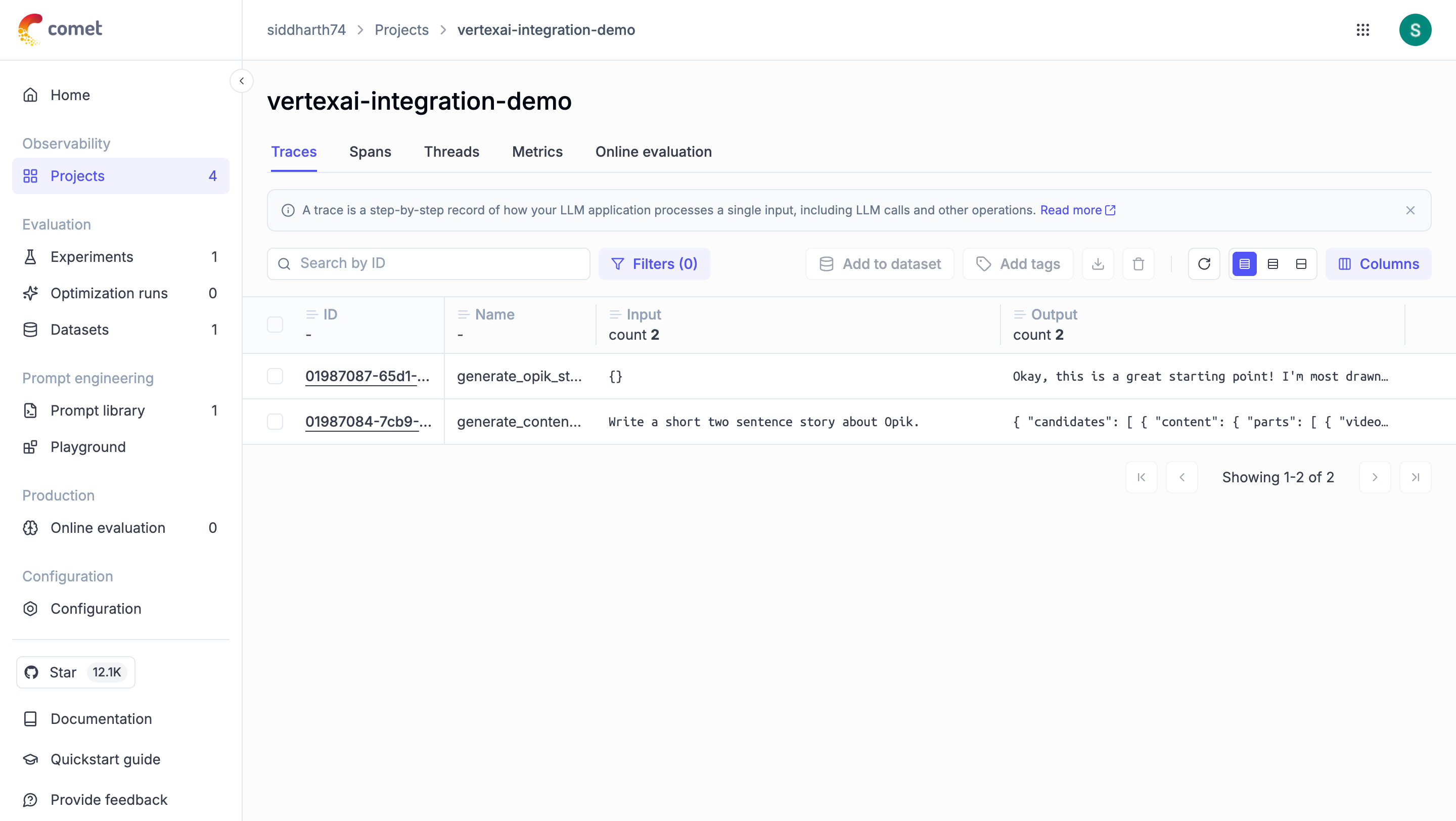
To use Opik with VertexAI, configure the google-genai client for VertexAI and wrap it with track_genai:
Advanced Usage
Using with the @track decorator
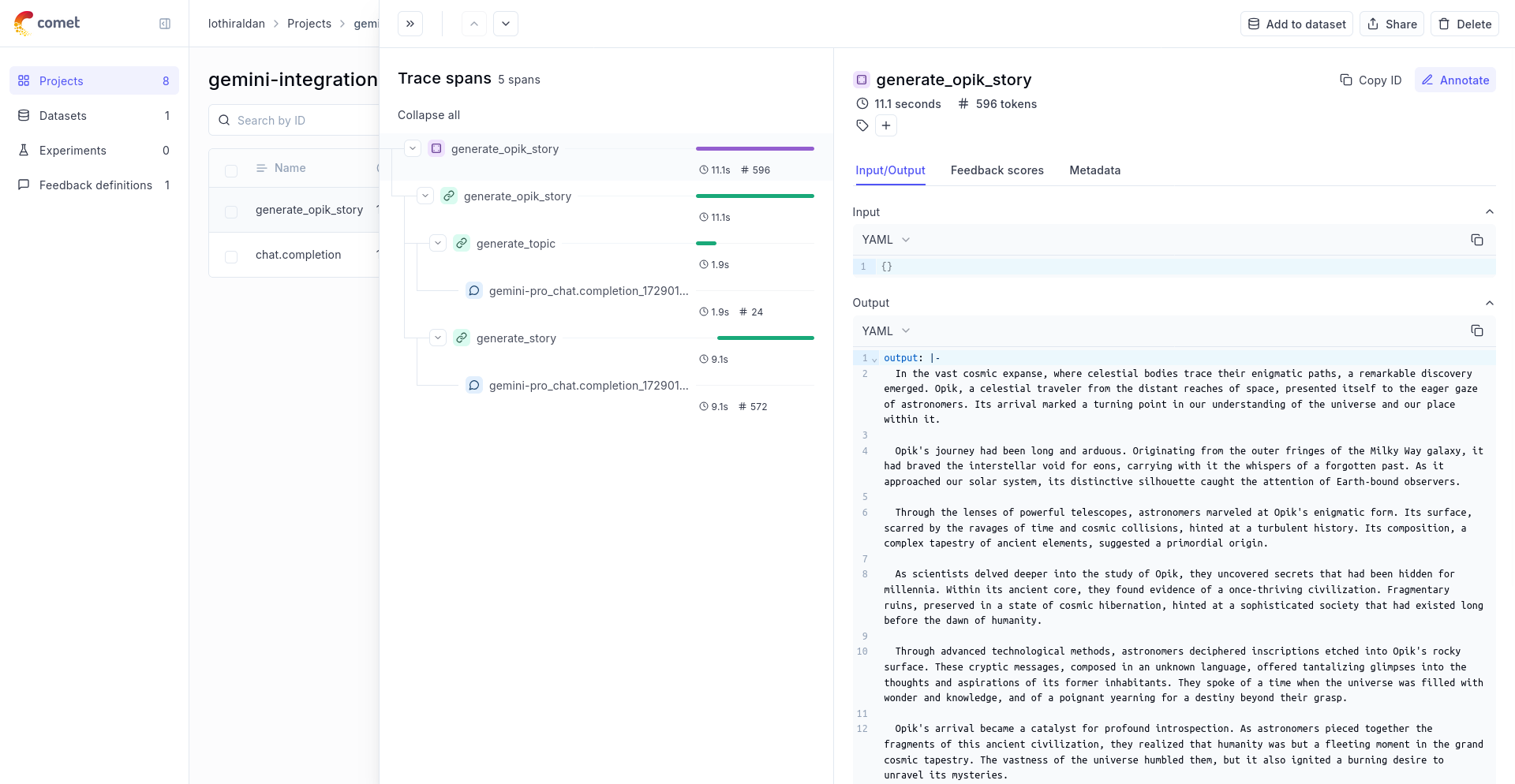
If you have multiple steps in your LLM pipeline, you can use the @track decorator to log the traces for each step. If Gemini is called within one of these steps, the LLM call will be associated with that corresponding step:
The trace can now be viewed in the UI with hierarchical spans showing the relationship between different steps:
Multimodal Content Attachments
The track_genai wrapper automatically logs multimodal content parts (images, audio, video) as attachments in your traces. When you send images or other media to Gemini models, they are captured and viewable directly in the Opik UI alongside your trace data.
This makes it easy to:
- Review the exact media content sent to the model
- Debug multimodal prompts
- Audit model inputs for compliance
Video Generation (Veo)
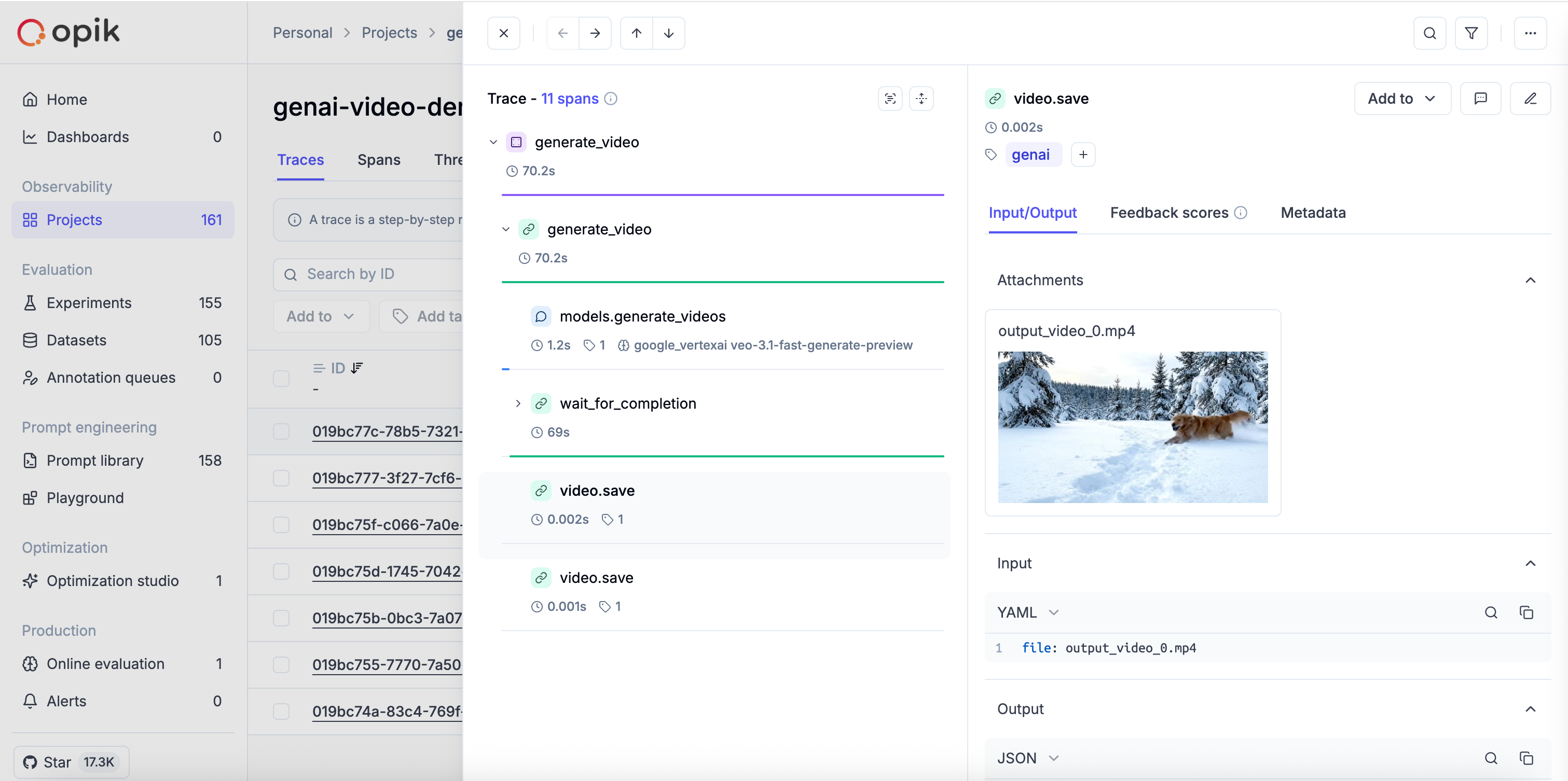
The track_genai wrapper also supports Google’s Veo video generation API. When you generate videos, Opik automatically tracks the video creation process and logs the generated video as an attachment when you save it.
The trace will show the full video generation workflow including the video creation, polling, and the generated video as an attachment:
Cost Tracking
The track_genai wrapper automatically tracks token usage and cost for all supported Google AI models.
Cost information is automatically captured and displayed in the Opik UI, including:
- Token usage details
- Cost per request based on Google AI pricing
- Total trace cost
View the complete list of supported models and providers on the Supported Models page.