
At Comet, we’ve seen firsthand how teams in finance, tech, e-commerce, and beyond use the Opik platform to track critical metrics for monitoring and improving their agents. Those metrics vary widely — for instance, a financial services team checking that its internal support agent follows company policy will track very different metrics than an automotive company making sure its customer-facing chatbot quotes car specs correctly. Custom dashboards are a great way to surface the right metrics, but building them takes real effort. You have to understand your data schema, understand the underlying queries, and figure out how best to visualize the results.
That’s why we’re thrilled to introduce Opik’s new generative dashboards feature. Instead of sifting through your trace metadata, writing queries, or designing charts yourself, just describe what you want to see in plain language and our agent, Ollie, will build a custom widget for you. Want to refine it? Keep chatting with Ollie until it’s perfect, then get right back to improving your agents in production.
In this post, we’ll walk through how the generative dashboard works within the Opik UI, what’s happening behind the scenes when a new dashboard is requested, and dive into a real-world scenario to show it off in action.
How Do Opik’s Generative Dashboards Work?
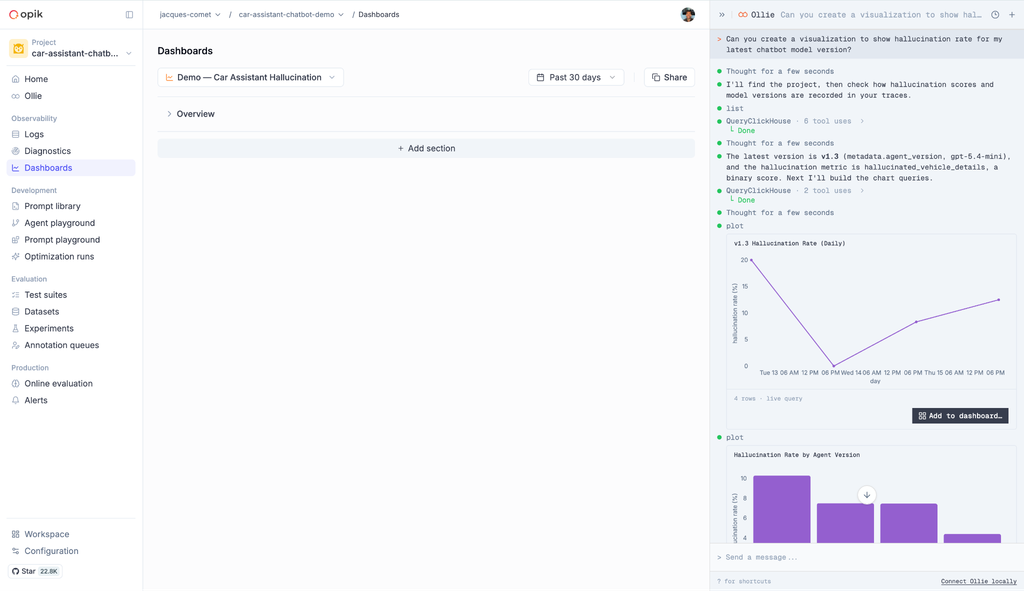
Generative dashboards work exclusively through Ollie, Opik’s conversational AI assistant. Simply ask Ollie what you’d like to see, and you’re presented with a few dashboard widget views within the Ollie UI. From there, you can easily include any widget into a new or existing dashboard view by selecting the “Add to Dashboard” button:
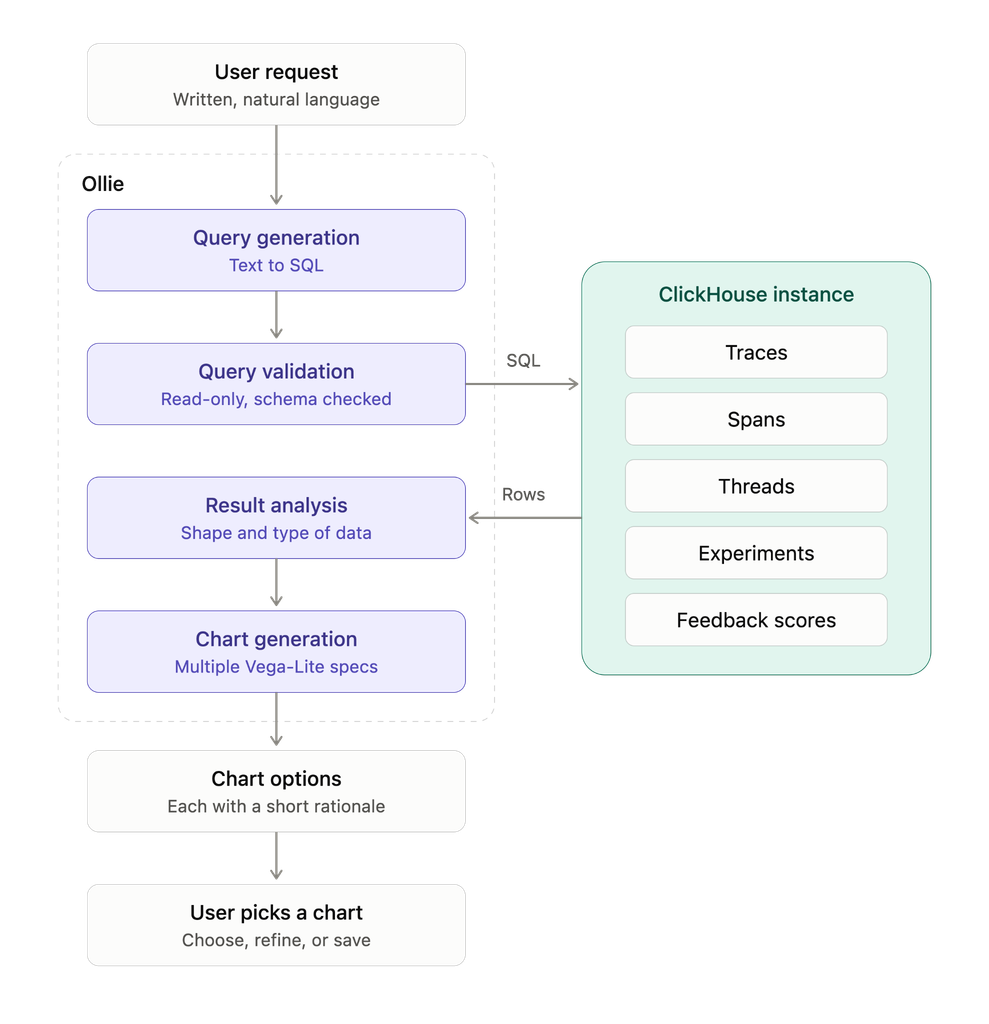
Behind the scenes, Ollie takes a few steps to build each visualization. First, it translates your written request into a read-only SQL query that pulls the relevant trace, span, thread, experiment, and feedback score data from your ClickHouse instance. Next, it analyzes the result and generates multiple distinct Vega-Lite chart specs suited to your use case to choose between:
Once live, it becomes a regular widget you can move, resize and share. To change it later, you can easily click the “Edit with Ollie” button and pick up the conversation where you left off.
Generative Dashboards in Action
Imagine an automotive company that runs an online car-buying platform. Customers can chat with an AI assistant to browse available inventory and ask about each vehicle’s specs, from horsepower and fuel economy to trim-level features. Hallucinations here have massive implications — if the assistant gives a customer wrong information, it can cost the company sales and damage its reputation as a whole.
To catch these errors, the developer team scores every conversation with a custom LLM-as-a-Judge metric that flags hallucinated vehicle details. They ship new versions of their agent regularly, so they want to know whether each release is improving accuracy or quietly making it worse. With Opik, they can spin up a new dashboard to show them this in a matter of minutes.
From a new dashboard in Opik, the team opens Ollie and types their request in plain language:
“Show me the average hallucination score for the car specs judge, broken down by agent version, over the last 30 days.”
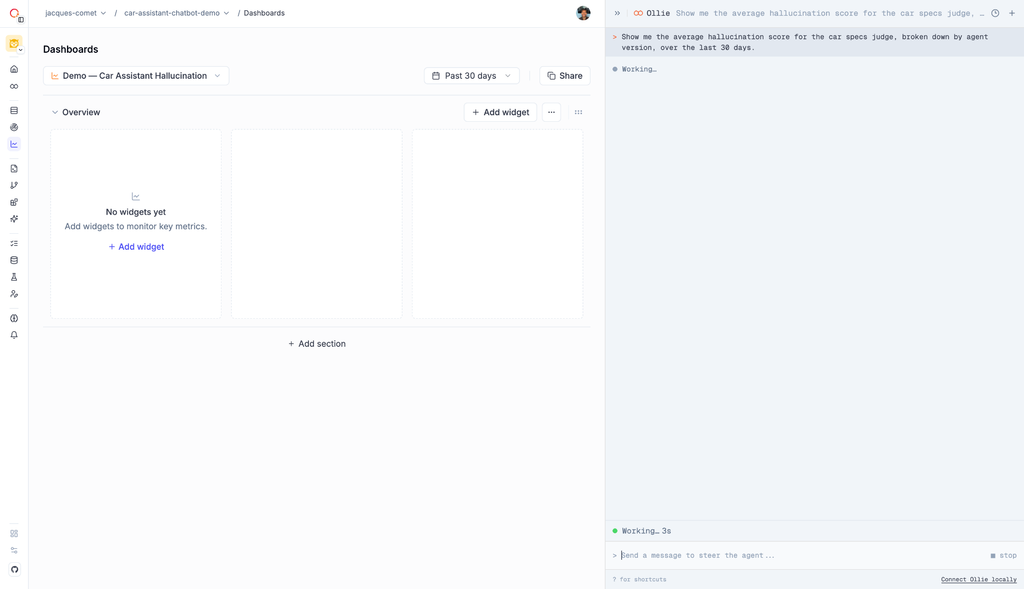
Ollie generates a read-only SQL query that pulls the relevant traces and feedback scores, groups them by the agent version stored in the trace metadata, and returns a chart comparing hallucination scores across releases:
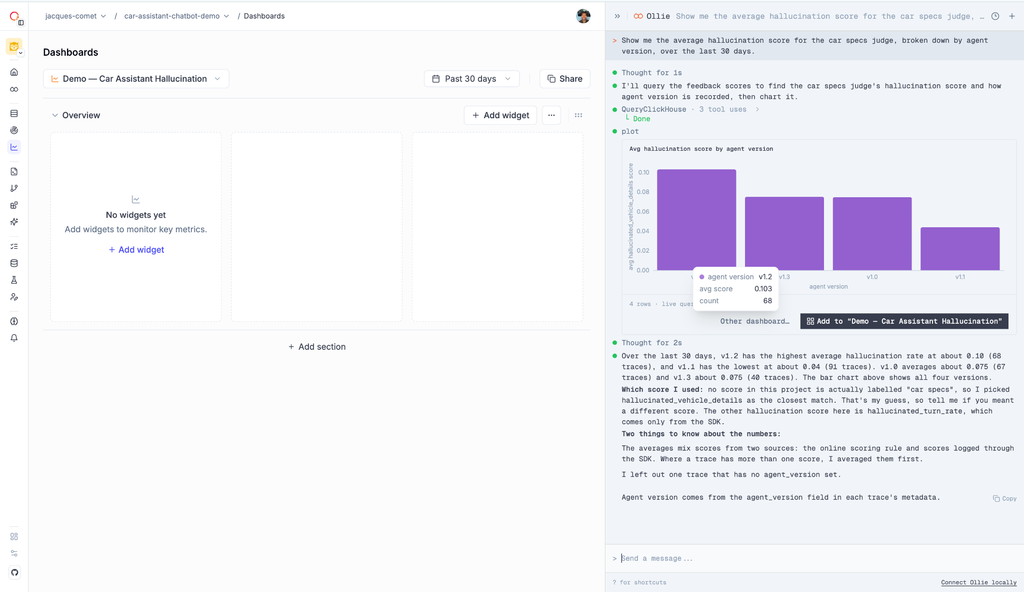
The first chart shows that newer agent versions hallucinate less, but the team wants to see trendlines within each agent over time as well. They ask Ollie a follow-up:
“Make each agent version a line chart not a bar so I can see how each version trends over time..”
Ollie updates the widget in place, making it easy to pinpoint when each release begins producing more errors:
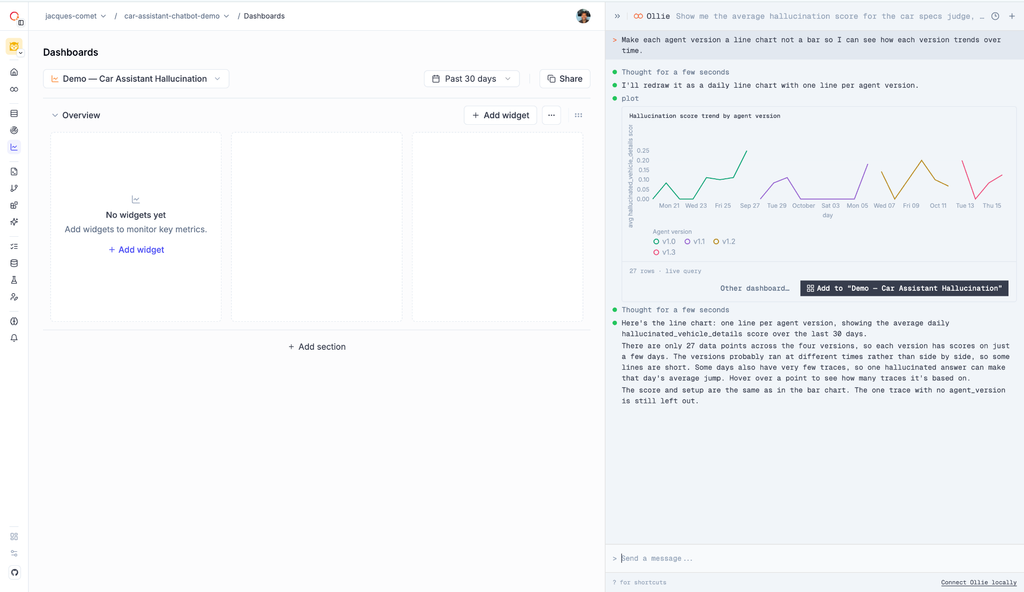
Once the widget looks right, the team adds it to their dashboard, where it updates as new traces come in:
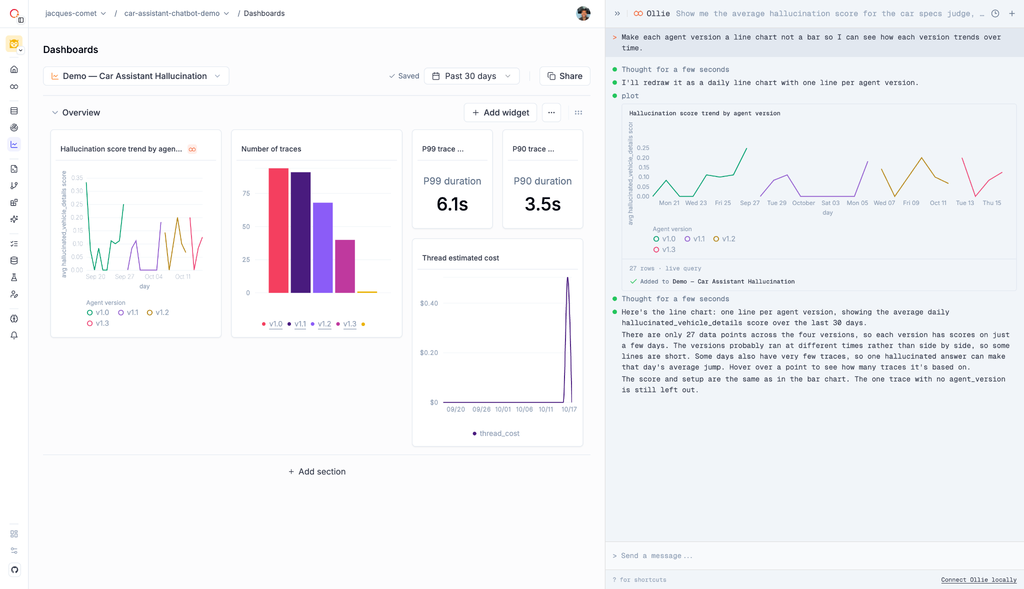
After a few minutes of work, the team can see not just which release is underperforming, but exactly when its accuracy started to slip. That timing helps them trace the problem to its cause (i.e., a prompt change, an inventory update, or a shift in the questions customers are asking) and then dig into the traces from that window to see exactly what the assistant got wrong.
Now, every time they ship a new agent version, they can catch errors early and fix or roll back the release before more customers receive incorrect car details.
Get Started with Opik
Every team building agents has their own definition of success, and the metrics that capture it shouldn’t require intense query writing and chart design to surface. With Opik’s generative dashboards, you can go from question to custom visualization in a single conversation in just a few minutes, and focus on the value they provide to improve agentic performance.
Generative dashboards are generally available now in Opik. To try them, sign up for a free Opik account or log in to your existing workspace, open a dashboard, and ask Ollie what you’d like to see. For more details, check out our documentation, and be sure to share what you build with us in our public Slack channel!
