
In the early stages of agent development, you make big changes to your agent’s code: designing the architecture, integrating tools, and getting the core logic working.
The next phase looks different. It starts once your agent is built and mostly working, and it’s where a lot of the real improvement happens. You run the agent against different inputs, notice patterns in how it responds, and make small adjustments to prompts, tool descriptions, and parameters. The changes might not seem significant, but this is the work that takes an agent from “works in demos” to “works in the real world.”
The process continues when your agent goes into testing and later production, when all the problems you didn’t expect start popping up. Most fixes don’t call for big code changes, but rather tweaks to prompts and configuration.
Nonetheless, the workflow most teams use to edit a prompt is the same one they use for writing code: open the IDE, edit a file, re-run the agent, review logs, and repeat until it works — then merge the change. The loop makes sense for standard software where changes are being made to the code itself. But when it comes to experimenting with prompts for agents, it adds unneeded friction. It’s also a problem for the less technical stakeholders who increasingly play a role in agent development, such as product managers and domain experts.
This phase of agent development calls for a lighter workflow for quick iteration. Small changes should be easy to try for everyone contributing to the agent.
Introducing Opik’s Agent Playground
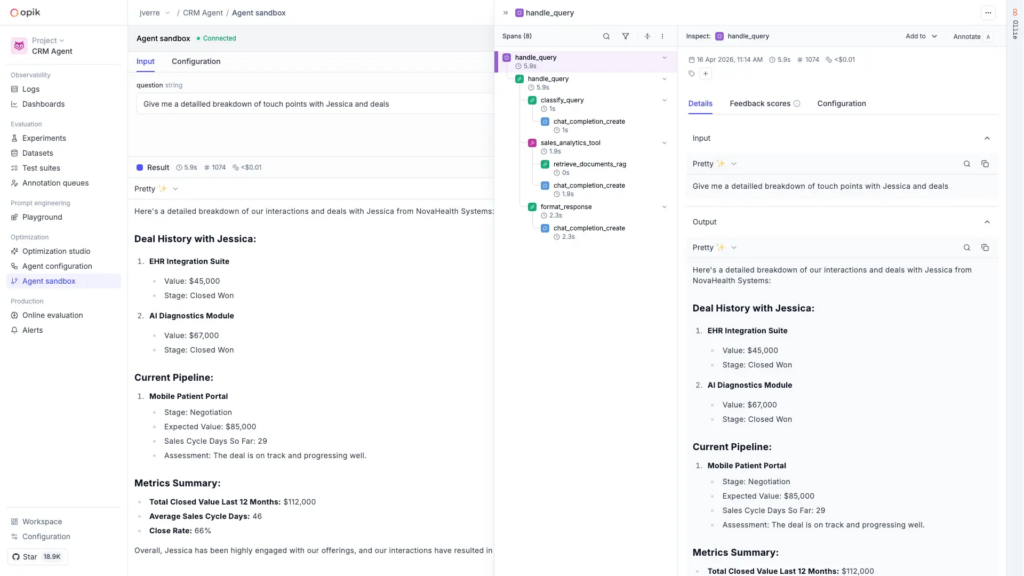
The Agent Playground gives you a central place to run and experiment with your agent, right from the Opik UI.
You link your agent entrypoint to Opik with a single command, and from there you can start triggering runs. When you want to test a change to a prompt, a different model, or a parameter change, you adjust the configuration in the UI, run the agent again, and see the result immediately.
This is particularly useful if your agent uses multiple model calls and prompts. A prompt playground lets you test one prompt in isolation, but it doesn’t tell you how the full agent will respond. The Agent Playground makes it possible to modify and test multiple prompts, models, and other parameters at once.
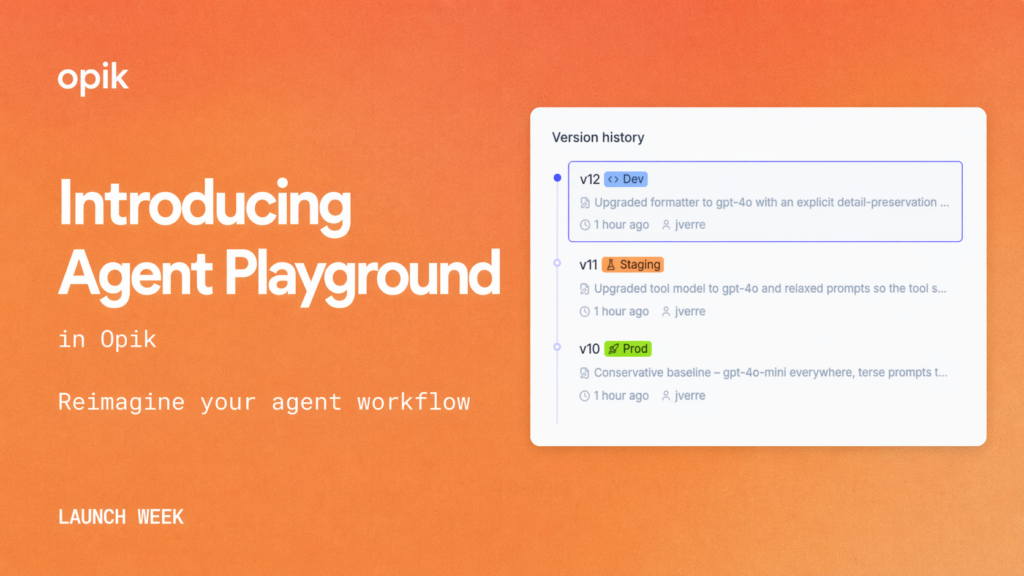
When you land on a configuration that you like, you can save it as an Agent Configuration. Opik’s Agent Configurations capture the full set of your agent’s prompts, model settings, and tool definitions as a single versioned unit.
To deploy a new version, simply, assign an environment label in Opik. Your agent picks up the new configuration automatically, letting you go from experimentation to shipping the change without touching your code. Every version is tracked, so you can always compare them, move them across environments, and roll back.
Agent Playground makes iteration easy throughout your agent’s lifecycle: from development, when you’re still refining it’s behavior, to production, when you need to address a problem you didn’t see coming. Since it all happens in the UI, that work isn’t limited to people who are at home in the codebase.
Getting Started with Agent Playground & Agent Configuration
Agent Playground and Agent Configuration are available in both the free cloud and free open-source versions of Opik, along with the full set of foundational AI observability features developers use to log, debug, test, and monitor AI agents. Learn how to link your agent entrypoint to the Agent Playground in the documentation here.