
Your AI customer support agent successfully handles 47 steps of a complex return request, from retrieving order details, checking inventory, processing refunds, and updating multiple systems. Then on step 48, it forgets the customer’s name and original issue.
You’ve hit your context window limit.
If you’re building AI agents that execute multi-step workflows, context windows are a fundamental constraint that determines whether your agent works as intended in production or falls apart under real-world demands. In this article, we’ll cover:
- What a context window is
- Why it matters, specifically for agentic workflows
- How to work within context window limits without breaking the bank
Context Window Key Takeaways
- Context windows are your LLM’s working memory. Once full, earlier information gets silently dropped.
- Agents burn through context fast. A 50-step workflow with 20K tokens per call = 1M tokens total. Context accumulates across every LLM call.
- Context failures are invisible. Your agent keeps running with incomplete information and produces confident but wrong results.
- Long context ≠ perfect memory. LLMs miss information buried in the middle, even when it’s technically “in context.”
- Context engineering beats context maximization. Compress tool outputs, prioritize what stays in memory, and design workflows with token budgets in mind.
- You can’t fix what you can’t see. Observability shows you what’s actually in context at each step, where tokens are wasted, and when you’re approaching limits.
What Is a Context Window?
A context window is the amount of information an LLM can hold and reference while generating a response. Think of it like your LLM’s working memory.
In humans, most people can hold about seven items in their short-term memory before they start to forget things. LLMs work similarly, except their “working memory” can hold tens or hundreds of thousands of items (aka tokens in LLM-speak). But like human memory, once the context window is full, earlier information gets lost.
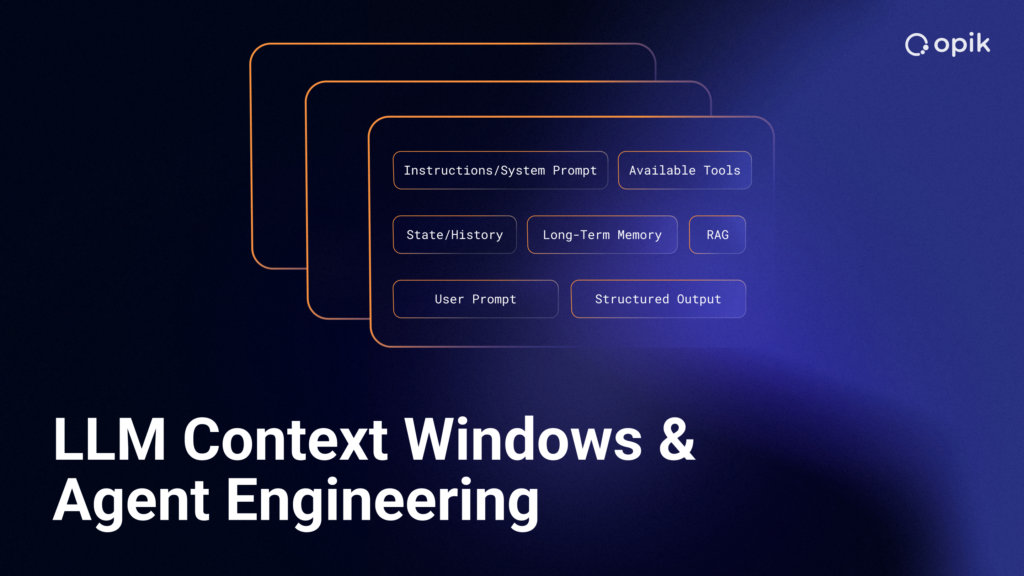
Here’s what’s actually in a context window:
- The user’s current question
- Everything needed to form an answer:
- System instructions
- Conversation history
- Tool outputs
- Retrieved documents
- Intermediate results
- Each piece takes up “space” measured in tokens
Tokens are chunks of text, and in the English language, equal to roughly four characters or three-fourths of a word. A 100,000 token context window equals approximately 75,000 words, or about a 250-page book. Different models have different limits, which can impact performance and usage costs.
Quick Reference: Context Window Sizes
| Model | Context Window | Equivalent |
| GPT-5.1 Thinking | 196K tokens | ~147K words / ~535 pages |
| Claude 4.5 Sonnet | 200K tokens | ~150K words / ~550 pages |
| Gemini 3 | 1M tokens | ~750K words / ~2,750 pages |
Why Context Windows Matter Specifically for Agents
In simple LLM applications, context window usage is predictable and limited. The user asks a question, the LLM responds, and the interaction is complete. Agentic workflows are different. The agent needs to maintain context across multiple LLM calls, and each call adds context to the original request.
When agent workflows involve 20-50+ LLM calls, and each call needs access to the original context plus all previous results, both context and token usage accumulate quickly. If your context window runs out, the agent loses critical information from early steps mid-workflow. This leads to incorrect actions or failed tasks, and can be frustrating for users—if they notice.
What Happens When You Hit Context Limits
Context limit errors rarely announce themselves. Your agent will happily continue working with partial context and produce confident but incorrect results. This is why LLM observability matters, so you can catch these issues before they impact users. There are a few common context window failures to keep an eye out for:
1. Silent Degradation
Users might not notice a context window has reached its limit because agents don’t always error out cleanly. They may simply keep running with incomplete context. Results look plausible but are based on missing information, and can cause problems down the road.
For example, your agent books a flight but forgets the passenger’s dietary restrictions mentioned at the start. It confidently completed the task, but with critical details missing. You won’t know until the passenger complains.
2. Attention Dilution (“Lost in the Middle”)
Even when you have context room, LLMs don’t pay equal attention to all of it. Research shows models are better at using information from the start or end of contexts. Performance can degrade significantly when models must access relevant information in the middle of long contexts.
This means a 1M token window doesn’t work like 1M tokens of perfect memory. A research agent might overlook a critical detail at position 500K, even though it technically has room. The information may be “in context” but your agent can still miss it.
3. Inconsistent Behavior
The same workflow can work perfectly with short inputs but break unpredictably with longer ones. This error typically surfaces under real-world conditions, and can be hard to catch unless you have LLM monitoring in place.
Say your testing environment uses a 500-word customer inquiry, and your agent handles it flawlessly. But in production, a customer pastes in 5,000 words of email history, and suddenly your agent starts making weird decisions. The logic is identical. The code hasn’t changed. The only difference is context accumulation, and your test cases never caught it.
4. Cascading Failures
Context failures can compound. When early tool results get dropped from context, later steps make decisions without critical information. Your agent takes wrong branches in decision trees, and each mistake builds on the last. The end result can look sophisticated and well-reasoned, but be based on incomplete data.
If a data analysis agent starts by fetching quarterly sales data (dropped from context at step 15), then retrieves competitor pricing (kept in context), and finally generates recommendations, it doesn’t know it’s missing the sales context. You may not be able to tell either.
How to Work Within Context Window Constraints
Context windows are design constraints that force better architectural decisions. Maximizing context usage is not always the right answer. The teams building the most reliable agents practice context engineering, and treat context as a resource to be intentionally managed instead of a limit to work around.
Understand Your Token Budget
You wouldn’t build a web service without monitoring memory usage. Don’t build agents without tracking token consumption.
Start by knowing your model’s actual limits, then account for every source of context:
- System prompts – 500-2,000 tokens depending on complexity
- User input – Variable, but calculate worst-case scenarios, not your average case
- Tool outputs – Can be massive and add up faster than anything else
- Conversation history – In multi-turn interactions, each exchange adds tokens
- Retrieved documents – RAG systems inject relevant context, but “relevant” can mean multiple large documents
Pro tip: Build for the edge cases you’ll hit in production, not the easy path that works in testing.
Design Workflows with Context in Mind
The best way to manage context is to need less of it in the first place.
Break long workflows into stages with summarization points. Instead of carrying forward every detail from a 30-step workflow, summarize intermediate results at logical breakpoints.
Compress tool outputs before adding to context. When your database query returns 100 rows, do you need all 100 in context? Or do you need: “Found 100 matching orders, top 5 by revenue are…”
Use semantic caching for repeated information. If your agent is asking the same retrieval question multiple times across a workflow, that’s a design problem. Cache the result and reference it instead of re-injecting the full document each time.
Prioritize what stays in context. Not all information is equally important. When you’re bumping up against context limits, here’s what to keep and what to compress:
- Always keep original user intent. No matter how long your workflow runs, the agent needs to know what the user actually asked for. This is your north star.
- Try to keep recent tool results. The last 2-3 steps are usually critical for the next decision. Keep these in full detail.
- Try to summarize or drop older tool results. Compress information from 20 steps ago to key facts, or drop it entirely if it’s not relevant to remaining steps.
- Always compress intermediate reasoning. Your agent’s chain-of-thought prompting from step 5 might have been useful then, but by step 25, you probably just need the conclusion.
Pro tip: Keep what’s important for human working memory in mind. You remember what you were just working on (recent tool outputs), what you’re trying to accomplish (original intent), and key facts from earlier work (summaries). You don’t maintain perfect recall of everything that happened in chronological order.
Context Windows vs. Retrieval: When to Use Which
Not every problem needs a giant context window. Sometimes smarter retrieval beats stuffing everything into context, and can save you money.
Use long context windows when:
- Your agent needs to reference specific details across many workflow steps
- Maintaining coherence across a complex decision tree is critical
- The entire dataset needs to be “in memory” (like analyzing a full codebase or comparing multiple documents simultaneously)
- You’re doing work where the relationships between distant pieces of information matter
Use RAG (retrieval) + smaller context when:
- You’re searching large knowledge bases for specific facts
- Only portions of data are relevant to each decision
- Cost optimization is critical
- You’re dealing with frequently updated information that would be expensive to keep in context
- The task is more about finding the right information than understanding relationships across all information
Use rolling context/sliding window when:
- You need conversation coherence but not full history
- Workflows exceed even large context windows
- You can summarize earlier steps without losing critical information
- You’re optimizing for long-running conversational agents
Pro tip: The right context strategy depends on your specific workflow. Don’t default to “use the biggest context window available.” Think about how information flows through your agent’s decision-making process and choose the architecture that fits.
Monitor and Optimize Costs
Every unnecessary token costs real money at scale. However, you can’t improve what you can’t measure. To maximize your budget and keep your biggest variable cost under control, you need visibility into token usage across your workflow.
Track these metrics:
- Token usage at each workflow step. Where is context accumulating? Which tools are adding the most tokens? Are there obvious compression opportunities?
- Distance to context limits. How close are you getting to your maximum? If you’re regularly hitting 80%+ of your context window, you’re one edge case away from failures.
- Performance metrics as context grows. Do accuracy, latency, or cost-per-request degrade as context increases? Track these relationships explicitly.
- Cost per workflow execution. Break this down by workflow type. Your five most common workflows might be cost-efficient, but that one edge-case workflow could be burning 10x more tokens.
With observability in place, you can test changes systematically. Try compressing tool outputs and measure the impact on accuracy. Experiment with different summarization strategies and track token savings. Test prompt optimization to maintain quality while cutting token usage. A/B test retrieval architectures against large context approaches.
Pro tip: Don’t wait until you hit production scale to think about costs. Build cost monitoring into your evaluation pipeline from day one. Track tokens per workflow step, not just total tokens per request. Investing in context efficiency can lead to real cost savings at scale.
Monitor Context Before It Becomes a Problem
Traditional debugging doesn’t work for context issues. There are no error messages when context is dropped. Logs show successful calls, not missing context. The problem only appears in production with real data volumes.
What you need to observe:
- Token usage at each step of your agent workflow
- What’s actually in the context window at decision points
- Where information gets dropped or compressed
- Performance degradation as context fills up
- Attention patterns (is info being ignored even when it’s in context?)
LLM observability tools like Opik help you trace exactly what’s in your agent’s context window at each step, monitor usage and limits, test workflows under different loads, and catch context-related issues before they reach production.
Want to see exactly what your agent remembers at each step? Try Opik free for complete LLM application observability, evaluation, and automatic agent optimization. You can also download the full-featured open-source version on GitHub.