

Reduce coding agent spend
Coding agents are the fastest growing line item in most engineering budgets, and the hardest to reason about. Usage is bursty, per-developer variance is enormous, and the cost drivers are invisible from a provider invoice.
Cost Intelligence closes that loop. It shows you where the money went, prices what you could recover, and lets you apply the fix as policy across the fleet. Teams working this loop typically take 15% to 30% out of their bill with no change to what developers can do.
Everything below assumes Cost Intelligence is installed and data is flowing. If it isn’t yet, start with Installation.
Recommended rollout sequence
The loop below works at any scale, but you don’t have to run it fleet-wide on day one. The lowest-risk way in is staged:
- Observe first. Roll out to a pilot group and collect data only — no policies yet. You learn where the money goes before anything changes.
- Apply to the pilot. Review the recommendations priced from the pilot’s own traffic and apply the ones you approve. Policies only reach machines where Cost Intelligence is installed, so while only the pilot is rolled out, the changes land on the pilot’s machines alone.
- Widen. Expand observability and the approved policies to the whole organization.
- Tune per user. Use user policies to handle the heaviest spenders and the teams that genuinely need different settings.
Each stage produces the evidence for the next: the pilot’s realized savings are what you take to the org-wide decision.
Step 1: See where the money goes
The home view gives you total spend, how it is trending, and what it is composed of. This is the first time most teams see the split between the work their developers asked for and the overhead carried on every request.
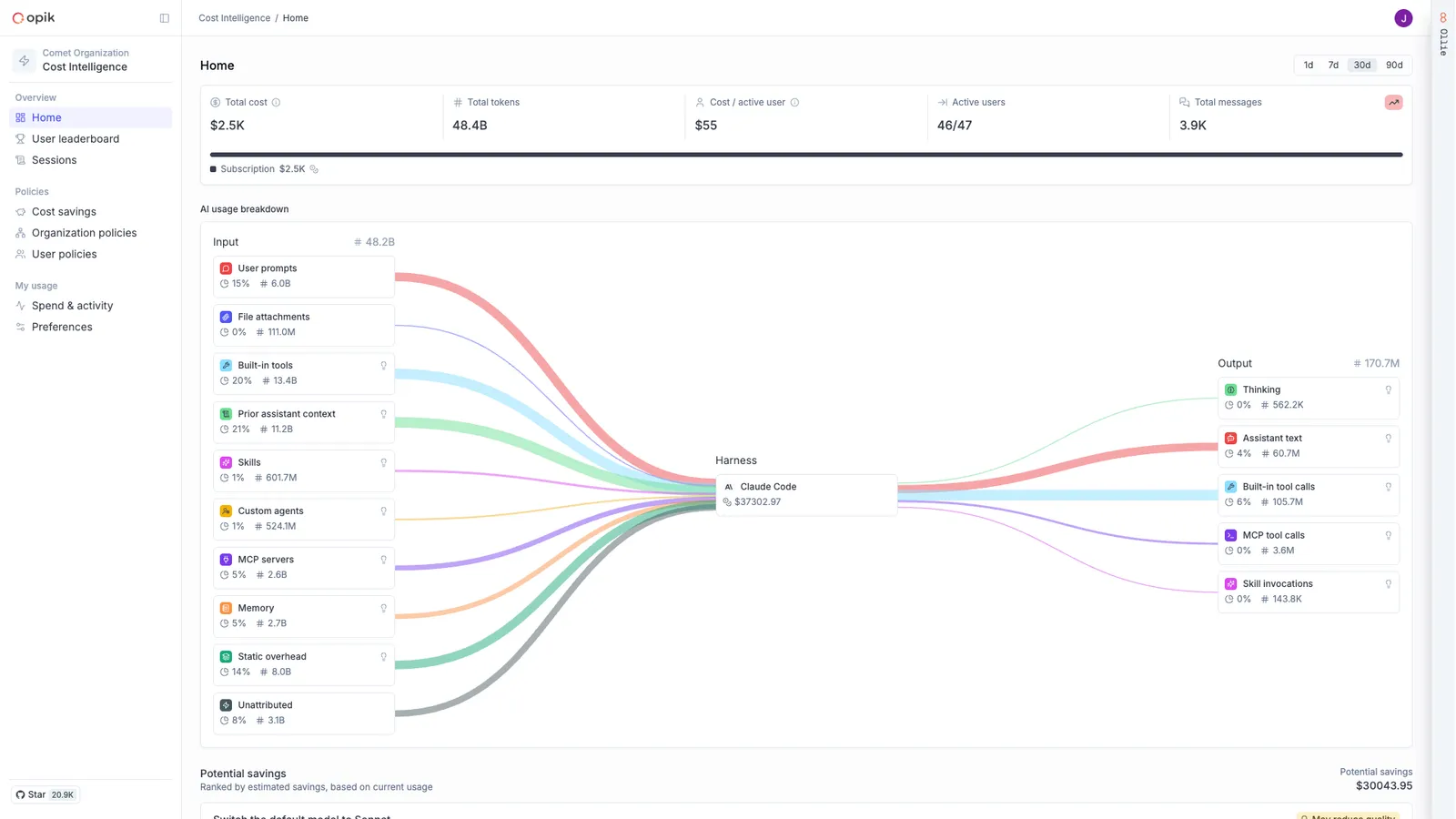
From there, spend resolves along the dimensions where decisions actually get made:
The leaderboard is usually where the first real insight lands. The goal is not to track who spends the most or the least but rather to understand how users are spending their tokens, you’ll often find very different spend patterns across users that surfaces opportunities for optimization.
Every call is attributed across roughly twenty cost buckets, covering the system prompt, tool schemas, MCP servers, memory files, skills, subagents, prior turns, tool output, thinking, and the developer’s own input. Token totals come from the provider’s own usage data, so the numbers reconcile with your bill.
Step 2: Let Cost Intelligence price the savings
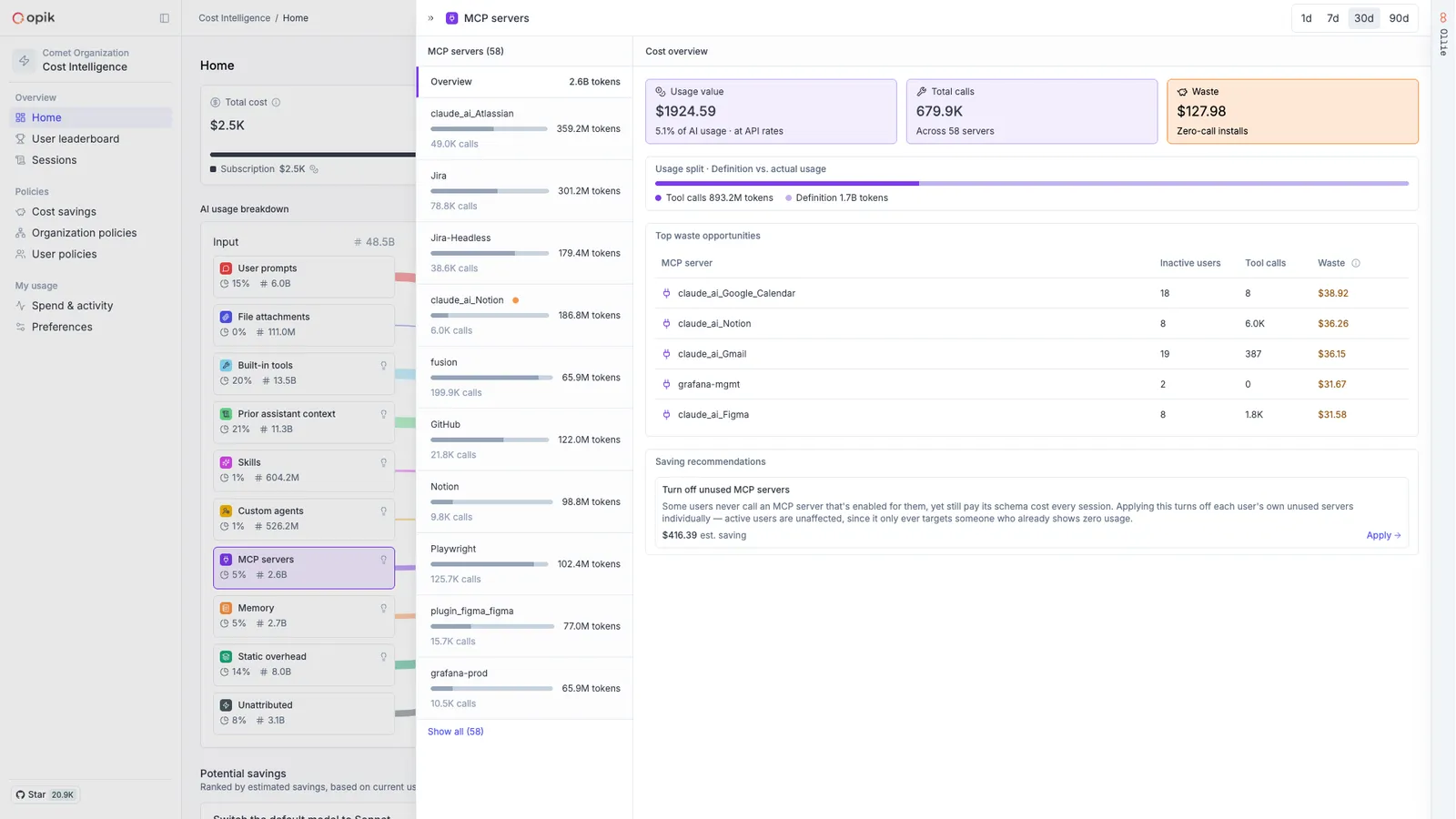
You don’t have to work out which levers matter for your team. The Cost Savings page analyses your own traffic and returns a ranked list of opportunities, each with the dollar amount it would recover.
Every recommendation is priced from your own traffic, so you are choosing between named dollar amounts rather than guessing at what might help. Worked through together, they typically recover 15% to 30% of coding agent spend, purely by optimizing how the agents are configured. Nothing about what your developers can do changes.
Step 3: Apply it as policy
A recommendation you have to chase people to adopt is not a saving. Applying one writes it as policy, and the change reaches developer machines on its own — no push, no restart, typically within about 5 minutes.
Policy works at two levels: Organization policies set the fleet-wide baseline every developer should be on, and User policies handle the exceptions, so one team needing something different never means loosening the baseline for everyone.
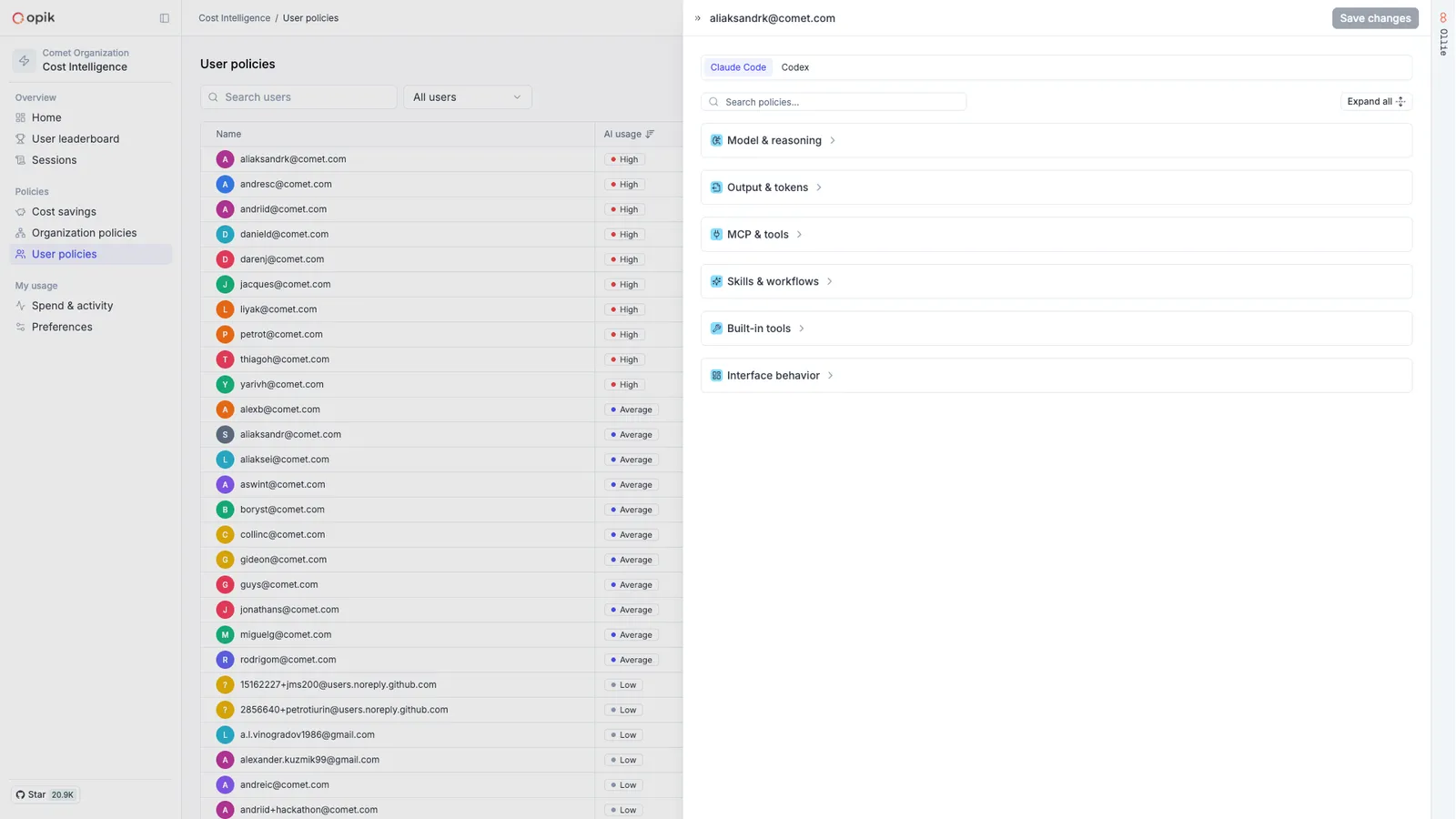
Roll out cost policies is the full picture — how org and user policies inherit, locks and who can change what, how changes reach devices, and what happens when a developer edits a setting locally or you clear one.
Step 4: Confirm it held
Every change is a hypothesis until the data agrees:
- Watch composition, not just the total. A lower bill with unchanged composition usually means less work happened, not less waste.
- Watch the bucket you targeted. A recommendation you applied should show up as a drop in the lane it came from.
- Watch for displacement. Cost that leaves one bucket and reappears in another (more turns, more retries) is not a saving.
- Re-check the savings page. It reprices from current traffic, so the remaining opportunities update as you act.
Giving developers their own view helps more than it sounds like it should. My AI usage shows each person their own spend, composition and activity, and in practice a good share of the saving happens there on its own: developers who can see that a habit is expensive tend to change it without being asked.
How do we know the savings are safe?
A recommendation that cuts spend by making the agent worse is not a saving, so every savings method is validated on both sides before it ships to you.
Against benchmarks. We evaluate agent performance on open and private benchmarks — TerminalBench among them — before and after each change, so a method that degrades what the agent can do never becomes a recommendation.
Against real sessions. We maintain a body of tens of thousands of real, labeled coding-agent sessions — drawn from our own internal usage and from customers who explicitly opt in — that are replayable inside Opik. Every method is tuned against it offline, in large experiments, and monitored online with LLM-as-a-judge evaluation of real outcomes. As agents and usage patterns evolve, the same loop keeps the recommendations current.